
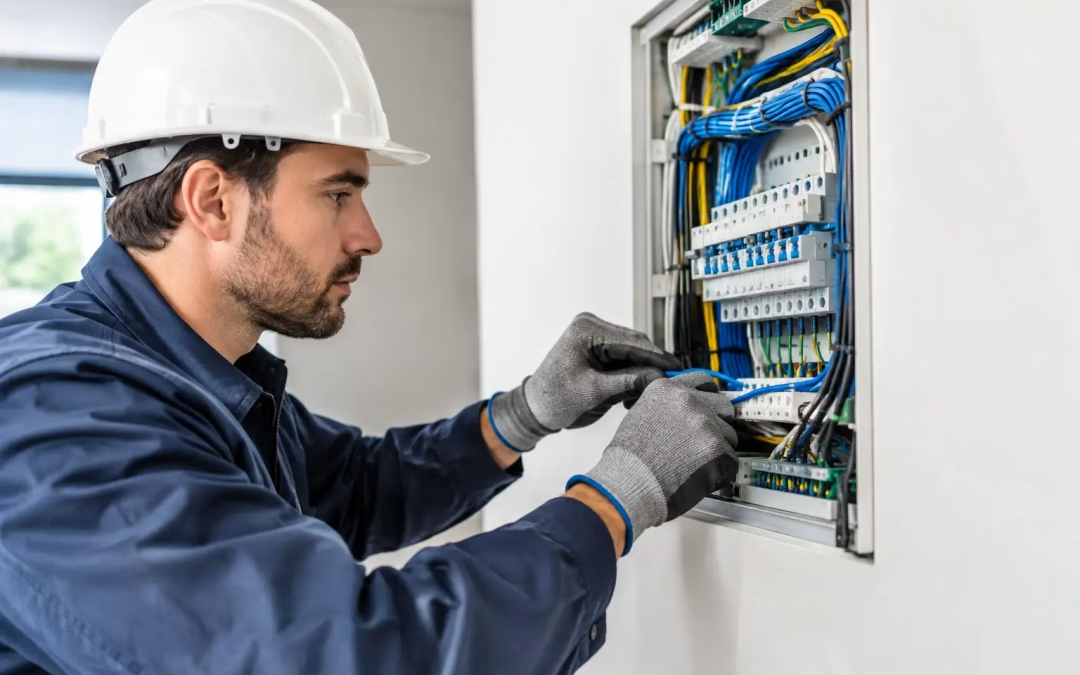
A search for structure wiring installation services near me usually starts when connectivity has become a daily interruption. Calls freeze in one room, Wi-Fi drops near the back of the office, a new employee has nowhere reliable to connect, or an upcoming move exposes a tangle of undocumented cables. The fix is rarely just one new cable. It is a plan for the physical network infrastructure that supports how your team, devices, and building actually operate.
For businesses and homes in the Charleston area, the right contractor should be able to assess the site, install and test the cabling, place network hardware properly, and help you make informed decisions about internet service and security. That broader approach prevents small infrastructure issues from becoming expensive downtime later.
What Structure Wiring Installation Should Solve
Structure wiring, more commonly called structured cabling, is the organized system of data cabling, termination points, pathways, racks, and labeled connections behind a reliable network. It provides the physical path between internet service, network equipment, workstations, access points, cameras, phones, and other connected devices.
A good installation is built around performance today and flexibility tomorrow. A small office may only need a few workstation drops and two ceiling-mounted Wi-Fi access points. A growing company may need Cat6A cabling to support higher bandwidth needs, a server or network rack, fiber connections between areas, and capacity for future desks. The right scope depends on the building, budget, device count, and how long you expect to occupy the space.
The goal is not to install more cable than necessary. It is to eliminate weak points and create a network that is easy to support, expand, and troubleshoot. Clean cable routing, accurate labels, tested connections, and documented layouts matter because they reduce the guesswork when something changes.
Signs You Need Structure Wiring Installation Services Near Me
Slow internet is not always an internet provider problem. If your wired connections are inconsistent, Wi-Fi coverage is uneven, or network equipment is stacked in a closet with no clear organization, the underlying infrastructure may be limiting performance.
Businesses often call for an assessment when they are relocating, expanding into additional rooms, adding cameras or access control, replacing aging network hardware, or preparing for more cloud-based work. A new lease is a particularly good time to plan cabling before furniture, walls, and daily operations make installation harder.
Homeowners may need data wiring for a home office, whole-home Wi-Fi, media equipment, cameras, or areas where wireless signals do not reach consistently. While the scale is different, the same principle applies: dependable connections start with a well-planned physical foundation.
Other common warning signs include exposed or abandoned cabling, unlabeled ports, crowded network closets, recurring dead zones, and employees relying on temporary cables across work areas. These workarounds can keep operations moving for a while, but they make future changes slower and more difficult.
What a Professional Site Assessment Covers
The best installation starts before anyone pulls cable. A site assessment should look at how the space is used, where users and devices will be located, where internet service enters the building, and where network equipment should live.
For an office, the conversation should include the number of workstations, conference rooms, printers, phones, access points, cameras, and specialized devices. It should also account for future headcount. Installing a few extra cable runs during a renovation or move is often far more cost-effective than reopening finished spaces later.
Wi-Fi planning deserves the same attention. Access points need both the right location and a dependable wired backhaul. Simply placing one device in the center of a building may not serve conference rooms, exterior walls, dense work areas, or spaces with materials that weaken wireless signals. Coverage and capacity are separate issues: a network can reach a room but still struggle when too many devices share one access point.
The assessment should also consider equipment placement, ventilation, physical access, cable pathways, and serviceability. A network rack placed where technicians can safely reach it, with labeled patch panels and organized cable management, saves time every time the network needs attention.
Choosing the Right Cabling and Network Design
Cat5e, Cat6, and Cat6A are common choices for network cabling, but they are not interchangeable in every project. Cat5e can still support many basic business needs. Cat6 is a practical fit for many offices that need strong performance and room to grow. Cat6A is often worth considering for higher-bandwidth environments, larger deployments, or projects where the client wants more long-term capacity.
The best choice depends on run length, speed requirements, budget, existing infrastructure, and future plans. Installing the highest category available is not automatically the best use of funds if the rest of the network hardware cannot support it. On the other hand, choosing the lowest upfront cost can create a costly upgrade if a space is being renovated and access will be limited later.
A qualified provider should explain these trade-offs clearly. They should also help match the cabling plan to switches, routers, firewalls, access points, and internet service. Network performance is only as good as the weakest part of the chain.
Fiber optic work may be appropriate when distances are longer, bandwidth requirements are higher, or separate areas of a property need to be connected. It is not necessary for every site, but it can be the right answer for multi-suite offices, warehouses, campuses, and buildings with demanding data needs.
Installation Quality Shows Up After the Work Is Done
A finished installation should look organized, but appearance is only part of quality. Each connection needs to be terminated correctly and tested. Cable runs should be labeled at both ends, routed with protection in mind, and documented so future support does not begin with guesswork.
This is especially valuable during office moves. A rushed relocation can leave teams without working connections, create confusion around provider handoffs, and delay the first day in a new space. Coordinating cabling, equipment installation, Wi-Fi deployment, and carrier timing under one project plan helps reduce that risk.
Security should be considered during the same process. A secure business network may include a properly configured firewall, separate guest Wi-Fi, segmented networks for cameras or other devices, VPN access for remote staff, and controlled access to network hardware. Cabling alone does not create security, but a clean, intentional installation makes a secure design easier to manage.
All Wiring Needs approaches projects as both infrastructure work and a connectivity decision. That means clients can get help with cabling, network hardware, Wi-Fi optimization, security-focused setup, office relocation coordination, and telecom sourcing without having to manage several disconnected vendors.
Questions to Ask Before You Hire
Before selecting a local provider, ask how they determine cable locations, whether they test and label every run, and what documentation you will receive. You should also ask who will coordinate with your internet provider if timing or handoff requirements affect the project.
For a business installation, it is useful to discuss downtime directly. Some work can happen after hours or in phases so employees can continue working. Other projects, especially major equipment replacements, require a scheduled cutover window. A contractor who identifies those constraints early is more likely to protect your operations.
Price matters, but the lowest estimate can leave out testing, labeling, cleanup, equipment configuration, or the capacity needed for growth. Compare scopes, not just totals. A clear proposal should explain what is being installed, how it will be verified, and what assumptions could affect the final plan.
Plan for the Next Change, Not Just Today’s Problem
Network infrastructure is easiest to overlook when it works well. That is exactly the point. A properly designed cabling system gives your business room to add people, rearrange workspaces, improve Wi-Fi, deploy new security tools, or move to faster service without rebuilding the foundation.
If your current network feels improvised, a site assessment can turn a recurring frustration into a practical plan. Start with the rooms, devices, and business outcomes that matter most, then build the wiring and connectivity strategy around them.
#StructuredCabling #DataCabling #NetworkInstallation #CharlestonSC #OfficeMove #BusinessIT #EthernetCabling #FiberOptics #AccessPoints #NetworkSecurity #CableManagement #TechInfrastructure