
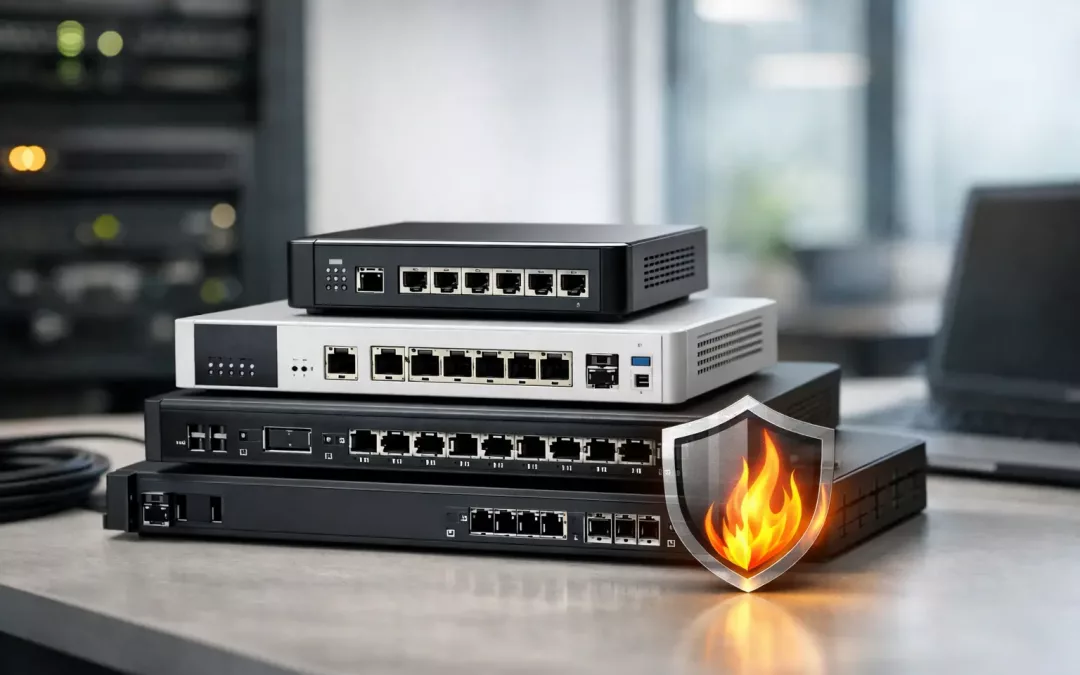
A firewall usually gets attention after something goes wrong – slow VPN access, strange traffic, failed remote connections, or a security scare that forces everyone to ask what is actually protecting the network. If you are comparing the best business firewall devices, the real question is not which box has the longest feature list. It is which device fits your office, your users, your internet circuits, and the way your network is built.
For small and mid-sized businesses, that difference matters. A firewall that is perfect for a larger IT team may be overkill for a 20-person office. A low-cost unit that looks fine on paper can become a problem when you add VoIP phones, remote staff, guest Wi-Fi, multiple VLANs, or a second ISP. The right choice should support security, but it also needs to keep day-to-day operations stable.
How to evaluate the best business firewall devices
The first mistake many businesses make is shopping by brand name alone. The second is buying based on raw throughput numbers without looking at what happens when security services are turned on. A firewall might advertise multi-gig speeds, but that number can drop fast once you enable intrusion prevention, content filtering, malware inspection, VPN traffic, and application control.
That is why sizing matters. A medical office with cloud apps, secure remote access, and segmented staff and guest networks has different needs than a warehouse using a basic POS system and a few workstations. Device count, internet speed, wireless design, and compliance concerns should all shape the decision.
Management is another practical factor. Some firewall platforms are built for experienced IT teams that want deep control. Others are better for businesses that need reliable protection with simpler administration. If your office depends on an outside IT provider or local installer, choose a platform they can support well. The best firewall is not the one with the most knobs. It is the one that gets configured correctly and maintained consistently.
10 best business firewall devices worth considering
Fortinet FortiGate 40F
The FortiGate 40F is a strong fit for many small offices because it balances performance, security features, and manageable size. It is often used in environments that need business-grade filtering, VPN support, and room for network segmentation without stepping into enterprise pricing too quickly.
Its biggest advantage is value for performance. Fortinet tends to offer strong inspection capability in a compact appliance. The trade-off is that licensing and feature planning need attention up front. If you buy a FortiGate, you want to be clear on which security services are included and what renewals will cost over time.
Fortinet FortiGate 60F
For growing offices, the 60F is one of the best business firewall devices to look at when the smaller entry-level models start feeling tight. It gives more headroom for higher internet speeds, additional users, and heavier VPN demand.
This model makes sense for businesses planning ahead. If you expect more staff, more access points, or more traffic between sites, it is often smarter to install slightly above today’s minimum. That can save a replacement project later.
SonicWall TZ270
The TZ270 is a familiar option in many small business environments. It is a practical choice for offices that need unified security features, manageable deployment, and decent support for branch or remote user connectivity.
SonicWall often appeals to businesses that want solid security controls without a steep learning curve. The limitation is that long-term licensing costs should be part of the buying decision. A lower appliance price does not always mean a lower total cost over three to five years.
SonicWall TZ370
The TZ370 is better suited for businesses that have more active users, more demanding traffic patterns, or stricter segmentation needs. It provides extra capacity over the TZ270 and is often a safer bet for offices running cloud apps all day with voice, cameras, and multiple VLANs.
If your network already feels crowded, moving up to the TZ370 can be the more practical choice. Firewall replacements are disruptive enough that it makes sense to avoid undersizing.
Cisco Meraki MX67
The MX67 stands out for ease of cloud management. For organizations with limited in-house IT time, Meraki can be attractive because the dashboard is simple, policy management is straightforward, and multi-site visibility is excellent.
That simplicity is the selling point, but it comes with a trade-off. Meraki usually costs more over time because licensing is mandatory, and some advanced administrators find it less flexible than platforms with deeper local control. Still, for distributed offices and businesses that want cleaner management, it is a solid option.
Cisco Meraki MX75
The MX75 is the step-up choice for businesses that like the Meraki platform but need more throughput and room for growth. It works well in larger offices, busier branch environments, or sites with heavier VPN and cloud traffic.
This is a good example of a firewall that fits operations as much as security. If your team values visibility, remote management, and fast troubleshooting, the Meraki approach can reduce headaches. It is not the cheapest path, but it can be an efficient one.
Sophos XGS 87
Sophos has built a good reputation with SMBs that want strong synchronized security features and clear policy control. The XGS 87 is a reasonable fit for smaller businesses that need dependable protection, remote access, and practical management without a massive footprint.
Sophos can be especially appealing when endpoint security and firewall policies are meant to work closely together. That said, the best results come when the rest of the security stack aligns with the platform. If it does not, some of the ecosystem advantages matter less.
WatchGuard Firebox T45
The Firebox T45 is a dependable option for businesses that want layered security features and straightforward policy administration. WatchGuard is often appreciated by managed service providers and smaller IT teams because it offers good visibility without feeling overly complex.
This platform tends to be a good middle ground. It may not have the same market buzz as some larger names, but it performs well in a lot of real office settings. For the right support model, that matters more than brand recognition.
Netgate 6100 with pfSense Plus
For businesses that want flexibility and strong technical control, Netgate with pfSense Plus can be a compelling choice. It is especially attractive to experienced IT teams or consultants who want to build detailed rules, VPNs, VLAN structures, and custom routing policies.
The upside is control. The downside is that control takes skill. If nobody on your side wants to own that complexity, a more guided commercial platform may be the better fit. pfSense can be excellent, but it is not a set-it-and-forget-it answer for every office.
Ubiquiti UniFi Dream Machine Pro or Pro Max
Ubiquiti gets attention because it combines routing, firewalling, and visibility into a broader network ecosystem that includes switches, access points, and cameras. For small businesses already using UniFi gear, this can simplify management.
It is a practical option for lighter business security needs, but it should be chosen carefully. If your office requires advanced threat inspection, complex compliance controls, or deep enterprise-grade security policy tuning, other firewall platforms are often stronger. UniFi works best when simplicity and ecosystem integration matter more than maximum security depth.
Which firewall is best for your business?
There is no single winner because the right answer depends on your site and your risk profile. For a small office with standard cloud app use and basic VPN needs, a FortiGate 40F, SonicWall TZ270, Sophos XGS 87, or WatchGuard T45 may all be reasonable choices. For a busier office with more users, higher-speed internet, or multiple network segments, models like the FortiGate 60F, SonicWall TZ370, or Meraki MX75 usually make more sense.
If centralized management across locations is a top priority, Meraki stands out. If deep customization matters most, Netgate with pfSense Plus deserves serious consideration. If you already run a UniFi environment and your security demands are moderate, the Dream Machine line may be enough. The key is matching the firewall to the network you actually have, not the one shown on a product brochure.
Deployment matters as much as the device
A good firewall installed on a poorly planned network will still produce bad results. We see this often in offices where internet service was upgraded, a new firewall was added, but the switching layout, cabling, Wi-Fi design, and VLAN structure were never cleaned up. The business expects better performance and better security, but the foundation has not changed.
That is why firewall planning should include the rest of the environment. You want to confirm ISP handoff details, rack space, UPS protection, switch capacity, wireless segmentation, remote access requirements, and failover expectations before the device goes in. For Charleston-area businesses, this is often where a local contractor like All Wiring Needs can help bridge the gap between hardware selection and the physical network infrastructure that supports it.
A firewall should make your network safer and easier to manage, not add another layer of confusion. If you are choosing between devices, start with your users, traffic, and growth plans, then pick the platform that fits your environment and the support model behind it. The smartest firewall purchase is usually the one that prevents problems you never have to explain to your staff.