
A video meeting freezes as a large cloud backup starts. Wi-Fi complaints rise whenever the office is busy. A new security camera system, access points, or production equipment needs more bandwidth than the current network can comfortably deliver. These are the situations behind a common question: when should your business upgrade from copper to fiber?
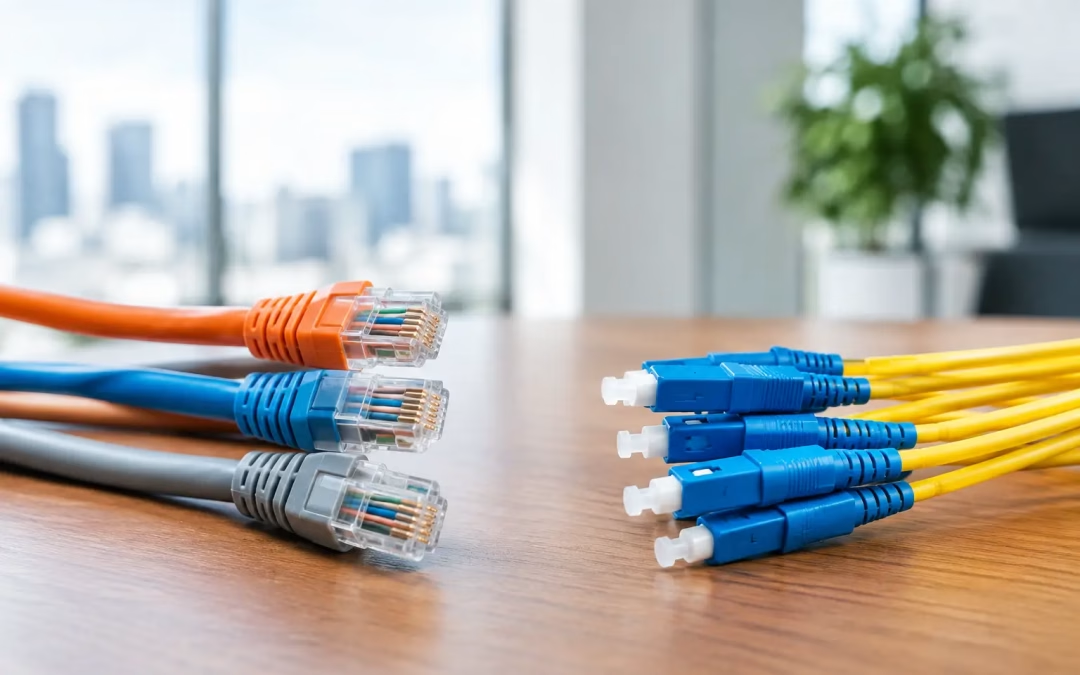
The answer is not simply “when the network gets slow.” Well-designed Cat6 or Cat6A copper cabling remains the right choice for many desk connections, phones, cameras, and access points. Fiber becomes the better investment when distance, capacity, reliability, or growth plans are pushing copper beyond its practical role.
For Charleston-area offices, warehouses, multi-building properties, and growing commercial spaces, the most effective approach is usually a planned hybrid network. Fiber handles high-capacity backbone connections, while copper continues to serve devices close to the network closet. The goal is not to replace wiring for the sake of it. It is to remove the bottlenecks that affect your team, customers, and operations.
When Should Your Business Upgrade From Copper to Fiber?
A fiber upgrade deserves serious consideration when your existing cabling is limiting how the business operates, not merely because fiber is newer. Start by looking for repeatable problems rather than one-off incidents. If your team sees performance issues during peak usage, expansion projects require expensive workarounds, or connectivity between locations is becoming a point of failure, the physical network should be part of the conversation.
Fiber is particularly valuable as a backbone between telecom rooms, network closets, floors, or separate buildings. It supports much higher data rates over longer distances than traditional twisted-pair copper. That gives your switches, servers, wireless infrastructure, and internet connection room to perform without creating a choke point in the middle of the network.
Your network needs to travel farther
Copper data cabling is generally designed for channel lengths up to 100 meters. That works well within a typical office floor, but it can become restrictive across a large warehouse, a campus-style property, a detached building, or a long corridor. Extending a copper run beyond its intended distance can introduce reliability and performance issues.
Fiber is built for those longer pathways. Rather than placing intermediate hardware in inconvenient locations just to bridge a distance, a fiber run can connect the areas directly. Fewer improvised extensions can mean fewer points to troubleshoot later.
Bandwidth demand is consistently rising
A single workstation rarely tells the whole story. Modern offices may depend on cloud applications, video conferencing, VoIP calling, large file transfers, automated backups, security cameras, guest Wi-Fi, and dozens or hundreds of connected devices. Each service may work on its own, yet the combined demand can overwhelm an older backbone.
If your internet plan has been upgraded but users still experience delays internally, the issue may be the connection between switches or network closets. A fiber backbone can support high-speed uplinks that allow traffic to move efficiently where it needs to go. This is especially relevant for businesses adding Wi-Fi 6 or newer access points, higher-resolution camera systems, or network-attached storage.
You are adding a second building, floor, or tenant space
Expansion is an ideal time to install fiber because walls, ceilings, pathways, and work areas may already be open or under renovation. Waiting until the new space is occupied can make the same work more disruptive and expensive.
For multi-building sites, fiber also provides a clean way to connect networks while maintaining centralized management. That can simplify support, security policies, and future upgrades. The correct design depends on whether the buildings share services, require separation, or need redundancy, so this is a situation where an on-site assessment matters.
Downtime or interference is affecting operations
Fiber carries data using light rather than electrical signals, which makes it less susceptible to electromagnetic interference. In spaces with heavy equipment, dense cable pathways, or challenging environmental conditions, that characteristic can help improve connection stability.
Reliability also comes from proper design and installation. Fiber must be routed carefully, terminated correctly, tested, documented, and protected at each end. A poorly planned fiber installation is not an upgrade. A tested, labeled, well-managed fiber backbone is.
Your current cabling is old or no longer documented
Businesses often inherit a patchwork of old cabling after moving into an existing office. There may be unlabeled drops, obsolete cable categories, abandoned lines above ceilings, and no clear record of which ports serve which rooms. Performance problems are harder to solve when the infrastructure is a mystery.
This does not always require replacing every cable with fiber. A network assessment can identify what is worth retaining, what should be removed, and where a fiber backbone paired with new Cat6 or Cat6A drops will give the best return. Cleaning up the physical layer often makes moves, additions, and troubleshooting faster for years afterward.
Fiber Is Not a Replacement for Every Copper Run
The strongest network designs use each medium where it makes sense. Copper is cost-effective, familiar, and appropriate for most endpoint connections within standard distances. Many devices also receive power through Ethernet, including access points, cameras, phones, and certain control equipment. Fiber does not provide that power, so those endpoint runs commonly remain copper.
Fiber typically makes the most sense for high-traffic uplinks: between a main network room and an intermediate closet, from one floor to another, between buildings, or from a service provider handoff to core network equipment. It can also support future capacity without requiring a new cable pathway every time your bandwidth needs increase.
The trade-off is upfront cost and project complexity. Fiber cable, compatible switch ports or transceivers, termination, testing, and protective hardware all need to be included in the budget. If the existing problem is weak Wi-Fi coverage, an overloaded internet service, or an aging firewall, adding fiber alone may not fix it. The network should be evaluated as a system.
Plan the Upgrade Around Business Operations
A good fiber project starts with the business requirement. How many users, devices, cameras, access points, applications, and locations must the network support? What traffic is critical? Which departments cannot tolerate an outage? What growth is expected in the next three to five years?
Those answers shape the design. A small office may need one fiber link between a main rack and a remote closet. A larger property may need multiple strands, spare capacity for future use, redundant pathways, and upgraded switching hardware. Installing extra strands during construction is often more economical than reopening pathways later.
Before work begins, the project should account for cable routes, equipment locations, pathway access, firestopping requirements, labeling standards, testing procedures, and the cutover plan. The cutover is where local experience pays off. The team should know what moves when, who needs to be notified, how services will be verified, and what fallback options exist if an unexpected issue appears.
For occupied offices, much of the preparation can happen outside business hours. Existing connections can remain in place while new fiber is installed and tested. The final transition is then scheduled around the least disruptive window rather than forcing the business to accept a long outage.
Questions to Ask Before Approving a Fiber Project
Before committing to an upgrade, get clear answers to a few practical questions. First, where is the real bottleneck: the internet service, Wi-Fi design, switch capacity, old copper cabling, or a combination? Second, which connections need fiber today, and which can stay on copper? Third, does the proposed design include room for growth without paying for capacity you will not use?
Also ask how the installation will be documented. You should receive clear labeling and test results for the installed links, along with an understandable picture of where each run begins and ends. That information is valuable to your internal IT team, MSP, and future service providers.
Finally, consider who is coordinating the broader project. Fiber work may involve structured cabling, racks, switches, access points, firewall placement, carrier handoffs, and office move logistics. Using one accountable provider for the physical infrastructure and connectivity planning reduces gaps between vendors.
Make the Upgrade Solve a Real Business Problem
A fiber upgrade should leave your business with more than faster speed-test results. It should support dependable calls, productive cloud work, stronger wireless coverage, secure network growth, and a layout that is easier to support. For a new office, growing facility, or network that has become difficult to manage, it is also an opportunity to correct years of cabling shortcuts.
All Wiring Needs helps businesses across Charleston County, Berkeley County, and Dorchester County assess existing infrastructure, design practical fiber and copper layouts, coordinate installation, and test the finished network. The right time to plan is before an expansion, outage, or tenant move turns a manageable project into an urgent one. A clear assessment now gives your business options when the next change arrives.
#FiberVsCopper #Cat6 #Cat6A #FiberOptics #NetworkBottleneck #FutureProofNetwork #CharlestonBusiness #CommercialCabling #NetworkInfrastructure #BandwidthLocal #CharlestonSC #LowcountryBusiness #FiberInstallation #NetworkCabling #BerkeleyCounty #DorchesterCounty