
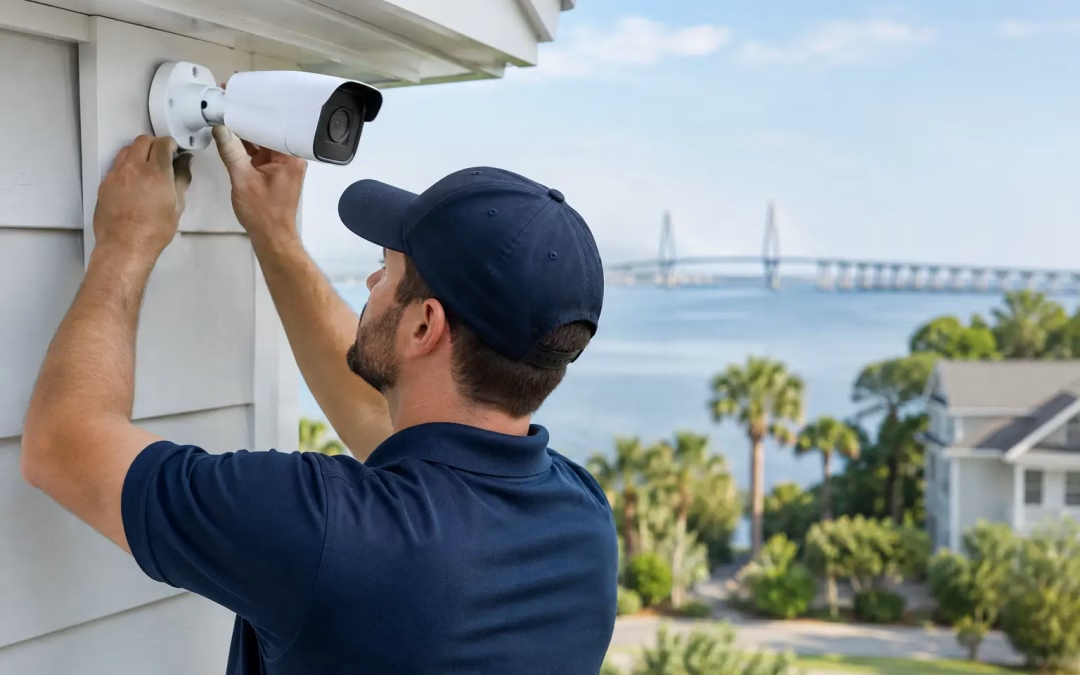
Essential Considerations for Security Cameras Installation Mount Pleasant SC
A search for “security cameras installation mount pleasant sc” often starts after a break-in, an access concern, or a frustrating gap in what a business can verify. A better approach is to plan camera coverage before an incident forces the issue. The right system gives owners and managers usable video, reliable remote access, and a clearer record of what happens at entrances, work areas, parking areas, and other key points.
For Mount Pleasant offices, retail spaces, professional practices, warehouses, community properties, and homes, camera installation is not just about putting devices on walls. It is a coverage, cabling, network, and retention decision. If one part is overlooked, the system may technically record video but still fail to deliver the view, reliability, or evidence you need.
Start With the Questions the Cameras Must Answer
Good camera placement begins with the events you want to see clearly. “Cover the building” sounds reasonable, but it is too broad to guide an installation. A camera at a front door may need to identify visitors. A loading area camera may need to show vehicle movement, deliveries, and activity around stored materials. A parking-lot overview may be more useful for tracking direction of travel than for identifying a face at long distance.
Walk the property with real daily activity in mind. Consider where staff enter, where customers arrive, where packages are left, which doors are used after hours, and where visibility drops after dark. Also consider the camera’s purpose: observation, recognition, identification, or license-plate capture. Those are different jobs, and they require different distances, angles, lenses, and lighting conditions.
For a business, this conversation should include operations and IT leadership. Operations knows where incidents, bottlenecks, and blind spots occur. IT knows what the network can support and how remote access should be controlled. Bringing both perspectives together early prevents a system that looks good on a site sketch but creates problems once it is in use.
Security Cameras Installation in Mount Pleasant, SC Requires a Site Plan
A site assessment turns a general idea into an installation that works under real conditions. During planning, an experienced low-voltage contractor evaluates mounting surfaces, cable pathways, ceiling access, network closet capacity, exterior exposure, lighting, and the distance between cameras and network equipment.
The most common placement mistakes are easy to understand. Cameras are mounted too high to capture usable facial detail, pointed toward bright windows or sunrise glare, blocked by signs or landscaping, or aimed only at the center of a space while missing the paths people actually use. A wide-angle view can be helpful for awareness, but it may not provide enough detail for an incident review. In many cases, two purposefully placed cameras outperform one camera chosen to cover everything.
Exterior locations deserve additional planning. Coastal humidity, rain, salt air, changing sunlight, and nighttime shadows can affect image quality and hardware longevity. Protected mounting, appropriate weather-rated equipment, clean cable entry points, and a view that avoids direct glare all make a measurable difference. The goal is a clear image at 2 p.m. and at 2 a.m., not simply a camera that looks well positioned during a daytime walkthrough.
The Network Behind the Cameras Matters Just as Much
Modern cameras are network devices. They need dependable wired connectivity, sufficient switch capacity, organized cabling, secure access controls, and enough storage to retain video for the period that matters to your organization. Treating the camera network as an afterthought can create dropped video, slow retrieval, weak Wi-Fi, or avoidable exposure to unauthorized access.
Wired Cat6 cabling is often the preferred foundation for fixed cameras because it provides dependable connectivity and can carry data and camera power through one managed run. That reduces the need for separate local power arrangements and gives the installer a cleaner, more serviceable path back to the network room. Cat6A may make sense where longer-term bandwidth planning, larger facilities, or higher-performance infrastructure is part of the project.
Wireless cameras can be appropriate in limited situations, particularly where a cable path is impractical or temporary coverage is needed. The trade-off is that they depend on stable signal strength, may compete with other wireless traffic, and can be harder to troubleshoot when the environment changes. For critical entrances, cash handling areas, server rooms, or exterior perimeters, a wired connection is usually the more dependable choice.
Camera traffic should also be considered alongside the rest of the network. A system with several high-resolution cameras can generate significant data, especially when continuous recording is enabled. Network switches, storage hardware, and internet bandwidth for remote viewing need to be sized around actual camera count, resolution, recording settings, and retention goals. A local contractor that understands both structured cabling and business connectivity can address those pieces as one coordinated project instead of leaving gaps between vendors.
Plan Video Storage Around Real Business Needs
There is no universal number of days every organization should retain video. A small office may need enough storage to investigate incidents discovered within a few weeks. A retail location, property manager, or business with recurring deliveries may need a longer window. Retention depends on camera count, recording quality, motion settings, hours of operation, and the events the system needs to capture.
Continuous recording offers the fullest record but uses more storage. Motion-based recording can reduce storage demand, though it must be tuned carefully so it does not miss activity or create constant alerts from trees, shadows, and passing traffic. Some sites use continuous recording at entrances and more selective recording in lower-risk areas.
Cloud storage can provide convenience and off-site protection, while local network video recording can offer predictable performance and control. Many installations use a combination. The right option depends on internet reliability, budget, privacy requirements, and how often authorized users need to review footage remotely.
Secure Remote Viewing Without Making Access Too Broad
Remote access is valuable when it is controlled properly. Owners want to check a location after hours. Managers may need to review an incident from another office. A security provider or property manager may require limited, approved access. Those needs do not mean every user should have the same permissions.
Use unique credentials, strong passwords, multi-factor authentication when available, and role-based access. Separate administrator accounts from day-to-day viewing accounts. Remove access promptly when an employee, tenant, or vendor no longer needs it. Avoid exposing camera hardware directly to the public internet when a properly configured firewall, VPN, or secure vendor platform provides a better path.
This is also where camera installation connects to broader network security. Default passwords, outdated firmware, unmanaged switches, and poorly segmented devices create unnecessary risk. Cameras should be inventoried, updated as appropriate, and placed within a network design that limits access to what is needed. The best image quality in the world does not help if the system is unavailable when you need it.
Installation Quality Shows Up Later
A professional installation should look organized from the camera location to the network rack. Cables should follow intentional pathways, be labeled for future support, terminate cleanly, and be tested before the project is handed over. Network hardware should be sized and configured for the work it will perform. Camera views should be verified in daylight and, when possible, under nighttime conditions.
This level of execution matters when a camera needs service, an office expands, or someone needs footage quickly. A labeled cable and documented camera location can turn a troubleshooting visit into a short task rather than a disruptive search. It also makes future additions easier, whether the next step is more cameras, upgraded Wi-Fi, access control integration, or a network closet refresh.
All Wiring Needs approaches camera-related infrastructure with that full picture in mind: reliable cabling, thoughtful network design, clean installation, and clear handoff. For businesses managing an office move, renovation, or security improvement, coordinating these systems together can reduce duplicate work and limit disruption to daily operations.
Know When to Upgrade Instead of Patch
Older camera systems do not always need complete replacement. If existing cabling is in good condition and supports the planned equipment, an upgrade may focus on cameras, storage, switching, and secure remote access. A site assessment can determine what is reusable and where targeted improvements will produce the greatest benefit.
Replacement becomes more likely when video is consistently unclear, footage is hard to retrieve, coverage no longer matches the layout, cables are undocumented, or the network cannot reliably support the system. Businesses that have expanded into adjacent suites, changed their entry process, added inventory, or shifted to hybrid staffing often find that their original camera plan no longer fits the way they operate.
The practical next step is not choosing cameras from a specification sheet. It is documenting the areas that matter most, deciding what each view must prove, and building the cabling, storage, and secure access plan around those answers. That is how a camera system becomes a dependable business tool instead of another device that is only noticed after it fails.
#SecurityCameras #CCTVInstallation #MountPleasantSC #CharlestonSC #BusinessSecurity #IPCameras #SurveillanceCameras #NetworkCameras #PoECameras #VideoSurveillance #LowVoltage #PropertyProtection