
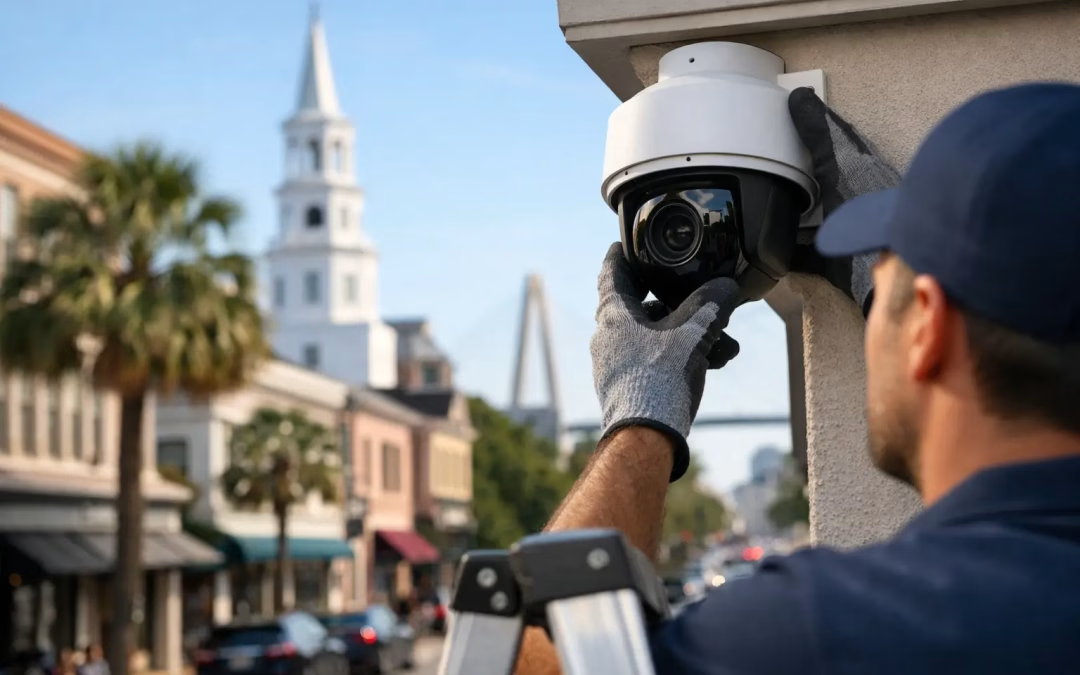
A camera mounted over the front door is not a security camera strategy. For many local companies, the real work begins when coverage needs to extend across entrances, registers, loading areas, parking lots, offices, and equipment rooms without creating weak network performance or a confusing system nobody checks. Security camera system installation: what Charleston businesses should know starts with planning the physical infrastructure and the daily workflow around it.
The right system should give owners and managers clear, usable video when something happens. It should also fit the building, the network, the privacy needs of the business, and the people responsible for reviewing footage. A low-cost kit may look appealing at first, but poor camera placement, limited storage, weak Wi-Fi, or exposed cabling can reduce its value quickly.
Start With What You Need to See
Camera count is less important than coverage quality. Before selecting equipment, walk the property and identify the areas where video would answer a real operational or security question. That may include customer entrances, employee-only doors, cash handling points, inventory rooms, delivery access, shared corridors, or the lot behind the building.
Think about the moment that matters most. Can the camera identify a face at the doorway, read activity around a loading area, or show whether a package was delivered to the right place? A wide-angle camera can cover a large room, but it may not provide enough detail for identification at a distance. A narrow field of view delivers more detail in a specific zone but leaves more outside the frame.
Lighting changes the plan as well. A lobby with daylight through glass, a dim storage area, and an outdoor entrance after closing all create different conditions. Night capability, glare control, camera height, and viewing direction should be considered before installation, not corrected after an incident.
Wired Cameras Usually Deliver Better Business Results
For a commercial site, a wired camera connection is often the better long-term choice. Cat6 or Cat6A cabling can carry network data and Power over Ethernet to a camera through one structured connection. That gives the camera a stable path back to the network, avoids routine battery service, and makes performance more predictable than relying on a crowded wireless signal.
Wi-Fi cameras can make sense in a limited situation, such as a temporary setup or an area where running a cable is genuinely impractical. The trade-off is that wireless cameras depend on signal strength, available bandwidth, and reliable local power. A camera that drops offline during peak business hours is not much help when footage is needed.
Cabling routes matter as much as the cable itself. Professional installation considers ceiling access, wall pathways, outdoor-rated materials where required, labeled terminations, and a clean handoff at the network rack. Exposed or poorly supported cabling is easier to damage and harder to troubleshoot later. It can also make future changes more expensive.
Plan the Network Before Adding Cameras
Video uses network capacity continuously, especially when multiple cameras record in high resolution. A business that adds eight, 16, or more cameras to an existing network without checking switch capacity, uplink performance, and storage requirements may experience slow workstations, choppy video, or both.
A proper design separates camera traffic from business-critical activity where appropriate. That can include a dedicated network segment for surveillance devices, managed switches with enough PoE capacity, and firewall rules that limit unnecessary access between cameras and employee devices. This approach improves organization and reduces the chance that a camera becomes an easy entry point into the wider business network.
Internet speed matters primarily for remote viewing, cloud storage, and off-site access. Your download speed may look strong during a basic speed test, but remote video viewing relies heavily on upload capacity from the business location. If several managers need to review high-resolution video off-site, the connection and camera settings need to support that use case.
For Charleston-area offices, retail locations, warehouses, and multi-tenant properties, older cabling and network closets are common constraints. A site assessment can reveal whether the existing infrastructure supports cameras cleanly or whether a small network upgrade will prevent problems later.
Choose Storage Based on Real Retention Needs
Storage is where many camera projects become undersized. Video retention depends on camera count, resolution, frame rate, recording schedule, motion settings, and how much activity occurs in each camera’s view. A busy entrance recording all day uses storage differently than a camera in a quiet file room set to record motion events.
There is no universal number of days that fits every business. Some companies need a short review window for operational issues, while others require longer retention because of internal policy, insurance considerations, customer disputes, or compliance obligations. The key is to define the retention target before selecting a recorder or cloud plan.
Local network video recorders provide direct control and can be cost-effective for sites with several cameras. Cloud-managed systems can simplify remote administration and reduce on-site hardware needs, but recurring costs and internet reliance deserve attention. Hybrid designs are also available. The best choice depends on budget, retention expectations, access needs, and who will manage the system after installation.
Secure the Cameras Like Any Other Network Device
A camera system is part of your network. Default passwords, outdated firmware, open remote access, and unknown user accounts can turn a security tool into a security risk. Installation should include changing default credentials, assigning individual user access where practical, applying current firmware, and limiting remote access to approved methods.
Not every employee needs the same permissions. A manager may need live viewing and export capability, while a supervisor only needs access to specific cameras. Clear access roles help protect sensitive footage and create accountability when clips are viewed, downloaded, or shared.
It is also wise to decide in advance where exported footage will be stored and who can send it outside the company. Video can contain customer, employee, and visitor information. A simple internal process prevents confusion when an incident, claim, or law enforcement request occurs.
Camera Placement Has Operational and Privacy Limits
Good coverage protects the business without recording more than necessary. Cameras are commonly appropriate in public-facing spaces, access points, inventory areas, and exterior approaches. Private spaces demand a different standard. Businesses should review applicable rules and communicate camera use appropriately, particularly when employees are involved.
Placement should also account for maintenance. Cameras mounted too high, blocked by seasonal signage, or pointed into direct sunlight may not perform as expected. Outdoor units need to be selected and positioned for the local environment, including heat, humidity, rain, and wind-driven weather. A camera designed for indoor use should not be treated as an outdoor solution simply because it is under an overhang.
Avoid a One-Size-Fits-All Installation
A small professional office may need four carefully placed cameras and a modest recorder. A restaurant may prioritize point-of-sale areas, entrances, back doors, and delivery access. A warehouse may need wider exterior coverage, long cable runs, and stronger network distribution across the site. The equipment can look similar, but the infrastructure plan should not be identical.
That is why the installation process should begin with a walkthrough and a discussion of risks, workflows, building layout, and existing network conditions. From there, the contractor can map camera locations, identify cabling paths, confirm switch and storage needs, and plan the work around business hours to reduce disruption.
All Wiring Needs approaches camera-related infrastructure with the same focus used for business networks: clean cabling, tested connections, organized equipment, and a design that supports the way the site actually operates. The goal is not just to get video on a screen. It is to leave the business with a system that is reliable, understandable, and ready when it is needed.
What to Confirm Before the Installer Leaves
Before project closeout, make sure the system has been tested from the places where it will be used. Review live views, recorded playback, night performance, remote access, user permissions, and camera labels. Confirm that the recorder is retaining footage for the expected period and that key contacts know how to locate, export, and save a clip.
Keep a simple record of camera locations, login ownership, network details, and support contacts. This documentation is especially valuable when a manager changes roles, the business expands, or another vendor works on the network later.
A well-planned camera system does more than document incidents. It gives Charleston businesses better visibility into their property and operations, while the cabling and network behind it keep that visibility dependable long after installation day.
#SecurityCameraInstallation #CharlestonBusiness #BusinessSecurity #VideoSurveillance #CommercialSurveillance #WiredCameras #PoE #Cat6Cabling #NetworkDesign #IPCameras #BusinessNetwork