
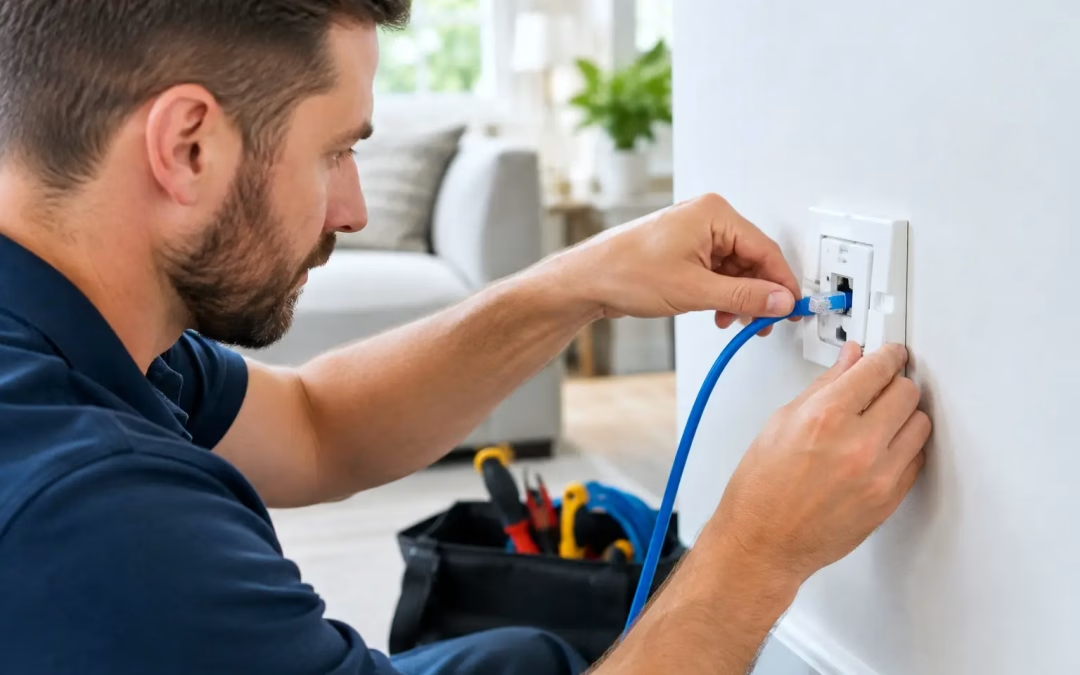
A video call that freezes when someone starts streaming upstairs is often not an internet-plan problem. It is a home network layout problem. Residential ethernet port installation creates a direct, dependable path between your router, network equipment, and the rooms where performance matters most.
For Charleston-area homeowners, wired ports are especially useful in home offices, media rooms, detached workspaces, and larger homes where Wi-Fi has to travel through multiple walls. A properly planned installation gives devices a stable wired connection while also improving the Wi-Fi experience for everything else.
Residential Ethernet Port Installation Starts With a Plan
The best port locations are based on how the home is actually used, not just where a desk happens to be today. A home office may need two ports for a computer and desk phone. A media room may need connections for a streaming device, gaming console, smart TV, and an access point. A centrally located ceiling or wall location may be the right choice for a wireless access point that improves coverage across the home.
Start by identifying stationary, bandwidth-sensitive devices. Desktop computers, televisions, gaming systems, network storage, security cameras, and access points are strong candidates for a wired connection. Devices that move around the house, such as phones and tablets, will still use Wi-Fi, but they benefit when high-demand devices are moved off the wireless network.
Port placement also needs to account for furniture, wall construction, and access to pathways above, below, or behind finished surfaces. A port hidden behind a large cabinet is far less useful than one placed near a desk-height outlet or media connection point. During a site visit, an experienced cabling contractor can identify practical cable routes that protect the appearance of the home while avoiding unnecessary disruption.
It also pays to think ahead. If a room is being renovated, adding extra cable runs while walls are open is usually more cost-effective than reopening finished surfaces later. Even in an existing home, installing two cables to a key location can provide inexpensive flexibility for future equipment.
Choosing the Right Cable Category
Cat6 is the standard choice for many modern homes. It supports gigabit network speeds and is well suited for typical internet service, streaming, remote work, and gaming. Cat6A may make sense where longer cable runs, higher-performance network equipment, or future multi-gigabit capability are part of the plan.
Cat5e can still support gigabit speeds in many residential applications, but it is generally less appealing for a new installation when the additional investment in Cat6 offers more room for growth. The right selection depends on the home’s layout, the length of each run, the equipment in use, and the expected life of the network.
Cable category is only one part of performance. The installation quality matters just as much. Poor terminations, excessive cable bends, damaged cable jackets, or untested connections can reduce reliability regardless of the cable chosen. A network should be built as a complete system, from the wall plate to the patch panel, switch, router, and access point.
Where the Cables Should Terminate
Every ethernet port should run back to a central distribution point. This may be a structured wiring enclosure, utility room, closet, or other accessible location with enough space for network hardware. The goal is to keep the network organized and easy to service rather than leaving disconnected cable ends scattered through the home.
At the central location, each cable should be labeled and terminated cleanly. A patch panel creates a professional handoff between the permanent in-wall cabling and the network switch. This makes it easier to identify each room, add equipment, troubleshoot a connection, or make changes without disturbing the installed cable.
The central location also needs to support the equipment that connects the home. Depending on the project, that may include the internet gateway, router, firewall, network switch, Wi-Fi controller, and a backup power solution for critical network gear. Equipment placement should allow ventilation, access for service, and reasonable cable management.
What a Residential Ethernet Port Installation Includes
A complete project is more than mounting a wall plate. It begins with a walkthrough to determine port locations, cable pathways, hardware needs, and the desired outcome. The installation team then pulls rated data cable from each location to the central distribution point, terminates both ends, labels the runs, and verifies performance with cable testing.
Wall plates should use professional-grade keystone jacks and should be positioned to match the room’s purpose. In a home office, that might mean a pair of ports near the primary workstation. In a media room, it may mean a multi-port plate behind the display area. For a wireless access point, the connection is often placed in a location that supports better coverage and a cleaner installation.
Testing is not an optional finishing step. Each run should be tested for continuity, proper pinout, and connection quality before the project is considered complete. When a port is installed correctly, a homeowner should be able to plug in a device and get the same dependable network connection every time.
Wired Ports Improve Wi-Fi, Too
Homeowners sometimes see wired networking and Wi-Fi as competing options. In practice, they work best together. Ethernet ports provide fixed, high-performance connections for devices that need them, while properly placed access points provide strong wireless coverage for mobile devices.
A wired backhaul connection between the network and each access point can make a major difference in larger homes. Rather than relying on one router to cover every room or asking mesh units to relay signals wirelessly, access points can communicate over dedicated cable runs. That approach often delivers more consistent performance, particularly in homes with dense construction materials, multiple floors, or outdoor living areas.
This design can also reduce congestion. When a work computer, television, gaming console, and access point each have a wired path, the wireless network has more available capacity for the devices that truly need it.
Avoid Common Planning Mistakes
The most common mistake is installing too few ports. One connection in a home office may work initially, but a dock, printer, phone, access point, or second workstation can quickly change the requirement. Adding a second run during the original work is often a practical safeguard.
Another mistake is placing all network equipment in a difficult-to-reach corner with poor ventilation or no room for expansion. A clean, accessible central location makes it easier to replace a router, add a switch, or diagnose a provider issue later.
Homeowners should also avoid treating speed test results as the only measure of success. A fast result near the router does not prove that the media room, upstairs office, or outdoor workspace has reliable coverage. The real measure is whether each space supports the way people use it, without dropouts, dead zones, or constant reconnection problems.
When Professional Installation Makes Sense
Simple surface-mounted connections can be appropriate in limited situations, but in-wall cabling, finished-home cable routing, hardware setup, and network testing require careful planning. The job becomes more involved when a home has multiple levels, tight access areas, detached structures, security equipment, or a need for whole-home Wi-Fi improvements.
A professional installer can assess the physical infrastructure and the network as one project. That matters because a new port is only valuable if it connects to properly configured equipment and supports the home’s actual connectivity needs. For homeowners who also need router placement, switch installation, firewall configuration, or Wi-Fi optimization, a single provider reduces handoffs and missed details.
All Wiring Needs helps homeowners across the Charleston area design and install organized, tested residential data wiring that supports work, entertainment, security, and future upgrades. The most useful network is not the one with the most equipment. It is the one that puts a dependable connection exactly where your household needs it.
#ResidentialEthernet #StructuredCabling #HomeNetworkDesign #Cat6Installation #NetworkInfrastructure #CharlestonSC #EthernetInstallation #Cat6 #HomeNetworking #BetterWiFi