
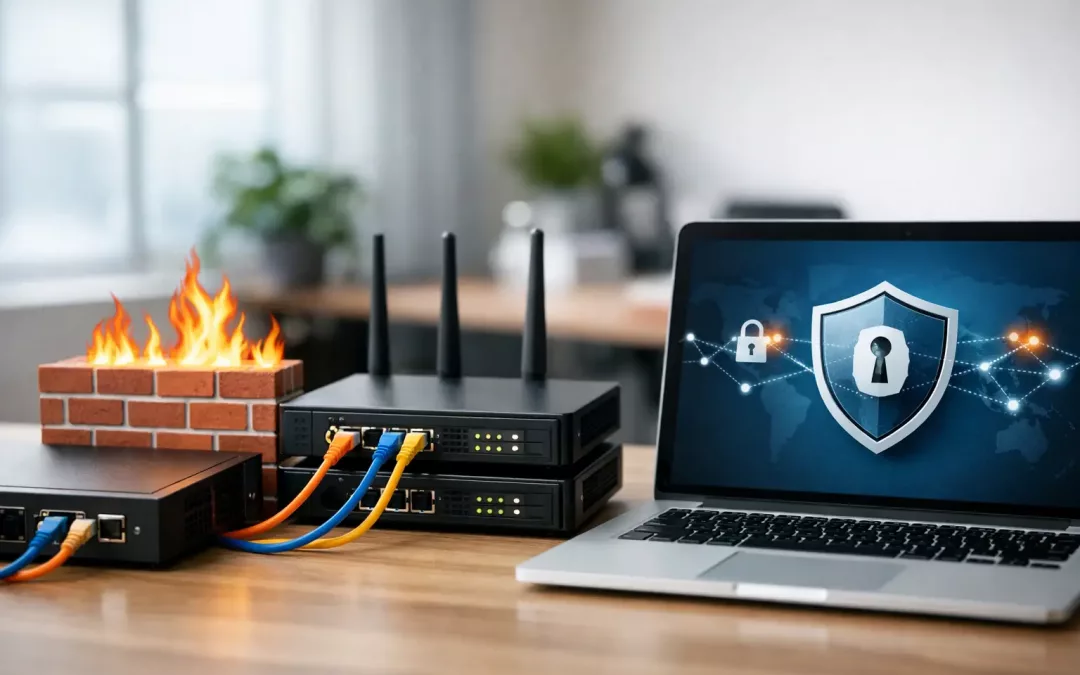
A lot of small businesses find out they have a security problem only after something starts breaking. Remote staff cannot reach files, a new office printer is exposed to the wrong network, guest Wi-Fi overlaps with internal devices, or an old router is still handling traffic it was never meant to manage. A proper firewall and VPN setup for small business fixes those issues before they turn into downtime, security incidents, or expensive rework.
For most offices, this is not just about buying a security appliance and turning on a few settings. The firewall sits at the edge of your network and decides what traffic gets in, what goes out, and what should be blocked. The VPN extends secure access to employees, remote locations, and approved vendors without exposing your internal systems to the public internet. When both are planned around your building layout, cabling, switch configuration, Wi-Fi coverage, and day-to-day operations, the result is a network that works better and is easier to manage.
What firewall and VPN setup for small business actually needs to do
Small business owners are often sold security tools as if every office has the same risk profile. They do not. A medical office, a law firm, a warehouse, and a small accounting team may all need secure remote access, but their traffic patterns and compliance concerns are different.
A good setup usually has to accomplish a few practical goals at once. It needs to separate business devices from guest traffic, protect files and cloud apps from unauthorized access, support employees who work from home or travel, and give the business owner or IT partner enough visibility to spot problems quickly. It also needs to be stable. Security that constantly interrupts printing, VoIP calls, camera access, or line-of-business software creates its own kind of operational risk.
That is why the best projects start with the network itself, not just the hardware selection. If your structured cabling is outdated, if switches are unmanaged, or if access points are placed poorly, even a well-configured firewall will be compensating for bigger design issues.
Start with the network layout, not the box on the shelf
One of the most common mistakes in firewall and VPN setup for small business is treating it like a standalone device install. In reality, the firewall depends on what is happening behind it.
Before configuration starts, it helps to map the office network clearly. That includes internet service handoff, modem or gateway details, firewall location, core switch connections, wireless access points, printers, cameras, phones, workstations, and any servers or network-attached storage. If there are multiple suites, a warehouse section, a front office, or a detached area, those details matter too.
This is where physical infrastructure and security planning meet. If an office has flat networks with everything on one segment, the firewall cannot create meaningful separation unless the switches and cabling paths support VLANs and proper traffic flow. If Wi-Fi coverage is weak, staff may rely on insecure workarounds like personal hotspots or ad hoc sharing. If an office has been expanded over time without a clear plan, the firewall may be protecting a network no one fully understands.
For that reason, firewall deployment is often strongest when it is part of a broader network review. In many small offices, cleaning up rack organization, replacing aging network hardware, relabeling drops, and segmenting traffic delivers just as much value as the firewall itself.
Choosing the right firewall for a small business office
Not every office needs an enterprise-grade platform with every advanced subscription turned on. At the same time, using a consumer router in a business environment usually creates avoidable limits.
The right firewall depends on office size, number of users, internet speed, remote access needs, and whether the business uses cloud-heavy applications, VoIP, security cameras, or multiple locations. A ten-person office with basic cloud apps needs something different from a forty-person operation with VPN users, hosted phones, surveillance traffic, and vendor access requirements.
Performance matters more than many buyers expect. Security inspection, content filtering, intrusion prevention, and VPN encryption all consume resources. A device that looks affordable on paper may slow down once these services are enabled. That can lead businesses to turn off the very protections they bought it for.
Management also matters. Some organizations want local control. Others need a system that their IT provider or managed service partner can monitor remotely. Either approach can work, but it should be decided early so the firewall is selected around how the business will actually support it.
VPN setup for remote staff, branch access, and vendors
VPNs are often discussed as one feature, but there are really different use cases. Remote user VPNs allow employees to securely connect from home or while traveling. Site-to-site VPNs connect one office to another. In some cases, a limited vendor VPN may be needed for approved support access to a phone system, line-of-business software, or camera environment.
The right approach depends on how people work. If employees only need a secure path to a few internal resources, the setup can be fairly simple. If they need full office network access, voice applications, file shares, and printer access, planning becomes more important. The goal is to allow what users need without opening broad access they do not need.
Authentication should be part of the conversation, not an afterthought. Strong credentials and multi-factor authentication add friction, but usually the right kind of friction. Small businesses are frequent targets because attackers assume protections are lighter. A VPN with weak login practices is not much of a safeguard.
There is also a practical bandwidth question. If several staff members are working remotely, the office internet connection needs enough upload capacity to support secure sessions without dragging down operations on-site. Businesses often focus on download speed and forget that VPN performance can be limited by the office upload side.
Key configuration decisions that affect security and uptime
A firewall can be installed in a day, but the real value comes from the policy decisions behind it. Those decisions shape both risk and usability.
Network segmentation is one of the biggest. Separating workstations, phones, cameras, guest Wi-Fi, and specialty devices reduces the chance that one compromised system affects everything else. Access rules can then be built around business need. A camera network may need outbound access for updates, for example, but it should not have open paths into accounting systems.
Inbound and outbound rules need the same level of attention. Many businesses focus only on blocking outside traffic, but outbound policies also matter. They help limit risky traffic, unauthorized applications, and suspicious communication if a device is compromised.
Logging and alerting should be useful, not noisy. Too many alerts and no one reads them. Too few, and real issues are missed. This is one reason professionally configured systems often outperform basic installs. The hardware may be similar, but the difference is in how it is tuned and maintained.
Failover is another area where it depends. Some small businesses can tolerate short internet outages. Others cannot, especially if they depend on cloud software, hosted phones, or customer-facing systems. In those cases, dual-WAN or backup internet support through the firewall can be worth the added cost.
Why installation quality matters as much as the settings
Security appliances do not operate in a vacuum. Poor patch panels, messy racks, unlabeled cabling, overloaded switches, and weak access point placement make troubleshooting harder and increase the odds of mistakes during upgrades or emergencies.
That is why businesses often get better long-term results when the same team understands both the physical network and the logical design. If a firewall change requires switch adjustments, VLAN cleanup, access point tuning, or relocation of network hardware, those pieces should work together. It saves time, reduces finger-pointing, and helps avoid the common problem of security fixes creating new connectivity issues.
For offices in Charleston and the surrounding area, that local coordination can matter even more during moves, renovations, and growth phases. A secure network is easier to maintain when the cabling, hardware placement, and business workflow were considered from the start.
When to upgrade your current setup
If your business is still using an internet provider gateway as the main security device, if remote access is inconsistent, or if no one can clearly explain how your office traffic is segmented, it is probably time for a review. The same goes for offices that added cloud tools, remote staff, cameras, or VoIP without revisiting the network design.
A solid firewall and VPN plan should not feel complicated to the people using it every day. Staff should be able to work securely without constant workarounds. Owners and operations teams should have confidence that the network is not one bad login or one failing device away from disruption.
At All Wiring Needs, projects like this work best when they start with the real environment – cabling, equipment, office layout, remote access needs, and future growth – not just a generic settings checklist. If your network has outgrown its current setup, the right fix is usually a practical one: clean design, proper installation, and security built around how your business actually runs.
The best time to tighten up your network is before the next outage, move, or remote access issue forces the decision.