
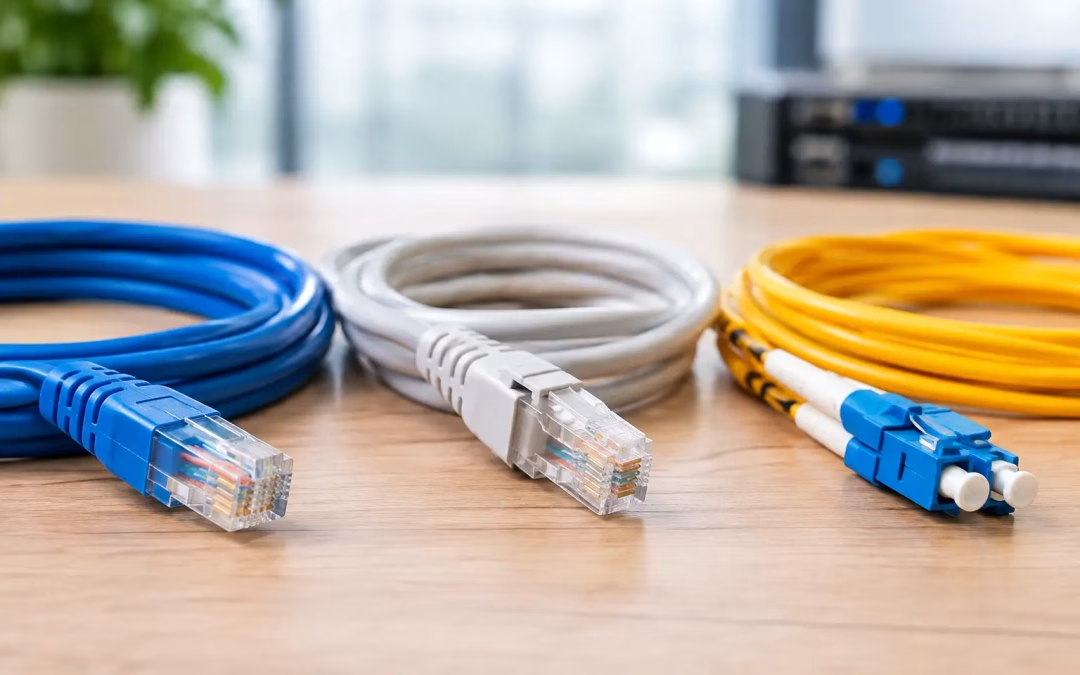
A new internet plan will not fix a network held back by outdated or poorly planned cabling. When staff experience slow file transfers, dropped video calls, weak access point performance, or delays connecting cloud systems, the physical network deserves attention. Cat6 vs Cat6A vs fiber optic: which network cabling is right for you? The answer depends less on the label and more on what your building needs to do now, where it may grow, and how far each connection must travel.
For most offices, the right design uses more than one cable type. Copper cabling handles workstation, phone, camera, and Wi-Fi access point connections, while fiber often makes sense between network closets, floors, buildings, or high-demand equipment. Choosing the right mix prevents unnecessary expense without leaving your operation stuck with limited capacity.
Cat6 vs Cat6A vs Fiber Optic Cabling: The Real Differences
Cat6 and Cat6A are twisted-pair copper cables. They use familiar RJ45 network connections, support Power over Ethernet, and are the standard choice for most endpoint devices. Fiber optic cable sends data as light through glass strands. It is built for longer distances, higher bandwidth, and environments where copper interference or distance limitations are a concern.
The practical differences come down to speed, distance, installation conditions, device needs, and long-term plans.
Cat6: A practical choice for standard office connections
Cat6 is still a dependable option for many small and mid-sized businesses. It supports 1 Gigabit Ethernet up to 100 meters, which is enough for standard computers, printers, VoIP phones, many security cameras, and everyday business applications. It can also support 10 Gigabit Ethernet over shorter runs, generally up to 37 to 55 meters depending on installation quality and interference.
That distinction matters. A Cat6 cable may test successfully today while still limiting a future 10 Gigabit upgrade if the run is long or the cable bundle is dense. Cat6 is not a poor choice, but it should be installed with a clear understanding of the distances and performance targets involved.
For a small office with a single network closet, mostly 1 Gigabit equipment, and ordinary workstation runs, Cat6 can provide strong value. It is typically less expensive and easier to work with than Cat6A. It also supports Power over Ethernet for access points, IP cameras, and other low-voltage network devices, avoiding the need for a separate local power source at every endpoint.
Cat6A: Built for full-distance 10 Gigabit networking
Cat6A is the more capable copper option for organizations planning for sustained 10 Gigabit Ethernet. It supports 10 Gigabit speeds up to 100 meters, including the full permanent link and patch cord channel. That makes it a strong fit for new office construction, major renovations, high-density workspaces, and locations where cabling will be difficult to replace later.
Cat6A also provides better protection against crosstalk between neighboring cables. This becomes more valuable when many cables run together above ceilings, through pathways, or into a crowded network room. Proper routing, termination, labeling, and testing still matter. Premium cable alone cannot compensate for poor installation practices.
The trade-off is that Cat6A is thicker, less flexible, and often costs more in materials and labor. It requires more pathway space and careful cable management, especially in large bundles. For a small office that will remain on 1 Gigabit switching for years, it may be more capacity than the business needs. For a growing office, however, the additional up-front investment can be easier to justify than reopening walls or disrupting operations for a later recable.
Fiber optic: The best answer for distance and backbone capacity
Fiber optic cabling is often the right choice when connections exceed copper distance limits or when a network backbone needs significant room to grow. Copper Ethernet runs are generally limited to 100 meters. Fiber can carry high-speed data far beyond that range, making it well suited for links between telecom rooms, separate suites, multiple floors, warehouses, outbuildings, and buildings across a property.
Fiber is also immune to electromagnetic interference. In areas with heavy equipment, dense infrastructure, or conditions that can affect copper performance, fiber provides a more consistent connection. It is also harder to intercept than copper, though no network medium should be treated as inherently secure without proper network segmentation, access controls, and monitoring.
There are two common fiber choices. Multimode fiber is generally used for shorter high-speed backbone connections within a building or campus. Single-mode fiber is designed for much greater distances and is often the better option for building-to-building or long campus runs. The correct choice depends on the route length, network hardware, planned bandwidth, and whether the installation may eventually support additional locations.
Fiber does not provide Power over Ethernet. That means an access point, camera, or other endpoint connected by fiber still needs power available locally or through a separate solution. This is why fiber is usually used for backbone links rather than for every desk or device.
Start With the Network Problem, Not the Cable Category
The best cabling decision begins with a site assessment. A business upgrading because video calls lag may have a Wi-Fi design issue, an overloaded switch, an aging firewall, or an internet service limitation rather than a cable problem. Likewise, a company moving to faster internet may not see the expected benefit if its internal network still relies on 1 Gigabit uplinks between key equipment.
Before selecting Cat6, Cat6A, or fiber, define what traffic moves through the network. An office with cloud applications and standard workstations has different requirements from a design firm moving large media files, a medical practice handling image data, or a warehouse operating numerous cameras and wireless devices.
Distance is the next deciding factor. A 250-foot connection from a main network closet to a remote suite is already outside the normal copper Ethernet limit once routing and patching are considered. Fiber is usually the appropriate design decision, not an optional upgrade. Similarly, an office with several network closets may benefit from fiber uplinks even if every desktop remains connected on Cat6 or Cat6A.
When Each Option Makes the Most Sense
Cat6 is a sensible fit when your endpoint runs are within standard distance limits, your switching is primarily 1 Gigabit, and cost control is a major priority. It works well for ordinary office drops, residential data wiring, basic camera systems, and smaller spaces where future bandwidth demands are predictable.
Cat6A is often the stronger choice for new commercial installations where the cabling should support 10 Gigabit switching later without replacement. It is particularly useful for high-performance workstations, data-heavy departments, modern Wi-Fi access points, and offices expected to expand. It can also be a smart choice where pulling new cable later would mean disrupting tenants, opening finished surfaces, or coordinating around business hours.
Fiber is the clear choice for long runs, inter-building connections, network backbone links, and locations needing high aggregate bandwidth. It also gives a growing organization flexibility to increase speeds by changing network optics and hardware rather than replacing the installed fiber. That said, using fiber for every endpoint is rarely the most practical design for a typical office because endpoint devices still need power and compatible hardware.
Plan for Wi-Fi, Security, and Power Needs
Modern Wi-Fi can place more demand on cabling than many offices expect. A high-performance access point may need multi-gigabit connectivity and Power over Ethernet to deliver its full capacity. Installing an older cable category or using underpowered switching can create a bottleneck before the wireless signal ever reaches a user.
Security devices need the same planning. Cameras, door access systems, and network appliances benefit from organized cabling, documented ports, properly sized switches, and protected network segmentation. A tangled patch panel or unlabeled run adds time and risk whenever troubleshooting or expansion is needed.
A well-designed installation also considers pathway capacity. If your office will add desks, cameras, access points, or additional suites, leaving room for future cabling is less disruptive than treating every expansion as an emergency project. Good infrastructure work is not only about what operates on opening day. It is about making the next change easier.
Choose a Design That Supports the Next Five Years
There is no universal winner between Cat6, Cat6A, and fiber optic cable. Cat6 can be the right value-driven choice for standard endpoint connections. Cat6A offers greater confidence for full-distance 10 Gigabit performance. Fiber provides the distance and backbone capacity that copper cannot match.
For many Charleston-area offices, the most effective approach is a hybrid design: Cat6 or Cat6A to desks and powered devices, with fiber connecting key network rooms or buildings. All Wiring Needs can assess the layout, existing infrastructure, Wi-Fi requirements, device count, and growth plans to recommend a design that fits the property instead of forcing a one-size-fits-all package.
The best time to make a cabling decision is before slow performance, office growth, or a relocation turns it into an urgent problem. A clear site plan now gives your business room to add technology later with less downtime and fewer surprises.
#Cat6vsCat6A #FiberOptic #NetworkCabling #ITInfrastructure #OfficeNetwork #FutureProof #CharlestonBusiness #Cat6A #FiberCabling #NetworkUpgrade #StructuredCabling #BusinessIT