
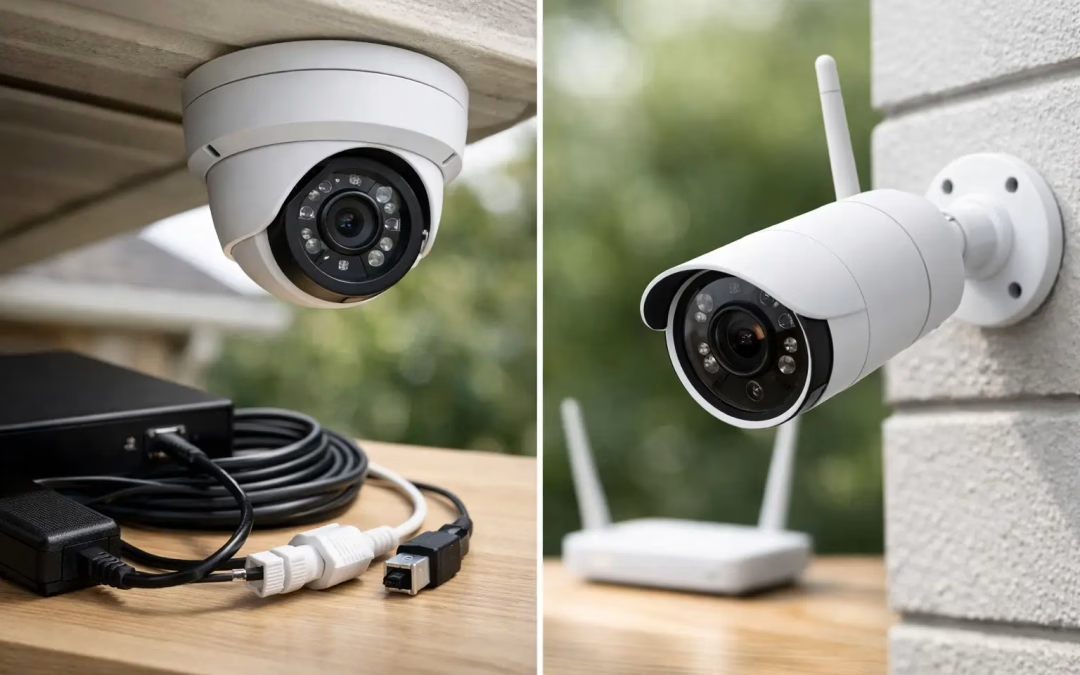
A camera system is only as dependable as the network behind it. A camera that drops offline during a delivery, records choppy video, or cannot reach its recorder creates a false sense of security. When comparing wired vs wireless security cameras: pros, cons, and recommendations, the right answer is rarely about which option is newer or easier to buy. It comes down to the building, the coverage area, the network, and how much reliability the property requires.
For a small office with a few interior cameras, wireless may be a sensible fit. For a warehouse, medical office, retail location, multifamily property, or home with wide exterior coverage, a wired system often provides the consistency needed for security footage to be useful when it matters.
Wired vs Wireless Security Cameras: The Core Difference
Wired security cameras connect back to a network switch or recorder through data cabling, commonly Cat5e, Cat6, or Cat6A. Many business-grade systems use Power over Ethernet, or PoE, which allows one cable to carry both the network connection and power to the camera. The result is a fixed, direct connection that does not depend on Wi-Fi signal strength.
Wireless cameras send video over Wi-Fi. They still need a power source unless they are battery-operated, but their data connection is wireless. This can reduce installation work in locations where running a cable would be difficult or disruptive.
The distinction matters because security video uses more bandwidth than many people expect. A single high-resolution camera may work fine over Wi-Fi. Several cameras recording continuously, sharing an already busy office wireless network, can create congestion and inconsistent performance. The problem may not appear every day, but security planning should account for the day something goes wrong.
Why Wired Cameras Are Often the Business Standard
Wired cameras are typically the best choice when reliability, image quality, and long-term scalability are priorities. Their direct connection provides stable video transmission and avoids common Wi-Fi issues such as interference, dead spots, and signal changes caused by walls, inventory, machinery, or neighboring networks.
Benefits of wired camera systems
A properly designed wired system gives each camera a dedicated path back to the network. This supports consistent live viewing, clearer recorded footage, and more predictable performance across multiple cameras. It is especially valuable for entrances, cash-handling areas, parking lots, loading zones, server rooms, and other locations where missing footage is not acceptable.
PoE also simplifies camera placement. Instead of coordinating separate network and power connections at each location, a single Cat6 cable can serve the camera. That makes future troubleshooting and maintenance more straightforward, particularly when cabling is labeled, tested, and terminated cleanly.
Wired cameras are also easier to scale in a structured way. Adding cameras may require additional cable runs and switch capacity, but the network can be designed around a clear plan. For growing businesses, that predictability is a major advantage.
Trade-offs to consider
The upfront installation is the main drawback. Cables need to be routed through walls, ceilings, conduit, crawlspaces, or other building pathways. That takes planning, access, and professional installation work, especially in occupied offices where minimizing disruption matters.
A wired system can also be less flexible once installed. Moving a camera to a completely different area may require a new cable run. Still, a well-designed layout accounts for likely future coverage needs, which reduces the chance of costly changes later.
Where Wireless Cameras Make Sense
Wireless cameras are useful when speed and placement flexibility matter more than maximum consistency. They can be a good option for a short-term jobsite, a small residential property, a detached area with strong Wi-Fi coverage, or a location where cable access is unusually difficult.
Benefits of wireless camera systems
The biggest advantage is simpler deployment. A camera can often be installed without opening walls or routing new data cable across a finished space. That can reduce initial cost and make it easier to adjust the camera angle or location as needs change.
Wireless cameras can also be a practical addition to an existing system. For example, a business may use wired cameras for all critical interior and perimeter areas, then add a wireless unit for a temporary entrance, an event space, or a location that is being evaluated before a permanent installation.
For homeowners, a few wireless cameras may provide effective coverage when Wi-Fi is strong, camera locations are close to access points, and recording expectations are modest. The convenience is real, especially for smaller projects.
The limitations behind the convenience
Wireless performance depends on the condition of the Wi-Fi network. Thick walls, metal shelving, brick, distance, nearby networks, and a crowded wireless environment can all reduce video reliability. A camera may show a strong signal during setup, then struggle when more devices are active or conditions change.
Battery-operated models introduce another maintenance task. Batteries must be monitored and replaced or charged, and many battery cameras record clips based on motion rather than recording continuously. That may be acceptable for a front door, but it is a poor fit for areas requiring full-time coverage.
Wireless systems also need careful security configuration. Default passwords, outdated firmware, weak Wi-Fi encryption, and poorly separated guest networks can create avoidable risk. The camera itself is only one part of the security plan. The router, firewall, access points, recording platform, and user access settings all matter.
Recommendations by Property Type and Use Case
There is no universal winner, but the following approach works well for most projects.
For commercial offices, retail spaces, professional practices, warehouses, and properties with several cameras, choose wired cameras for primary coverage. A PoE camera network offers dependable performance, central management, and a clean path for expansion. If wireless cameras are used, reserve them for secondary or temporary locations rather than relying on them for critical views.
For homes, consider a hybrid approach. Wired cameras are a strong choice for driveways, gates, broad exterior views, and areas where continuous recording is desired. Wireless cameras can work well at a door, inside a finished room, or at a hard-to-reach location with verified Wi-Fi coverage.
For buildings undergoing renovation, relocation, or expansion, plan camera cabling before walls and ceilings are closed. This is the most cost-effective time to place cables, allow for future camera positions, and build a network closet with enough switch capacity. It also helps prevent visible surface-mounted cable runs later.
For properties with unreliable Wi-Fi, fix the wireless network before relying on it for surveillance. Adding access points, improving access point placement, separating business and guest traffic, or installing structured cabling may solve the real issue. A camera purchase cannot compensate for weak network infrastructure.
Plan the Network, Not Just the Cameras
Camera selection tends to get the attention, but network design determines whether the system performs day after day. Before installation, identify the camera count, resolution, recording schedule, retention period, viewing requirements, and likely growth. A system with twelve high-resolution cameras has very different storage and bandwidth needs than a two-camera residential setup.
It is also wise to separate camera traffic from general office traffic when appropriate. Dedicated switches, properly configured network segments, secure remote access, and protected recorder placement can help keep surveillance traffic organized and reduce exposure. For businesses that need off-site viewing, secure user permissions and VPN-based access deserve more attention than convenience features alone.
A site assessment can reveal practical constraints early: ceiling access, exterior mounting surfaces, pathway options, network closet space, Wi-Fi coverage, and recorder location. Addressing those details before equipment is installed avoids rushed decisions that affect coverage and appearance.
A Reliable Recommendation for Charleston Properties
If a camera protects people, inventory, sensitive areas, or business operations, wired should usually be the starting point. It delivers the stable connection, continuous recording capability, and growth capacity that professional security systems need. Wireless cameras remain useful where flexibility is genuinely more valuable than a fixed connection, provided the Wi-Fi network has been tested and secured.
All Wiring Needs helps Charleston-area businesses and homeowners plan the cabling, switching, Wi-Fi coverage, and security-focused network setup behind a camera system. The best next step is to map the property, identify the views that cannot fail, and build the infrastructure around those priorities.
#WiredVsWirelessCameras #PoECameras #BusinessSecurity #StructuredCabling #NetworkInfrastructure #CharlestonBusiness #VideoSurveillance #SecurityCameraInstallation