
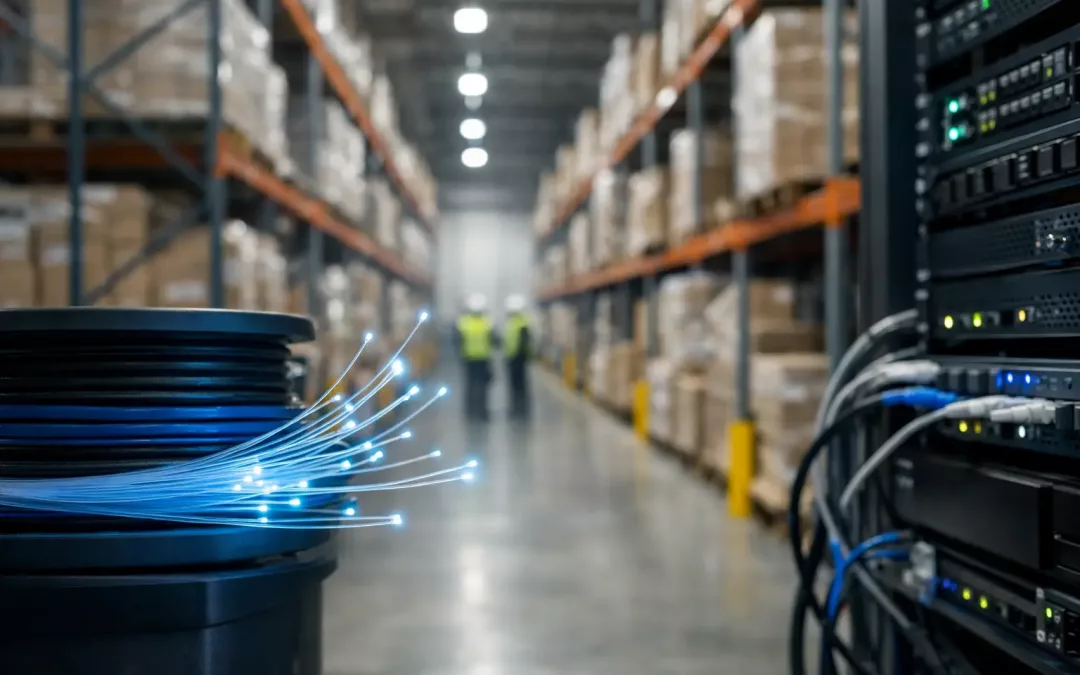
When a warehouse starts missing scans, dropping Wi-Fi in key aisles, or slowing down during busy shifts, the problem often is not the handhelds or the access points. It is the path carrying traffic across the building. A well-designed fiber backbone for warehouses gives your network the capacity and stability to support barcode systems, inventory platforms, cameras, VoIP, and office traffic without turning every expansion into a patch job.
Warehouses are hard on networks. The distances are longer, the ceilings are higher, and the layout changes more often than people expect. Add metal racking, moving equipment, refrigerated areas, shipping offices, and multiple IDF locations, and copper-only designs start showing their limits quickly. Fiber solves a lot of those distance and bandwidth problems, but only when the design matches the way the facility actually operates.
Why a fiber backbone for warehouses matters
A warehouse network is not just about internet access. It supports scanning guns, label printers, workstations, cameras, wireless access points, time clocks, and often separate systems for guests, vendors, or security. When all of that traffic funnels through undersized uplinks or aging cable runs, performance gets unpredictable.
Fiber gives you room to grow. It handles long runs between telecom rooms, shipping offices, mezzanines, and remote areas of the building without the distance limitations you face with standard copper. It also supports higher uplink speeds, which matters when your wireless network is dense or your camera count keeps rising.
Just as important, fiber helps simplify design. Instead of trying to stretch copper to every corner, you can create clean distribution points and feed local switches closer to where devices actually live. That usually means fewer weak points and easier troubleshooting later.
Where warehouses usually outgrow their cabling
The first warning sign is often Wi-Fi complaints. Staff may say coverage drops near receiving or certain aisles, but the access points themselves are not always the issue. If those APs are fed by congested or poorly planned uplinks, wireless performance suffers even when signal strength looks fine.
Another common problem is growth without redesign. A warehouse adds more scanners, more cameras, and more office staff over time, but the backbone stays the same. That creates bottlenecks between network closets and the main equipment room. On paper, everything is connected. In practice, the network is running too close to its limits.
Relocations inside the building can also expose weak infrastructure. A packing area moves. A temporary inventory zone becomes permanent. A new conveyor control station gets added. If the backbone was built only for the original floor plan, changes become expensive and messy.
How to plan a fiber backbone for warehouses
Start with traffic flow, not cable type. The right question is not simply whether to use single-mode or multimode. The first question is where data originates, where it needs to go, and what kinds of applications have to stay reliable during peak operations.
For most warehouse environments, that means mapping the MDF, every IDF, office zones, shipping and receiving, camera clusters, and wireless coverage areas. Then look at what each area supports today and what it may support in the next three to five years. If you are adding more access points, upgrading to higher resolution cameras, or tying more operational systems into the network, the backbone needs to account for that now.
From there, pathway planning matters just as much as hardware selection. Warehouses have unique physical challenges. Long runs across open space, dust, heat, vibration, and areas with frequent movement all affect installation choices. The cable route should protect the fiber, allow service access, and leave room for future pulls instead of forcing a redesign every time operations expand.
Single-mode vs. multimode
This is where context matters. Multimode fiber is common inside buildings and can be cost-effective for shorter distances and common enterprise speeds. Single-mode can make more sense when runs are longer, future speed requirements are less predictable, or you want more headroom over the life of the system.
There is no one-size-fits-all answer. A smaller warehouse with modest distances may do well with multimode in the right design. A larger facility or one planning major growth may benefit from single-mode from the start. The better decision is usually the one that avoids a second installation two years later.
Backbone count and spare capacity
Too many projects get built for the exact current need. That looks efficient during installation but usually costs more later. Warehouses change. New zones get added, equipment gets relocated, and more connected devices show up every year.
Including spare strands in the backbone is a practical move, not a luxury. It gives you options for future uplinks, redundancy, or isolated systems without reopening pathways or disrupting operations. That extra planning can save significant downtime later.
Design choices that affect day-to-day performance
The backbone does not work alone. Switch placement, uplink speed, patch panel organization, and labeling all affect how usable the network is after install day.
For example, placing IDFs closer to device clusters shortens copper runs and often improves consistency across the floor. Choosing uplinks that match actual traffic loads helps avoid congestion between closets. Clean labeling and documented testing make service calls faster because technicians can isolate issues without guessing.
Redundancy is another design decision worth considering. Not every warehouse needs full path redundancy, but some absolutely do. If a facility depends on real-time inventory visibility, shipping deadlines, or security systems that cannot tolerate interruptions, a second path between critical points may be worth the investment. If the operation is smaller or downtime risk is lower, a simpler design may be more sensible. It depends on what network failure would cost your business in a real shift, not just what the quote says.
Fiber backbone and warehouse Wi-Fi go together
Many warehouse managers think of Wi-Fi as a separate project. It is not. Strong wireless performance depends heavily on the wired infrastructure behind it.
Modern access points can move a lot of traffic, especially in busy facilities with handheld scanners, tablets, and voice devices connecting at once. If multiple APs are feeding back to a limited backbone, users feel that congestion as slow applications, dropped sessions, and lag during peak times. The radio design may be fine, but the network still feels unreliable.
That is why backbone planning should happen alongside wireless planning. If you are fixing dead zones, expanding coverage, or upgrading APs, the fiber side needs to support those changes. Otherwise you solve one bottleneck and leave another in place.
What a good installation process looks like
A good warehouse fiber project starts with a site review that goes beyond square footage. The installer should understand how the space functions, where traffic is concentrated, what hours the operation can tolerate work, and which areas are likely to change.
After that, the design should be specific. Not generic line items, but actual pathways, termination points, hardware locations, and testing standards. The best projects also account for cutover planning so your team is not guessing how the change will affect scanners, printers, cameras, or office users.
Testing and documentation matter more than many clients realize. Fiber should be properly terminated, tested, and labeled so the system is ready for use and supportable later. Warehouses do not need mystery infrastructure hidden above the ceiling. They need a system that can be serviced quickly when operations are on the clock.
For businesses in the Charleston area, this is where working with a contractor that understands both structured cabling and broader network performance can make the project smoother. The backbone is only part of the outcome. The real goal is better connectivity across the entire facility.
When it is time to upgrade
If your warehouse is relying on aging uplinks, adding network closets without a plan, or constantly chasing performance complaints in different corners of the building, it may be time to look at the backbone. The same is true if you are planning an expansion, moving departments, adding cameras, or increasing wireless density.
The right time to address the backbone is before those changes create operational headaches, not after. Warehouses rarely get simpler as they grow. A network built with margin, clear layout, and tested fiber paths gives you more control over that growth.
A fiber backbone for warehouses is not about buying the most cable or the newest optics. It is about building a network that supports the way your facility actually runs, today and after the next round of changes.