
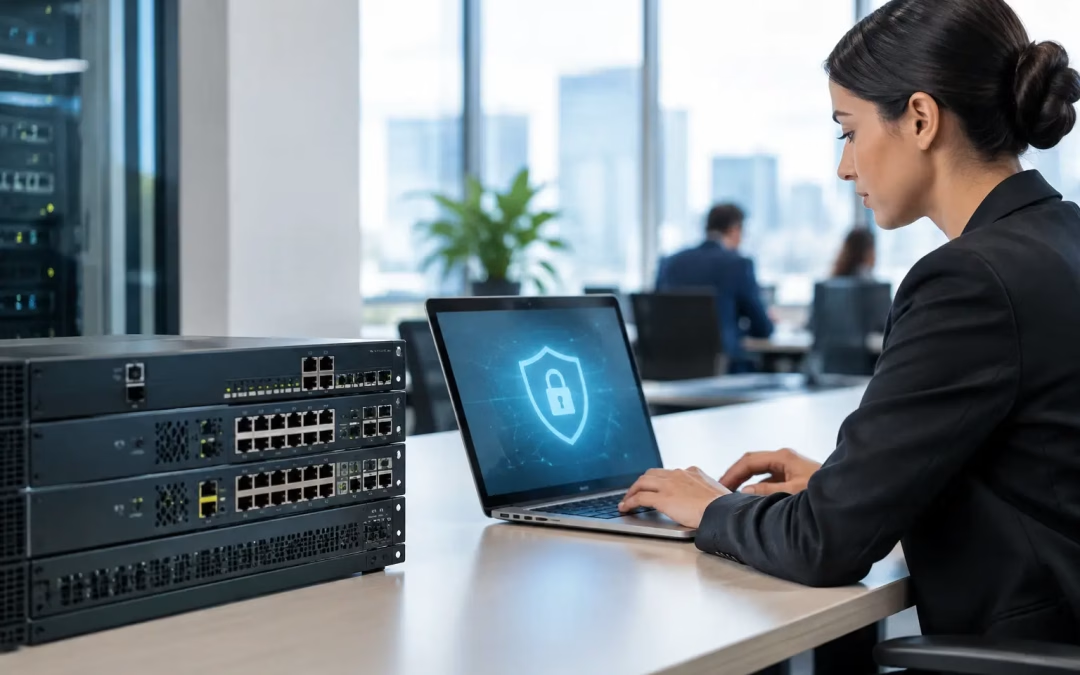
A firewall that handles a basic speed test can still become the bottleneck at 10:15 a.m., when staff begin video meetings, cloud backups run, guest Wi-Fi fills up, and remote users connect through VPN. So, which firewalls are fast enough for a large company? The answer is not a single model or brand. It is a properly sized next-generation firewall that can inspect the traffic your business actually uses without slowing down critical work.
For a large office, warehouse, campus, or multi-site organization, the firewall sits at a busy intersection. It must protect the internet edge, enforce access rules between network segments, support remote connectivity, and often examine encrypted traffic. Buying based on the largest number on a product specification sheet is a common mistake. The relevant number is the performance available with the security services turned on.
Which Firewalls Are Fast Enough for a Large Company?
A firewall is fast enough when it can maintain peak business traffic with room for growth while running the protections your organization requires. That usually means evaluating threat prevention throughput, encrypted traffic inspection throughput, VPN capacity, concurrent sessions, and the speed of its physical interfaces – not simply its advertised firewall throughput.
A large company with a 1 Gbps internet connection may need a firewall rated well above 1 Gbps for full security inspection. An appliance might advertise 10 Gbps of basic stateful firewall performance but deliver far less once intrusion prevention, malware scanning, application control, web filtering, logging, and TLS inspection are active. Those services consume processing capacity because the device is doing more than allowing or blocking ports.
For many organizations, an appropriately sized business-grade firewall from established platforms such as Fortinet, Palo Alto Networks, Cisco, Sophos, or Check Point is the right category. The best choice depends on the operating requirements, the team responsible for management, licensing costs, and how the unit fits the existing switching, Wi-Fi, and VPN environment. A large company does not necessarily need the most expensive platform available, but it should avoid consumer-grade or small-office equipment at the internet edge.
Start with inspected throughput, not the headline speed
When comparing models, ask the vendor or installer for performance figures with the exact security profile enabled. At a minimum, review throughput with intrusion prevention and application control. If the company plans to inspect encrypted web traffic, review the TLS inspection figure separately. Encrypted traffic is now the norm, so ignoring this number can result in a firewall that looks capable on paper but struggles under real traffic.
Leave capacity above the measured peak. A practical target is often 30 to 50 percent headroom after security services are enabled. This gives the company room for seasonal demand, acquisitions, more cloud applications, additional users, and security policy changes. Running a firewall at its limit may not cause a complete outage, but it can create intermittent slowdowns that are difficult to diagnose and frustrating for employees.
Size the firewall around the traffic pattern
Two companies with the same internet circuit speed can need very different firewalls. A design firm moving large files to cloud storage, a call center using hosted voice, and a medical office accessing hosted applications all place different demands on inspection and session handling.
Consider these factors during sizing:
- Internet bandwidth today and the likely speed after the next carrier upgrade
- Number of on-site users, guest devices, cameras, phones, printers, and IoT devices
- Concurrent VPN users and whether site-to-site VPN tunnels connect branch locations
- Cloud applications, video conferencing, voice traffic, large uploads, and scheduled backups
- Security features that will be active, especially intrusion prevention and TLS inspection
- Required uptime, including whether a second firewall is needed for high availability
The goal is to identify busy periods rather than rely on an average. A network may use only a fraction of its bandwidth most of the day, then spike when backup jobs begin or a large meeting starts. Firewall sizing should protect performance during those moments, not just during a quiet afternoon.
The Interface Speed Must Match the Network
A fast security engine does not help if the firewall only has 1 GbE connections while the core network and internet handoff are ready for 2.5, 5, or 10 GbE. Interface selection is especially important for companies upgrading to multi-gig internet or using fiber uplinks between network closets.
Review the WAN handoff from the provider, the uplink speed to the core switch, and the media type required at each connection. Some installations need copper ports; others need SFP or SFP+ fiber modules. A capable firewall also needs switching infrastructure that can carry the traffic without creating a new bottleneck elsewhere.
This is why firewall selection should not be isolated from cabling and network design. Older Cat5e runs, limited switch uplinks, poorly organized network closets, and single points of failure can undermine an otherwise well-sized security appliance. For a growing company, Cat6A cabling and 10 GbE-ready uplinks may make sense in key backbone locations even if current internet service is slower.
VPN Performance Is a Separate Requirement
Remote access and site-to-site connectivity deserve their own review. VPN encryption uses processing resources, and the relevant metric is VPN throughput with the selected encryption standard, not basic firewall throughput. A company supporting 100 remote users, multiple branch offices, or a cloud-hosted environment should also confirm tunnel limits and expected performance under load.
The architecture matters as much as raw capacity. If every branch sends all internet traffic through a headquarters firewall, that location needs enough bandwidth and inspection capacity to carry the combined load. Split tunneling can reduce demand in some cases, but it must be weighed against security policy, visibility, and compliance needs.
Reliable VPN service also depends on clean network segmentation. Employee devices, guest Wi-Fi, security cameras, phones, and building systems should not all share one unrestricted network. Segmentation limits lateral movement if a device is compromised and prevents lower-priority traffic from interfering with business systems.
High Availability Is About More Than Buying Two Units
For a large company, a single firewall can be a major point of failure. High-availability pairs can keep traffic moving if one unit fails, but only when they are designed, licensed, configured, and tested correctly. The two appliances need compatible configurations, synchronized policies, appropriate connections to separate switches where possible, and a documented failover process.
Redundancy should extend beyond the firewall. Dual internet providers, diverse carrier paths, redundant switch uplinks, and backup power planning can all affect availability. There is little value in installing two firewalls if both depend on the same overloaded uplink or one provider circuit.
Testing is often missed. Schedule a controlled failover after installation and periodically afterward. Confirm that active calls, VPN sessions, cloud applications, and critical services behave as expected. A redundancy design is only proven when it has been tested under conditions close to normal operations.
Management, Logging, and Licensing Affect the Real Cost
A lower purchase price can become expensive if the platform is difficult to manage or requires extensive ongoing work. Large organizations should consider who will monitor alerts, apply firmware updates, review logs, renew security subscriptions, and respond to incidents. A powerful firewall with expired threat intelligence subscriptions is not delivering the protection it was selected to provide.
Centralized management can be valuable for companies with several offices or a managed service provider. It helps standardize policies, maintain visibility, and reduce configuration drift. At the same time, organizations should avoid adding complexity they cannot support. The right platform is one that meets security and performance needs while fitting the skills and processes of the team responsible for it.
Before approving a purchase, request a design that shows the anticipated traffic flows, security services, port requirements, redundancy plan, and projected growth. This turns firewall selection from a product comparison into a business continuity decision.
For Charleston-area companies planning an office expansion, carrier upgrade, relocation, or network refresh, All Wiring Needs can assess the full path from structured cabling and switching to firewall placement and Wi-Fi coverage. A site-specific design helps ensure the firewall is not just fast in a lab, but fast where your team does its work.
#NextGenFirewall #FirewallPerformance #NetworkSecurity #EnterpriseIT #HighAvailability #VPN #TLSInspection #NetworkDesign #BusinessContinuity #CharlestonIT