
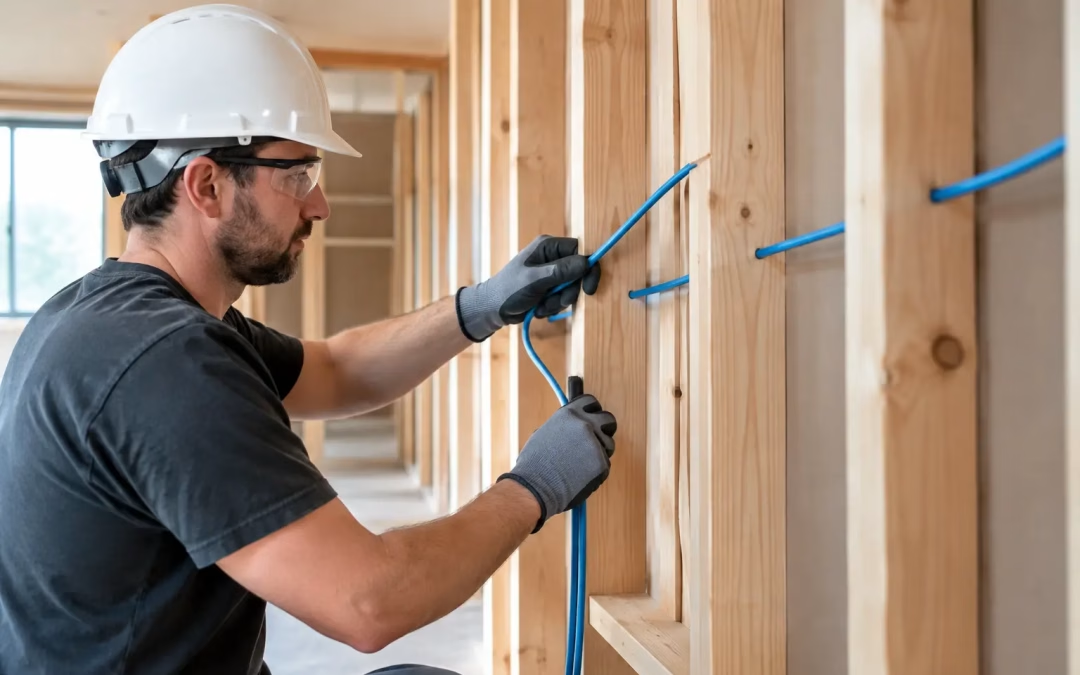
A wall that is still open is an opportunity you only get once without paying for demolition and repairs later. The best time to run Cat6 data wires is before your insulation and drywall gets installed, when every stud bay, ceiling path, and route back to the network location is visible. For a new office, custom home, addition, or major renovation, this is the point where a modest planning decision can prevent years of Wi-Fi workarounds, exposed cables, and frustrating connectivity limits.
Cat6 cabling is not just for desks with computers. It provides a dependable wired foundation for access points, cameras, televisions, conference rooms, printers, workstations, smart-home equipment, and other devices that benefit from stable, high-speed connections. Getting it in place before the walls close protects the project schedule and gives the building room to adapt.
Why Cat6 belongs in the pre-drywall schedule
Once insulation and drywall are installed, running new cable becomes a much more involved project. A technician may need to locate pathways, make access openings, work around finished surfaces, and repair affected areas afterward. Some routes can still be completed through attics, crawlspaces, or unfinished utility areas, but the choices are narrower and the finished result may cost more.
Pre-drywall installation allows cable routes to be planned rather than improvised. Cabling can be routed cleanly through framing, supported properly, kept away from sources of interference, and brought to the correct locations with enough slack for termination. The central distribution point can be selected early, so every room has a logical path back to the network rack or enclosure.
For commercial projects, this timing also helps coordinate the cabling plan with furniture, door swings, conference tables, display locations, and future work areas. A data outlet placed behind a credenza may technically work, but it is not useful if a desk layout changes six months later. Planning while the space is still open makes it easier to build flexibility into the infrastructure.
What to decide before running Cat6 data wires
The best pre-drywall cabling plan starts with how the space will actually be used. A homeowner may need reliable coverage on two floors, wired media locations, doorbell or camera pathways, and a home office that can support video calls without depending entirely on Wi-Fi. An office may need drops for workstations, ceiling-mounted access points, VoIP phones, security cameras, digital signage, and meeting-room equipment.
Start by identifying the network’s home base. This may be a dedicated equipment room, a structured media enclosure, or a secure closet with adequate space for a router, switch, patch panel, and future expansion. The location should be accessible for service, protected from moisture and excessive heat, and large enough to avoid turning network gear into a tangled pile of patch cords.
Next, map the rooms and device locations. One Cat6 drop is often not enough in a room that may later serve as a workspace, media area, or equipment location. Pulling two cables to selected locations during construction can be far less expensive than adding a second cable after the walls are finished. Extra capacity is especially valuable at television walls, office desks, network access point locations, and anywhere cameras or other powered network devices may be added later.
It also pays to think in terms of pathways. Conduit or accessible pull paths in strategic areas can make future upgrades easier, particularly between floors or from a network room to an attic, garage, or detached structure. The right approach depends on the building design and budget, but a small amount of future-proofing before drywall can save substantial disruption later.
Cat6, Cat6A, and planning for actual needs
Cat6 is a practical choice for many homes and small-to-mid-sized businesses. It supports gigabit networking well and can support higher speeds over appropriate distances and installation conditions. For many projects, the bigger issue is not whether Cat6 is technically capable – it is whether there are enough well-placed cable runs to support the network design.
Cat6A may make sense for environments with longer runs, higher-performance requirements, dense device counts, or a clear plan for 10-gigabit connections. It is thicker and less forgiving to install, so it should be specified intentionally rather than treated as an automatic upgrade. A site assessment can determine which cable category, pathway size, and hardware plan make sense for the building.
Coordinate the work with the construction schedule
Pre-drywall network wiring works best when it is scheduled after framing is complete and before insulation begins. At that stage, the installer can verify outlet heights, review room layouts, route cable through open framing, and confirm the location of the network equipment. The work can then be inspected, tested where applicable, and documented before wall coverings hide the infrastructure.
Communication between the builder, low-voltage contractor, owner, and IT decision-maker matters. Late changes are common during construction: a study becomes a bedroom, a conference table rotates, or a television wall moves. Those changes are far easier to accommodate while framing remains accessible. A walkthrough before the cable is pulled helps prevent missed locations and assumptions that create avoidable change orders.
For business build-outs, timing also affects move-in readiness. Network hardware, internet service activation, Wi-Fi access points, cameras, and phones all depend on the physical cabling being ready. Waiting until the final week of construction to address network infrastructure can put the opening date at risk. A coordinated pre-drywall plan lets the cabling, equipment installation, and testing follow a logical sequence instead of becoming a last-minute scramble.
Installation quality matters as much as cable category
A cable labeled Cat6 does not guarantee Cat6 performance. Excessive pulling tension, tight bends, poor support, damaged jackets, and improper termination can reduce performance or create intermittent issues that are hard to diagnose after the building is occupied. Clean installation practices and proper testing are what turn cable runs into dependable network infrastructure.
Every run should be labeled at both ends and terminated in an organized manner at the network location. Labels may seem minor during construction, but they become essential when troubleshooting a port, adding equipment, moving a user, or managing a future renovation. Clear documentation also gives a business or homeowner a useful record of what is behind the walls.
Testing is another step that should not be skipped. A properly tested cable run confirms continuity, pinout, and performance characteristics before devices rely on it. Finding a problem before drywall is installed is simple. Finding the same problem after a finished office or home is occupied can mean extra labor, downtime, and unnecessary frustration.
Do not treat Wi-Fi as a substitute for wiring
Wi-Fi is essential, but it performs best when supported by wired infrastructure. Ceiling-mounted access points need a network cable, and many can receive power through that same connection. A thoughtful pre-drywall plan places these cables where access points can cover the building effectively instead of being limited to whatever locations are easy to reach after construction.
Wired connections also provide consistency for stationary, bandwidth-heavy, or security-sensitive devices. A conference room display, desktop workstation, network printer, camera, or streaming setup does not need to compete with every wireless device in the building when a data connection is available. That reduces congestion and gives the wireless network more capacity for phones, tablets, and mobile users.
This does not mean every device needs a cable. It means the building should have a wired backbone where reliability and performance matter most. The right balance depends on the size of the space, wall materials, device count, coverage needs, and plans for growth.
If the walls are already closed
Running Cat6 after insulation and drywall is still possible in many properties. Existing homes and offices often have usable pathways through attics, crawlspaces, utility rooms, closets, or ceiling spaces. The scope depends on the construction type, access points, desired outlet locations, and how much finished-surface work is acceptable.
The key is to assess the site before choosing a workaround. In some cases, adding a few targeted cable runs for access points and critical workstations delivers a major improvement without opening large sections of wall. In others, a renovation or office reconfiguration creates the right window to install a more complete cabling system.
For Charleston-area builds and remodels, All Wiring Needs can help coordinate the cabling plan before the walls close, then install, label, and test the runs that support the network you need now and the one you may need later. A pre-drywall walkthrough is a small step that keeps your finished space from dictating the limits of your connectivity.
#Cat6 #StructuredCabling #PreDrywall #NetworkWiring #LowVoltage #HomeNetwork #SmartHome #Cat6a #WiredInternet #NewHomeBuild #OfficeNetwork #BusinessCabling #AccessPoints #Ethernet #ITInfrastructure