
A fast internet plan cannot fix weak cabling behind the walls. If your video calls freeze in the back office, your smart TV buffers at night, or your Wi-Fi drops when too many devices come online, the issue may not be your provider at all. Residential data wiring installation gives your home a stronger foundation for work, streaming, gaming, security devices, and anything else that depends on a stable network.
For many homeowners, the problem shows up gradually. One room has a weak signal. A mesh system helps for a while, then more devices get added and performance starts slipping again. That is usually the point where it makes sense to stop patching symptoms and look at the physical network itself.
What residential data wiring installation actually solves
A properly wired home is not just about getting internet to one desk. It is about creating predictable performance across the property. That matters more now because homes are doing more than ever. One room may be used for remote work, another for gaming, and another for streaming 4K content, while cameras, doorbells, thermostats, and access points all stay connected in the background.
When the network depends too heavily on wireless hops, performance becomes less consistent. Walls, distance, appliance interference, and device congestion all start to matter. Hardwired data lines reduce those variables. They give fixed devices a direct connection and let wireless equipment perform better because access points can be placed where coverage is needed, not just where a signal happens to reach.
That is the real value of structured residential cabling. It creates a layout that supports your current devices while leaving room for growth. Instead of adding random fixes over time, you have a system that is planned, labeled, tested, and easier to manage.
Where homeowners see the biggest benefit
The most obvious gain is reliability. A desktop computer, smart TV, gaming console, VoIP phone, network video recorder, or work printer typically performs better on a wired connection than on Wi-Fi alone. The same applies to access points that need a solid backhaul to deliver dependable wireless coverage throughout the home.
Speed also improves, but the more important upgrade is consistency. If you are working from home, stability matters as much as top-end bandwidth. A conference call that does not drop is more valuable than a speed test result that looks good for ten seconds. Homes with security cameras, smart home hubs, and media devices also benefit because wired infrastructure keeps that traffic organized and reduces wireless congestion.
There is also a practical resale and usability angle. A home with organized data cabling is easier to adapt. Whether you are finishing a bonus room, setting up a home office, or expanding outdoor coverage, the infrastructure is already in place.
Residential data wiring installation is not one-size-fits-all
This is where many homeowners make expensive assumptions. Not every home needs the same cable category, the same number of drops, or the same equipment layout. The right plan depends on square footage, construction type, internet usage, device count, and how long you want the system to stay ahead of demand.
Cat6 is a common choice for most homes because it offers strong performance and gives you flexibility for today’s network hardware. In some cases, Cat6A makes sense, especially where higher bandwidth demands, longer runs, or future growth are part of the plan. Older cabling may still function, but that does not mean it is the best fit for a modern home full of connected devices.
Placement matters just as much as cable type. A wiring plan should consider where people actually use the network. That could mean lines to office spaces, entertainment centers, ceiling-mounted access points, camera locations, or detached structures. A clean design is less about filling every wall with ports and more about putting connections where they will do real work.
The difference between a neat install and a useful network
Running cable is only part of the job. A useful home network depends on design, termination quality, testing, and equipment coordination. If those pieces are not handled correctly, even new cabling can underperform.
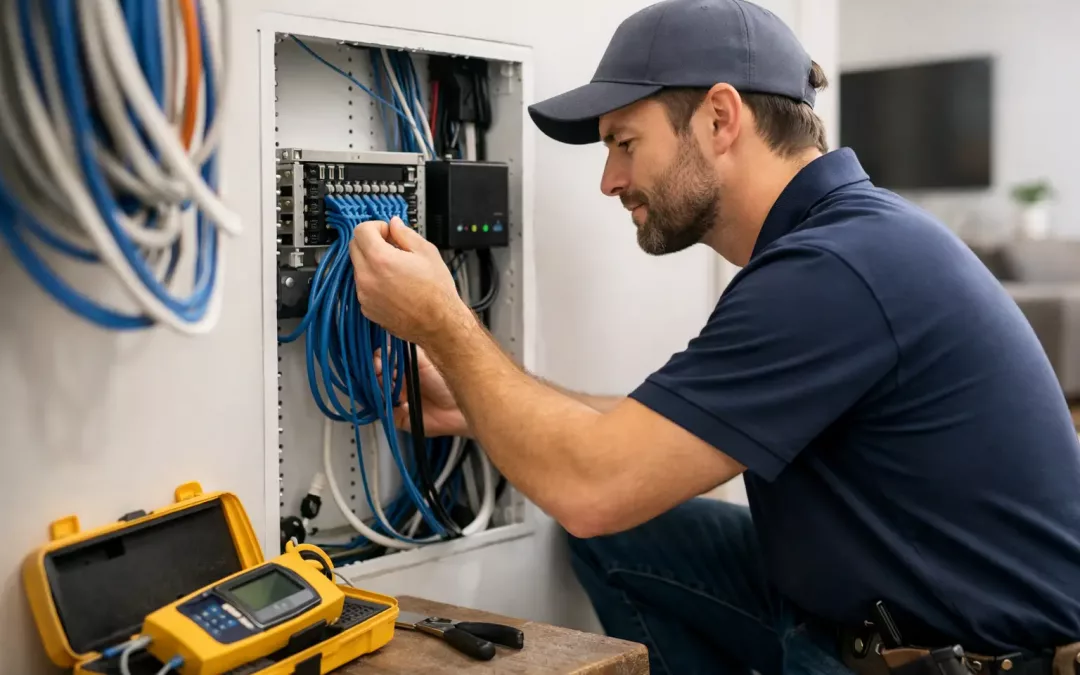
A well-executed installation starts with a clear central location for the network. That may include a structured media panel or a dedicated space for modem, router, switch, firewall, and related hardware. From there, each cable run should be terminated cleanly, labeled correctly, and tested to confirm performance. That sounds basic, but it is where long-term reliability is won or lost.
Good design also keeps serviceability in mind. If you ever need to add a device, replace hardware, or troubleshoot a connection, organized cabling saves time and frustration. Homeowners often do not think about that until something changes. At that point, a clean system pays for itself.
New construction, remodels, and existing homes all have different paths
The easiest time to install data wiring is before walls are closed. New construction and major renovations give you the most flexibility for cable paths, outlet placement, and future planning. If you have the chance to wire before drywall, it is worth thinking beyond immediate needs. Adding lines for future office use, access points, cameras, and media zones usually costs less during construction than after the fact.
Existing homes can still be wired effectively, but the approach changes. The goal becomes finding efficient routes that protect the appearance of the home while still delivering strong network coverage. In some homes, attic and crawlspace access makes the work straightforward. In others, layout and finishes require more careful planning. This is one of those areas where experience matters because the best result is not just a live connection. It is a clean installation that fits the structure.
For remodels, timing is everything. If walls are already open for other work, that is the moment to think ahead. Running additional cable while access is available can prevent another project later.
When Wi-Fi alone is enough, and when it is not
There are homes where a wireless-first setup is perfectly reasonable. A small space with light device usage may not need extensive cabling. But once you add remote work, larger floor plans, outdoor coverage, security equipment, or high-demand streaming and gaming, Wi-Fi-only setups start to show their limits.
The best residential networks usually combine both. Wired connections handle fixed devices and support the wireless system. That allows access points to be placed for coverage instead of relying on weak repeater-style links. You get better roaming, better performance in hard-to-reach areas, and fewer dead zones.
That trade-off matters because some homeowners initially want the simplest option. Sometimes that is fine. Other times, spending a little more on the front end for cabling avoids years of frustration and repeated hardware changes.
What to expect from a professional installation process
A strong process starts with questions, not with cable. How many devices are in the home? Where are the workspaces? Are there camera plans, media rooms, detached garages, or outdoor areas that need connectivity? Is the goal to solve current issues, prepare for future upgrades, or both?
From there, the scope should be mapped clearly. That includes cable type, run locations, wall plate placement, central hardware location, and any related network equipment. Once the installation is complete, each run should be tested and the final system should be organized in a way that makes future changes easier.
For homeowners who want more than just cable runs, this is also the right time to address Wi-Fi optimization, switch and router placement, and security-focused network setup. That broader view is often what separates a basic install from a network that truly performs well day after day.
In Charleston-area homes, where construction styles and layouts can vary quite a bit, local experience helps. All Wiring Needs approaches residential projects with the same focus used on business infrastructure work – clear planning, clean execution, and dependable performance that holds up after install day.
How to know it is time to upgrade
If you are relying on extenders in multiple rooms, resetting equipment regularly, or losing signal in places you use every day, your network is already telling you something. The same goes for homes where internet demands have changed. A guest room became an office. A playroom became a media room. Cameras were added outside. Device count doubled without anyone noticing.
Residential data wiring installation is most valuable when the home has outgrown temporary fixes. It gives you a cleaner path forward and a network you can build on instead of constantly working around.
A home network should feel dependable in the background, not like a weekly project. If yours is getting in the way of work, entertainment, or security, the right wiring plan is often the fix that finally makes everything else perform the way it should.