
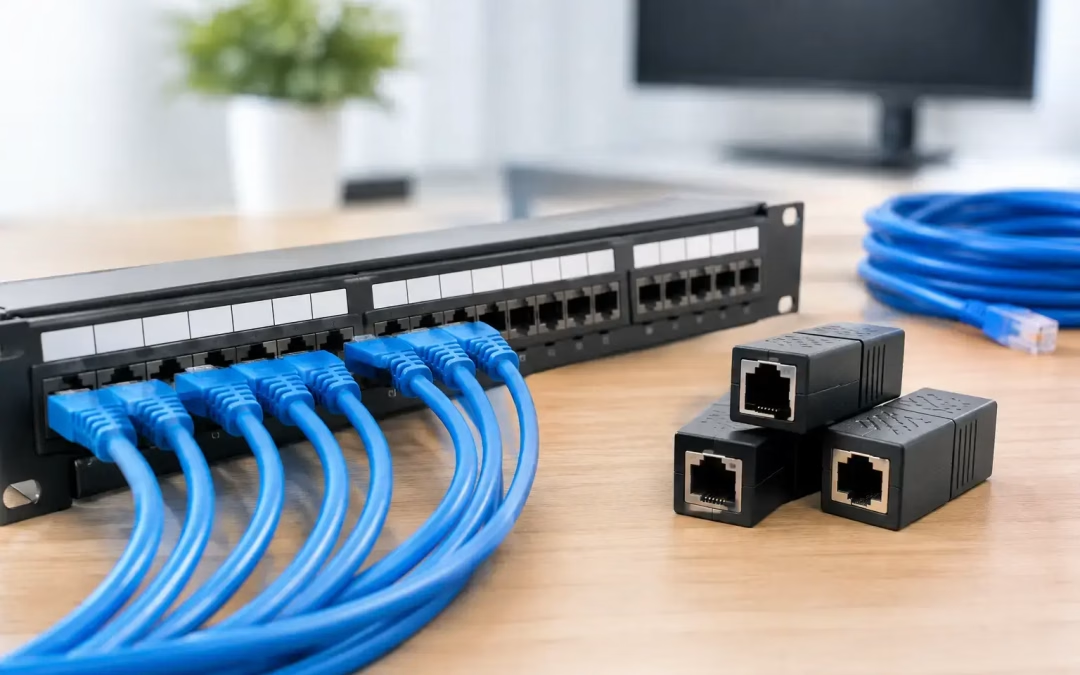
A loose cable run might get a device online quickly, but it can create a support problem for years. When comparing patch panels vs couplers, the right choice comes down to more than getting two network cables connected. It affects how easily your team can trace ports, move users, troubleshoot issues, and expand the network without disrupting daily operations.
For most offices, retail locations, medical practices, warehouses, and multi-room homes, a patch panel is the better long-term foundation. Couplers still have a place, especially for a targeted repair or a short-term extension. The key is using each component for the job it was designed to do.
What a patch panel does
A patch panel is a centralized termination point for the permanent network cables installed throughout a building. The cable from each desk, access point, camera location, conference room, or wall jack terminates on the back of the panel. Short patch cords then connect the labeled ports on the front of the panel to a network switch.
This setup separates the fixed cabling in the walls and ceilings from the equipment that may change over time. If an employee moves desks, a switch is replaced, or a port needs to be reassigned, the change happens with a short, accessible patch cord rather than by disturbing the permanent cable run.
A properly installed panel also gives the network a clear physical map. Port 12 can correspond to a specific office, access point, or reception desk. That matters when internet access drops, a phone is moved, or an IT provider needs to identify a connection quickly.
What a coupler does
A network coupler joins two Ethernet cables end to end. The common version is a female-to-female RJ45 coupler, allowing two terminated patch cords or cables to connect. Keystone-style inline couplers can also fit into wall plates, surface boxes, or patch panels designed for keystone modules.
Couplers are useful when a cable is slightly too short, an existing connection needs a quick repair, or a temporary setup must remain in place while a permanent cable route is planned. They can be convenient because they do not require a full re-cable or a new termination at that moment.
Convenience is not the same as a permanent infrastructure strategy. Every coupler adds another connection point, and every connection point is another place for a loose plug, worn contact, mislabeled cable, or performance issue to appear.
Patch panels vs couplers: the practical difference
The biggest difference is purpose. Patch panels organize and manage a structured cabling system. Couplers extend or join individual connections.
In a small office with 20 workstations, several wireless access points, printers, cameras, and a conference room, individual couplers can turn a network closet into a difficult-to-service tangle. Cables become harder to trace, equipment changes take longer, and the chance of accidentally disconnecting the wrong user goes up.
A patch panel costs more upfront because it requires planned cable routing, proper termination, labeling, rack or wall-mount space, and testing. In return, it provides a cleaner installation that is easier to maintain over the life of the office. That reduces time spent diagnosing basic physical-layer problems and makes future changes far less disruptive.
A coupler costs very little and can solve an immediate problem. If it is used for a single, accessible connection that has been tested, it may be a sensible choice. If couplers start appearing across the network because permanent runs were not planned correctly, the short-term savings can disappear through repeated service calls and downtime.
Reliability and speed considerations
Modern Ethernet cabling is designed as a complete channel, not just as a collection of pieces that happen to plug together. Cable category, termination quality, patch cord quality, connector condition, and total length all affect performance.
With Cat5e, Cat6, or Cat6A cabling, components should be matched to the intended network speed and use case. A low-quality coupler in the middle of a high-demand connection can introduce intermittent issues that are difficult to reproduce. The problem may show up as a slow file transfer, a dropped voice call, a camera that periodically disconnects, or an access point that performs inconsistently under load.
Patch panels are not automatically better simply because they are patch panels. They must be installed correctly. Cable pairs need to remain properly twisted near the termination point, bend radius must be respected, ports should be labeled, and each run should be tested after installation. A carefully terminated and certified patch panel provides predictable performance and makes defects easier to isolate.
Couplers can pass network traffic successfully, including gigabit connections, when the components are rated correctly and the connection is sound. Still, they are usually best reserved for exceptions, not used as a substitute for structured cabling. For demanding applications such as multi-gig Wi-Fi access points, high-resolution security cameras, network storage, and high-traffic office connections, fewer unnecessary connection points is generally the safer approach.
Serviceability matters more than most teams expect
The physical network often gets attention only when something stops working. By then, an unlabeled closet full of mixed cables can slow down every repair. A technician may need to trace a line through ceilings, unplug devices one at a time, or test multiple paths just to identify where a connection begins and ends.
Patch panels create order before there is a problem. Each permanent cable receives a designated port, each port can be labeled at both ends, and switch connections can be changed without touching building cabling. This is especially valuable during office moves, staffing growth, switch replacements, and ISP changes.
Couplers are more difficult to document because they are often added after the original installation. A coupler tucked above a ceiling tile or behind furniture may not be obvious to the next person servicing the network. If one must remain in place, it should be accessible, labeled, and included in the network documentation.
When a coupler is the right choice
There is no rule that says a coupler is always wrong. It can be a practical answer when a cable has been damaged near an accessible endpoint, when a temporary workstation needs connectivity, or when a new device is being tested before a permanent outlet is installed.
The decision depends on the location and expected lifespan of the connection. A visible, low-risk extension for a short-term need is different from a coupler hidden above a ceiling and expected to support an essential business system for years.
If a connection is business-critical, difficult to access, or likely to remain in place, installing a proper cable run back to a patch panel is usually the better investment. The same applies when several couplers are already being used in the same area. That is often a sign the cabling layout needs attention rather than another quick extension.
Planning the right setup for your space
A good network design starts with how the space actually operates. Count current devices, but also consider future workstations, wireless access points, security equipment, conference room technology, printers, and any systems that depend on stable connectivity. Leave room in the patch panel and rack for growth rather than filling every port on day one.
For a small location, a compact wall-mounted patch panel may be enough. Larger offices may need rack-mounted panels, cable management, dedicated switch space, and clearly separated pathways for different services. The right design should keep connections accessible, organized, and easy to test without interrupting normal work.
All Wiring Needs helps Charleston-area businesses plan and install structured cabling that supports the way their teams work now while leaving room for the next change. A clean patch-panel layout is not just a network closet upgrade. It gives your business a clearer path when equipment, staff, or space needs change.
#PatchPanel #NetworkCabling #CableManagement #ITInfrastructure #CharlestonSC #Cat6 #NetworkDesign #OfficeNetworking #ReliableNetwork #CharlestonBusiness #StructuredCabling #NetworkInfrastructure #CableManagement #CharlestonSC