
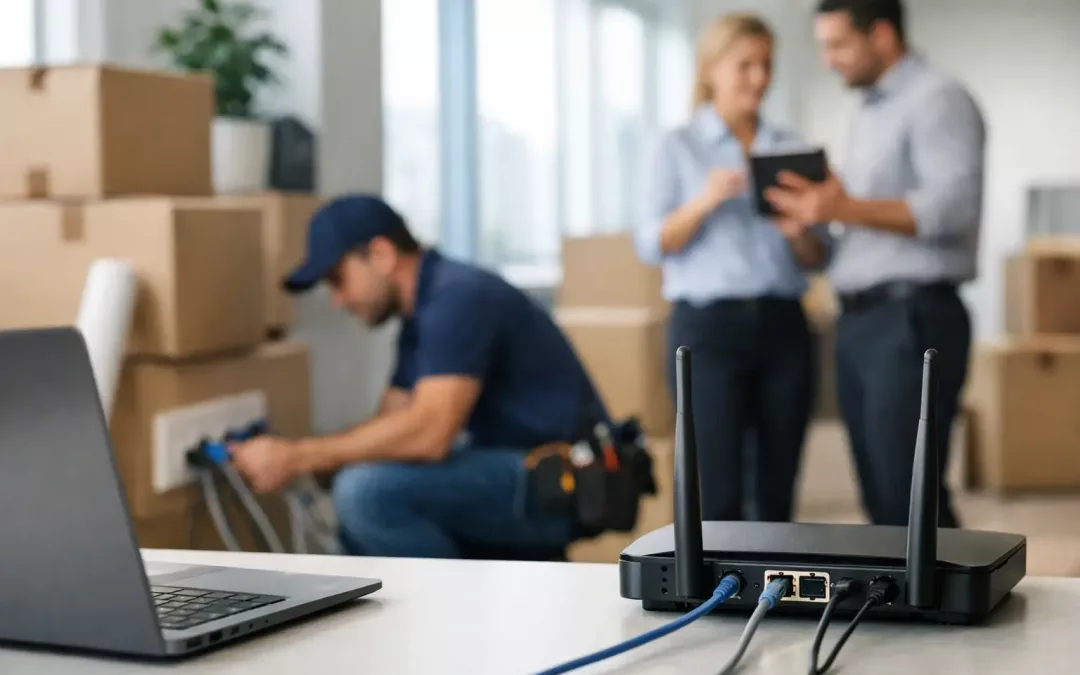
A new office can be furnished in a weekend, but business-grade internet rarely works on that timeline. If you are moving your business, how to set up internet at a new location quickly should be one of the first questions in your relocation plan, not a task left for move-in week. Carrier availability, construction requirements, internal cabling, Wi-Fi coverage, and network security all affect when your team can actually work.
The fastest path is not simply ordering service early. It is coordinating the carrier connection and the network inside the new space as one project. That approach reduces last-minute surprises, prevents weak Wi-Fi or missing ports, and gives your staff a reliable connection on day one.
Moving Your Business? How to Set Up Internet Quickly
Start planning connectivity as soon as you have a signed lease or a confirmed move date. For many commercial locations, the address may have service available but still require a site survey, a new circuit installation, building approval, or work in common areas. Availability at the street does not always mean a carrier can activate service immediately inside your suite.
Ask for carrier options and estimated installation dates before committing to a provider. Compare more than the advertised download speed. A business that relies on cloud applications, voice systems, video meetings, payment processing, or large file transfers should also consider upload speed, service-level commitments, equipment ownership, contract terms, and the provider’s process for resolving outages.
A reliable primary connection may be enough for a small office with modest downtime risk. For operations that cannot stop, a secondary connection or cellular failover is often worth the added monthly cost. The right choice depends on how much an hour without internet would cost your business.
Confirm What Is Already in the Building
Before ordering anything, determine where the carrier service enters the property and where it will terminate in your suite. This handoff point is often called the demarcation point. If the building has an existing connection, confirm whether it can be reused, whether the circuit belongs to a prior tenant, and whether the wiring path to your network room is usable.
Property managers can help identify building access rules, approved service providers, riser pathways, after-hours requirements, and any certificate or insurance requirements for contractors. These details matter because a carrier appointment can be delayed when access to a telecom room, ceiling pathway, or locked equipment area has not been arranged.
Do not assume old wall jacks or a leftover network rack are ready to support your business. Previous tenants may have used outdated cabling, undocumented runs, or hardware that does not meet your performance and security requirements. A walkthrough before the move provides time to identify what can be tested and reused and what should be replaced.
Build the Network Before Furniture Arrives
Internet service gets the connection to the office. Structured cabling distributes that connection where your people and devices need it. Planning these two pieces together is what keeps a new office from becoming a collection of extension cords, consumer-grade Wi-Fi gear, and temporary workarounds.
Map the new layout around real work patterns. Identify employee desks, conference rooms, reception areas, printers, cameras, phones, access points, displays, and any equipment that needs a wired connection. Each location may need data cabling, and the network closet needs enough room, ventilation, power capacity, and cable management to support current equipment and future growth.
Cat6 cabling is a strong fit for many office environments, while Cat6A may make more sense for higher bandwidth needs, longer runs, or an upgrade path that supports faster network speeds. Fiber may be appropriate between floors, buildings, or remote network rooms. The best design depends on the size of the space, the number of users, the applications your team runs, and how long you expect to occupy the site.
Treat Wi-Fi as a Site Design Issue
A fast internet plan cannot overcome poor access point placement. Walls, ceiling materials, storage areas, conference rooms, and dense workspaces all influence wireless coverage. Installing access points based solely on convenience can leave dead zones in the places where employees and guests work most often.
Plan access point locations before ceilings are closed and furniture is installed. Wired backhaul connections provide better performance and reliability than depending on one wireless device to repeat another signal. Separate business, guest, and device networks where appropriate, so visitors and connected equipment do not share the same access as company workstations.
For a Charleston office, this planning is especially useful in older buildings, renovated suites, and mixed-use properties where wall construction and building layouts vary widely. A site assessment helps establish realistic coverage expectations before employees start reporting dropped calls or slow connections.
Use a Move Timeline That Protects Operations
A practical relocation plan works backward from your required go-live date. The key is leaving room for carrier delays and testing rather than assuming the first installation appointment will be the final one.
- Four to eight weeks before the move: Confirm provider options, order the primary circuit, assess the site, and approve the internal network design.
- Three to five weeks before the move: Install and label cabling, prepare the network rack, and coordinate property access and carrier requirements.
- One to two weeks before the move: Install the firewall, switches, access points, and backup connection. Test wired and wireless coverage before staff arrives.
- Move week: Connect workstations, printers, phones, and specialized equipment. Keep the prior location active when possible until the new office is stable.
- First week after move-in: Review performance, confirm failover behavior, resolve coverage gaps, and document ports, equipment, and credentials.
The exact schedule depends on the carrier, property, and complexity of the site. If you have a short deadline, do not wait for the permanent circuit before preparing the network. A temporary fixed wireless or cellular connection can keep essential operations running while the primary service is completed. It may not support every workload equally well, so reserve bandwidth-heavy tasks and large backups for the permanent connection when possible.
Secure the New Location From the Start
Office moves are an easy time for security details to slip through. Teams are busy unpacking, vendors are coming and going, and temporary passwords sometimes become permanent. Set the network up with clear separation between staff devices, guest access, voice systems, cameras, and other connected equipment when your environment calls for it.
Your firewall should be configured before business traffic starts flowing. Change default credentials, limit administrative access, enable appropriate updates, and document who is responsible for network management. If employees work remotely, review VPN access and confirm that only authorized users can reach internal resources.
Also plan for physical protection of network equipment. The rack or cabinet should be in a controlled area, not an open reception closet where cables can be unplugged accidentally. Label every cable and port clearly. Good documentation saves hours when an employee changes desks, a provider needs to troubleshoot a circuit, or your business expands later.
Avoid the Most Common Move-Day Delays
The biggest mistakes are usually coordination mistakes, not technology failures. A carrier is scheduled before the suite is accessible. Cabling is installed after walls and furniture make the work harder. The network closet is selected without enough space. Or a business cancels service at the old office before the new connection has been tested.
Assign one internal point of contact to coordinate the property manager, carrier, IT provider, and network contractor. Share the move date, floor plan, access hours, equipment list, and decision deadlines. Clear ownership prevents critical tasks from being assumed by someone else.
For businesses that need help coordinating the full project, All Wiring Needs can evaluate the new location, install the cabling and network hardware, optimize Wi-Fi coverage, and help align connectivity planning with the move schedule. Having one accountable team for the physical network and the broader connection strategy makes it easier to spot issues before they affect your opening day.
A successful office move is not measured by when the keys change hands. It is measured by whether your team can sign in, communicate, serve customers, and work securely the moment the new location opens.
#OfficeRelocation #BusinessMove #NewOfficeInternet #SetupInternetQuickly #BusinessRelocation #OfficeMoveInternet #NewLocationInternet #CommercialMove #BusinessInternet #TemporaryInternet #MoveInReady #StructuredCabling #NetworkAssessment #CharlestonBusiness #OfficeNetwork