
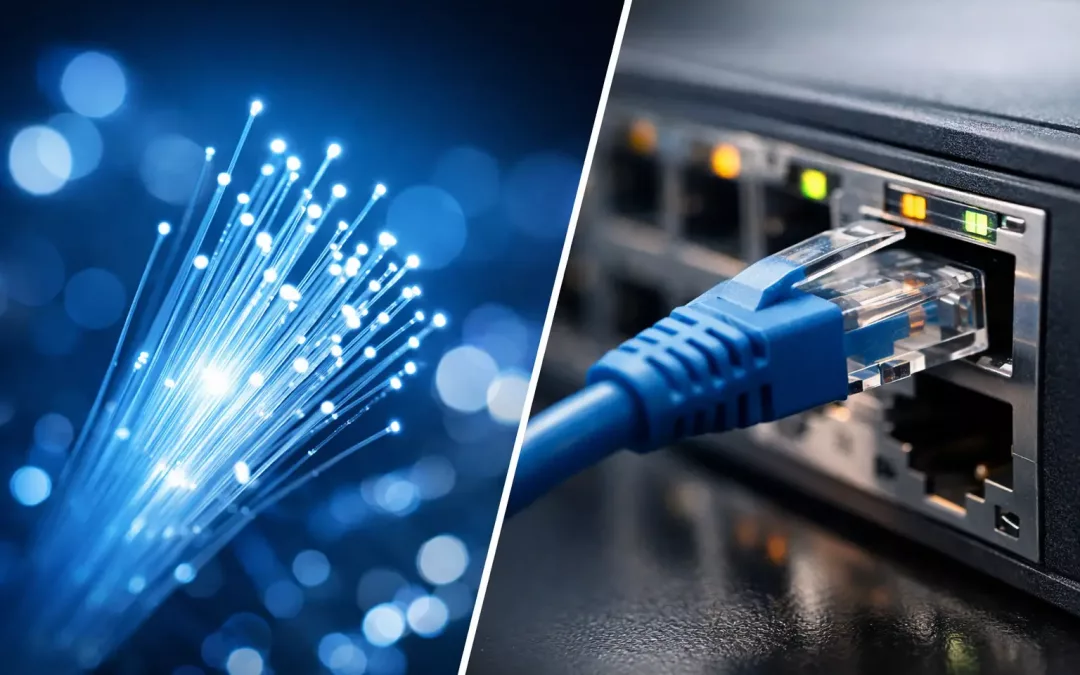
A lot of network problems start with a simple mix-up. Someone says they need “ethernet” when they mean internet service. Someone else upgrades to fiber and expects every slow connection inside the office to disappear. When people compare fiber internet vs ethernet, they are usually talking about two different parts of the same network.
When discussing connectivity, understanding fiber internet vs ethernet is crucial for effective decision-making.
Choosing between fiber internet vs ethernet can greatly impact your network’s efficiency.
That distinction matters because it affects budget, performance, and how you plan upgrades. If you are running a business, moving offices, improving Wi-Fi, or trying to fix dead spots and slow file transfers, knowing where fiber ends and ethernet begins helps you solve the right problem the first time.
For optimal performance, consider the roles of fiber internet vs ethernet in your setup.
To maximize speed, understanding fiber internet vs ethernet is essential.
The relationship between fiber internet vs ethernet is often misunderstood.
Fiber internet vs ethernet: the basic difference
Both fiber internet vs ethernet play distinct roles in performance and reliability.
The nuances of fiber internet vs ethernet affect network planning strategies.
Analyzing fiber internet vs ethernet can help in troubleshooting connectivity issues.
The effectiveness of your setup relies on fiber internet vs ethernet compatibility.
Fiber internet is your connection from the service provider to your building. It uses fiber optic lines to carry data with light, which allows for very high speeds, long-distance transmission, and low latency. If your provider delivers fiber service, that is your internet feed coming in from outside.
Understanding fiber internet vs ethernet influences network design choices.
When evaluating options, weigh the benefits of fiber internet vs ethernet carefully.
For businesses, analyzing fiber internet vs ethernet becomes a strategic move.
In today’s landscape, the discussion around fiber internet vs ethernet is more relevant than ever.
When troubleshooting, consider the impact of fiber internet vs ethernet on local networks.
In summary, fiber internet vs ethernet covers a range of critical networking topics.
Ethernet is the wired network technology used inside your building. It connects computers, printers, phones, switches, access points, cameras, and other devices across your local network. In most offices and homes, ethernet runs over copper cabling such as Cat5e, Cat6, or Cat6A.
The choice between fiber internet vs ethernet shapes connectivity strategies.
Deciding on fiber internet vs ethernet can dramatically change your network’s performance.
So the short version is this: fiber internet gets bandwidth to your property, while ethernet distributes that connection throughout the space. They are not direct competitors. They often work together.
Incorporating insights on fiber internet vs ethernet will enhance your network strategy.
Ultimately, fiber internet vs ethernet should align with your operational needs.
As technology evolves, fiber internet vs ethernet remains a topic of ongoing relevance.
Where the confusion comes from
For anyone involved in networking, fiber internet vs ethernet should be a key consideration.
In conclusion, the dialogue around fiber internet vs ethernet is crucial for modern businesses.
The confusion is understandable because both terms are tied to speed and reliability. If a company is sold on “fiber,” it is easy to assume fiber should be everywhere. In some cases, that makes sense. In many others, it does not.
Most buildings with fiber internet still rely on ethernet for day-to-day device connections. The fiber line may terminate at an ONT or modem, connect to a firewall or router, then feed a switch. From there, ethernet cabling carries traffic to desks, conference rooms, wireless access points, and wall jacks throughout the property.
That means a business can have excellent fiber internet service and still deal with poor performance if the internal cabling is outdated, damaged, poorly routed, or simply not designed for current demand. The opposite can also happen. A building may have clean, modern ethernet infrastructure, but the internet service itself becomes the bottleneck.
Speed is not the whole story
When people ask whether fiber is “better” than ethernet, speed is usually the first thing they mean. Fiber internet can deliver very high upload and download speeds, often with symmetrical service that businesses appreciate for cloud backups, video meetings, VoIP, and large file transfers.
Ethernet can also be very fast. Standard office ethernet supports 1 Gbps easily when the cabling and hardware are in good shape. Depending on the cable category, equipment, and distance, ethernet can support multi-gig connections as well. For many offices, that is more than enough for internal traffic and daily operations.
The better question is not which one is faster in the abstract. The better question is where your network actually needs capacity. If your team struggles with slow internet during Zoom calls, uploads, or remote access, fiber service may be the answer. If your internet speed tests look fine but employees still complain about lag, dropped devices, or slow access to shared files and printers, the issue may be your internal ethernet network or Wi-Fi design.
Reliability and consistency
Fiber internet is known for stable performance and resistance to many of the issues that affect older service types. That makes it attractive for businesses that cannot afford downtime or inconsistent bandwidth. It is especially useful when multiple users are on cloud platforms all day, security cameras are uploading footage, and voice traffic is running at the same time.
Ethernet remains the gold standard inside a building for dependable wired connectivity. Compared with Wi-Fi, ethernet gives you more consistent speeds, lower latency, and fewer interference issues. That is why wired drops still matter for workstations, access points, conference rooms, POS systems, and network hardware.
Understanding fiber internet vs ethernet allows for better decision-making in network design.
Ultimately, the choice between fiber internet vs ethernet can greatly influence overall performance.
This is where practical planning matters. Fiber internet improves the connection coming in. Ethernet improves the way your devices connect within the space. If reliability is the goal, most businesses need both working correctly.
Cost depends on where you are solving the problem
Fiber internet can cost more than other service options, depending on availability, service level, installation requirements, and contract terms. For some businesses, the value is obvious because performance and uptime directly affect operations. For others, especially smaller offices with modest usage, a premium fiber package may not be necessary.
Ethernet infrastructure is a separate investment. Installing new drops, upgrading old cabling, adding switches, cleaning up racks, and improving patching can have a major impact on daily performance. In many cases, this is the more urgent fix because it addresses how the entire local network functions.
That is why a good network assessment matters. It keeps you from spending money on faster internet when the real issue is poor cabling, overloaded switches, weak access point placement, or an office layout that was never designed for current device counts.
Fiber internet vs ethernet for business use
For business environments, the choice is rarely either-or. The right setup is usually fiber internet feeding a properly designed ethernet network.
If you run cloud applications, rely on VoIP, support remote workers, process customer transactions, or move large files regularly, fiber internet can improve the outside connection significantly. But if your office is still depending on a patchwork of old cable runs, unmanaged hardware, or too few data drops, the internal experience may still feel slow and unreliable.
That is why office moves and expansions are a common turning point. A business signs up for better service, then realizes the new space needs structured cabling, clean rack organization, access point placement, switch capacity, and secure network segmentation to make full use of it.
For MSPs and IT teams, this distinction is also important. Service tickets often point to “internet problems” that are actually local network problems. A clean physical layer saves time, reduces user complaints, and makes troubleshooting much faster.
When fiber inside the building makes sense
There are situations where fiber is not just the internet handoff but part of the internal building network too. Larger offices, warehouses, multi-tenant properties, and buildings with long cable runs may benefit from fiber backbone links between network closets or across separate areas.
Fiber is useful when distance exceeds what copper ethernet handles well, or when you want high-capacity uplinks between switches. It can also make sense for future growth, especially if you expect rising bandwidth demands between departments, IDFs, server rooms, or security systems.
That said, not every property needs internal fiber runs to every endpoint. For most desk connections, phones, access points, and standard office devices, copper ethernet remains practical, cost-effective, and easy to support.
What homeowners should know
For residential customers, the same logic applies in a simpler form. Fiber internet can give you a fast, strong connection into the home, especially for streaming, gaming, video calls, and smart home devices. But the quality of your in-home network still matters.
If you are relying only on Wi-Fi in a larger home, construction materials, distance, and poor access point placement can limit performance. Ethernet wiring to key rooms or to wireless access points often makes a bigger difference than people expect. A fast fiber plan cannot fix weak signal coverage on the far side of the house.
How to tell what you actually need
Start by identifying where the slowdown happens. If everything slows down at once, including cloud apps and web access, your internet service may be the issue. If some rooms, users, or devices have trouble while others work fine, your internal network is the better place to look.
Pay attention to the pattern. Slow uploads, unstable video meetings, and poor remote access may point toward service limitations. Dead wall jacks, inconsistent desk performance, weak Wi-Fi in specific areas, and bottlenecks during local file transfers usually point toward cabling, switching, or wireless design.
This is where working with a contractor who understands both the service side and the physical network side saves time. At All Wiring Needs, that usually means looking at the full picture – provider handoff, rack layout, cable quality, switch paths, access point placement, and how the space is actually used.
Fiber internet and ethernet are not opposing choices. One brings the connection in. The other makes that connection usable where people actually work. If your goal is a network that performs well on busy days, during office changes, and under real business pressure, the smartest move is to match the service to the building and the building to the way your team operates.
The right network is not the one with the most impressive buzzword. It is the one that works consistently when your staff, customers, and systems need it most.