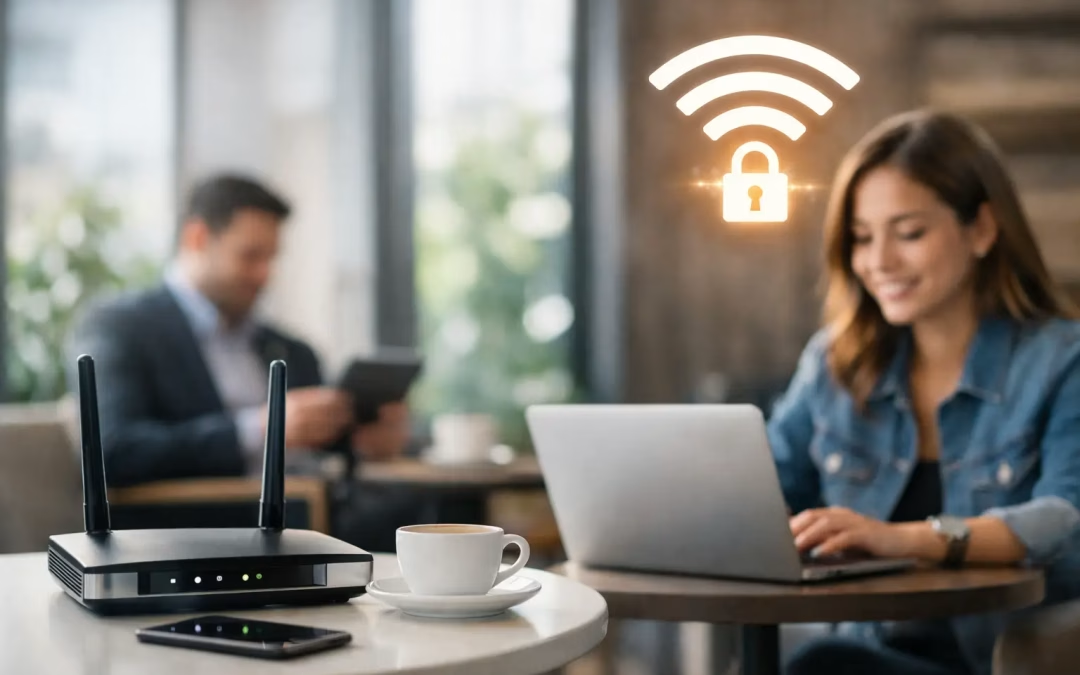
A guest asks for the Wi-Fi password at reception, joins the network, and starts a video call. That simple moment should not create a path to your accounting software, staff devices, cameras, or shared files. Guest Wi-Fi networks: best practices for security and performance begin with treating visitor access as its own network service, not as an extension of the office network.
For Charleston-area businesses, the challenge is usually more practical than theoretical. A lobby may fill up before a meeting, tenants may share a building, or contractors may need temporary access on site. The goal is to give visitors dependable internet access without slowing down employees or exposing systems that should remain private.
Separate Guest Traffic From Business Systems
The most important decision is network segmentation. A guest network should be logically separated from the network used by employees, business devices, printers, phones, cameras, and network management equipment. In a properly designed setup, a visitor can reach the internet but cannot browse devices connected to the internal network.
This separation is commonly handled through a dedicated guest SSID, a virtual LAN (VLAN), and firewall rules that block guest traffic from reaching internal subnets. The exact configuration depends on the router, firewall, switches, and access points in use, but the principle stays the same: guest access should have a limited purpose and limited reach.
A separate Wi-Fi name is not enough by itself. Some small offices create a second SSID but leave both networks on the same internal segment. That may look organized from a user perspective while providing little meaningful protection. The segmentation must continue through the switching and firewall configuration.
Keep Network Equipment Off the Guest Network
Network administration interfaces should never be accessible from guest Wi-Fi. That includes access points, switches, firewalls, cameras, storage systems, and any device with a web-based management page. If a guest device is compromised, limiting what it can see limits the potential damage.
Client isolation is also useful on guest Wi-Fi. This setting prevents one connected guest from communicating directly with another guest device. It is especially valuable in waiting rooms, shared offices, event spaces, and other environments where many unfamiliar devices connect at once.
Use Access Controls That Fit the Environment
There is no single right way to authenticate guests. A small professional office may use one rotating password, while a hotel-style lobby, medical practice, or property with frequent visitors may benefit from a captive portal, time-limited access codes, or sponsor approval.
A shared password is simple, but it loses value when it is written on a wall or passed around indefinitely. Change it on a regular schedule and whenever a former vendor, employee, or long-term visitor should no longer have access. Avoid using the same password for guest access and internal staff Wi-Fi.
For sites with recurring visitors, temporary credentials offer better control. A code can expire after a day, a week, or a set number of hours. This approach reduces the need to repeatedly update a posted password while preventing old credentials from remaining active forever.
Use current Wi-Fi encryption whenever your equipment supports it. WPA3 is preferred for compatible devices, while WPA2-AES remains common where older client devices must connect. Avoid outdated security methods and default equipment credentials. The Wi-Fi password is only one layer of protection, so router, firewall, switch, and access point administration accounts need strong, unique credentials as well.
Guest Wi-Fi Networks: Best Practices for Performance
Security controls only work well when visitors can actually connect and stay connected. A poorly planned guest network creates a different set of problems: staff complaints, overloaded access points, meeting interruptions, and unnecessary support calls.
Start with expected demand, not just square footage. A reception area with 15 visitors checking email requires far less capacity than a training room with 40 people joining video calls and downloading files. Consider how many devices each person may carry. A group of 30 guests can easily mean 60 or more active phones, tablets, and laptops.
Design Coverage Around Real Use Areas
Access point placement should follow the building layout and expected user density. Walls, masonry, metal shelving, glass, elevator areas, mechanical rooms, and neighboring networks can all affect wireless signal quality. One centrally mounted access point may cover a small office adequately, but it is rarely the right answer for a long suite, multiple floors, a warehouse, or a busy event area.
A site assessment helps identify where access points belong and where they do not. The objective is not simply to produce the strongest possible signal everywhere. It is to create usable coverage with enough capacity, clean handoffs between access points, and minimal interference.
Too many access points can be as troublesome as too few if channel planning and transmit power are ignored. Nearby access points using overlapping channels may compete with each other, reducing performance even when signal strength appears high. Proper configuration matters as much as the hardware count.
Build on a Reliable Wired Backbone
Wi-Fi performance begins with the wired network behind it. Every access point needs a dependable cable run back to the network, adequate switch capacity, and power delivery where required. Older cabling, damaged terminations, undersized switches, or overloaded uplinks can become the hidden bottleneck behind a slow wireless experience.
For many commercial installations, Cat6 or Cat6A cabling provides the capacity and longevity needed for modern access points. The right choice depends on cable distance, existing infrastructure, access point capability, and future growth plans. Installing cabling that supports only today’s minimum requirement can make the next upgrade more expensive than it needs to be.
Internet service also matters. If a business has 300 Mbps of available bandwidth, that capacity must be shared between employee activity, cloud applications, voice services, backups, and guests. Adding more access points will not solve an internet connection that is already saturated.
Set Sensible Traffic Limits
Bandwidth controls help protect business operations during busy periods. A guest network does not necessarily need unlimited access to every available megabit. A reasonable per-device limit can support browsing, email, and standard video calls while preventing a few devices from consuming the connection with large downloads, updates, or high-resolution streaming.
The right limit depends on the business. A client-facing office may want guest video calls to work reliably. A warehouse, retail site, or service counter may only need basic browsing access. Quality-of-service policies can prioritize important business traffic, such as voice systems or cloud applications, over guest activity when bandwidth is under pressure.
Content filtering and DNS security controls can also reduce exposure to known malicious destinations and inappropriate activity. These tools should support, not replace, segmentation and firewall rules. No single setting provides complete protection.
Maintain the Network After Installation
Guest Wi-Fi is not a set-it-and-forget-it project. Firmware updates, password changes, equipment health checks, and capacity reviews should be part of normal network maintenance. A network that worked well when an office had 12 employees may need adjustments after a move, expansion, new software rollout, or increase in visitor traffic.
Monitor connection counts, bandwidth use, access point health, and recurring trouble spots. If guests consistently report weak coverage in a conference room, do not solve the issue by increasing transmit power without testing. The better answer may be access point relocation, a new cable run, a capacity upgrade, or channel adjustments.
Documentation also saves time when issues arise. Keep a clear record of SSIDs, VLAN assignments, firewall rules, hardware locations, administrative ownership, and ISP details. This is particularly helpful when a business changes IT providers, adds a managed service partner, or relocates to a new office.
Choose the Right Level of Guest Access
Some businesses benefit from a fully open guest network with a terms-of-use page. Others need password-protected access, rotating credentials, or more detailed visitor controls. The appropriate model depends on the type of visitors, regulatory expectations, the sensitivity of internal systems, and how often guest access is needed.
A law office, healthcare practice, financial firm, or company with valuable intellectual property should generally take a more restrictive approach than a low-traffic retail lobby. At the same time, excessive friction can be counterproductive for a customer-facing business. The best design protects internal operations without making a basic visitor connection unnecessarily difficult.
When guest access, coverage, and cabling are planned together, Wi-Fi stops being a recurring office complaint. A qualified network assessment can identify where isolation is missing, where performance is being lost, and which upgrades will make the biggest difference before the next busy meeting or expansion puts the network under pressure.
#GuestWiFi #BusinessWiFi #NetworkSecurity #CharlestonBusiness #SecureWiFi #NetworkSegmentation #VLAN #GuestNetwork #WiFiBestPractices #BusinessNetwork #CharlestonSC #CharlestonBusiness #GuestWiFi #BusinessWiFi #NetworkSecurity