
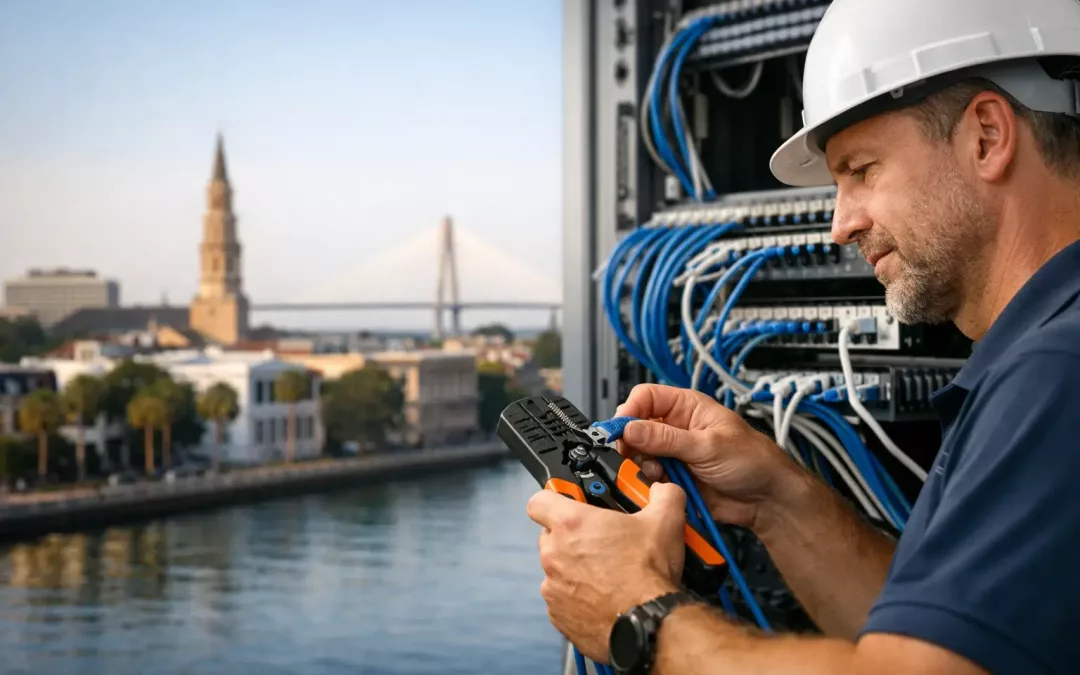
A business can have a fast internet plan and still struggle with dropped calls, slow cloud applications, dead Wi-Fi zones, and unreliable devices. More than 20 years of experience wiring Charleston-area businesses has shown us that the problem often starts behind the walls, above the ceiling, or inside an overcrowded network closet – not with the internet service itself.
The physical network is the foundation for every connection your team depends on. When cabling, switching, access point placement, and security are planned together, employees can work without fighting the network. When they are treated as separate projects, small shortcuts tend to become recurring support tickets, frustrated customers, and expensive downtime.
20+ Years of Experience: Lessons Learned Wiring Charleston-Area Businesses
The most useful lesson is simple: build for the way the business operates, not just for the floor plan that exists today. A few workstations and a printer may be enough for a small office at opening, but growth brings more users, cloud tools, cameras, phones, guest devices, and wireless traffic.
A network designed only for immediate needs can work well for a while. The trade-off is that each change later may require another rushed cable run, another small switch, or another access point placed wherever there is an available connection. That patchwork approach costs more over time and makes troubleshooting harder.
A better design starts with a walkthrough and honest questions. How many people will use the space? Which applications cannot tolerate interruptions? Where will customers, staff, and equipment move over the next few years? Is a conference room expected to support video calls and wireless presentations? The answers determine the cabling pathways, outlet locations, rack layout, switch capacity, and Wi-Fi coverage plan.
Cabling choices should reflect the business timeline
Cat5e, Cat6, and Cat6A all have a place. The right choice depends on distance, bandwidth requirements, existing conditions, budget, and how long the business expects to stay in the space. There is no value in overspending on a specification that does not support a real operational need. There is also little value in installing the minimum when a modest upgrade now prevents disruptive work later.
For many offices, Cat6 provides a practical balance of performance and cost. Cat6A can make sense where higher-speed connections, dense device use, or longer-term capacity matter. Fiber optic cabling becomes the right conversation for longer runs between areas, high-capacity backbone connections, or facilities with demands copper cabling is not intended to serve.
The key is to make the decision before finishes are complete, furniture is installed, and employees are trying to work around a project. Early planning protects both the budget and the schedule.
The Network Closet Is a Working System, Not Storage Space
We have seen network closets become catch-all storage areas, with loose patch cords, unlabeled cables, aging equipment, and no room for service. It may not seem urgent until a switch fails, an employee needs a new connection, or a provider arrives to install service and cannot identify the handoff.
A well-organized network closet gives a business control. Cables are labeled at both ends. Patch panels and switches are arranged logically. Equipment is mounted securely, protected appropriately, and left accessible for service. Documentation identifies what connects where, which matters when a technician needs to solve a problem quickly instead of tracing every line by trial and error.
This is not about making a closet look neat for its own sake. Clear organization reduces downtime, avoids accidental disconnects, and makes future expansions less invasive. It also gives an internal IT team, MSP, or property manager a usable starting point rather than a mystery to inherit.
Test every run before the office depends on it
A cable that looks properly installed is not necessarily performing properly. Damaged conductors, poor terminations, excessive bends, and unlabeled connections can create intermittent problems that only appear when traffic increases.
Testing and documenting installed cabling before turnover is one of the most practical habits developed over decades of field work. It confirms that each run is connected correctly and helps isolate issues before employees, tenants, or customers are affected. A clean test result is far less expensive than opening finished walls or moving office furniture after a problem surfaces.
Wi-Fi Problems Are Usually Design Problems
Adding another access point is not always the answer to weak Wi-Fi. In some spaces, it improves coverage. In others, it creates interference, uneven roaming, or unnecessary complexity. Coverage needs to account for building materials, room layouts, user density, device types, and the areas where people actually work.
A small professional office with a few employees has different needs than a medical practice, warehouse, restaurant, retail location, or multi-suite property. Conference rooms can have high demand during video meetings. Waiting areas may need separate guest access. Outdoor areas, older structures, and rooms divided by dense materials may require more deliberate placement.
The lesson is to design wireless around use, not guesses. That includes selecting appropriate access point locations, connecting them to dependable structured cabling, and separating business traffic from guest traffic when needed. A strong Wi-Fi signal is only part of the result. The network must also support secure access and predictable performance when the office is busy.
Security Begins With the Physical Network
Firewalls, VPNs, managed switches, and network segmentation are essential tools, but they depend on a physical network that is organized and intentional. An unmanaged switch tucked under a desk or an unknown device connected in a common area can create risk and complicate support.
Over the years, the need for security-focused network setup has become more urgent for businesses of every size. Small and mid-sized organizations are not too small to be targeted, and a rushed office move or expansion can leave avoidable gaps.
A practical approach separates appropriate traffic, limits unnecessary access, secures network hardware, and keeps the setup understandable for the people responsible for it. The exact configuration depends on the business. A company with remote employees, payment systems, guest Wi-Fi, cameras, or compliance obligations needs a different plan than a small office with a few shared devices. The goal is not complexity. It is clear, manageable protection that supports daily operations.
Office Moves Reward Early Coordination
Relocating an office is one of the fastest ways to expose weak planning. Internet service, telecom timing, cabling, furniture, hardware, access points, and employee move-in dates all need to line up. If one piece is late, the business may open with staff unable to make calls, reach systems, or serve customers effectively.
The best move projects begin before the lease transition becomes urgent. A site assessment can identify existing cabling, pathways, closet conditions, provider availability, and work needed before occupancy. It can also reveal whether abandoned cable should be removed, whether the current equipment can support the new layout, and where new connections need to be installed.
Coordinating cabling work with ISP and telecom sourcing helps reduce the number of vendors a business has to manage. That matters most when the timeline is tight. One point of contact who understands both the physical installation and the connectivity plan can catch conflicts earlier and keep the project moving.
Local Experience Means Knowing When to Adapt
Charleston-area buildings are not all built alike. A newer office suite may offer accessible pathways and a modern telecom room. A renovated space may have architectural constraints, limited access above ceilings, or layouts that require a more careful approach. A reliable installer does not force every site into the same design.
Experience also teaches when to preserve what is working. Not every project requires a full replacement. Sometimes the right move is to test and organize existing runs, replace problem areas, improve the closet, add capacity where it matters, and optimize Wi-Fi. Other times, outdated infrastructure has reached the point where a clean rebuild is the more responsible investment.
The difference comes from evaluating the site honestly. Businesses deserve a recommendation based on performance, risk, budget, and future plans – not a one-size-fits-all package.
Build a Network Your Team Can Depend On
Reliable connectivity is not a luxury when your team relies on cloud applications, calls, payments, cameras, file access, and customer communication. It is operating infrastructure. The right cabling and network design should make work easier, reduce avoidable interruptions, and give your business room to change without starting over.
If your office is expanding, relocating, dealing with weak Wi-Fi, or inheriting an unclear network setup, start with a practical assessment. All Wiring Needs can help identify what is in place, what is holding performance back, and what improvements will make the biggest difference before the next disruption forces the decision.
#NetworkCabling #BusinessWiFi #StructuredCabling #CharlestonSC #ITInfrastructure #OfficeNetworking #ReliableConnectivity #WiFiSolutions #Cat6 #NetworkDesign