
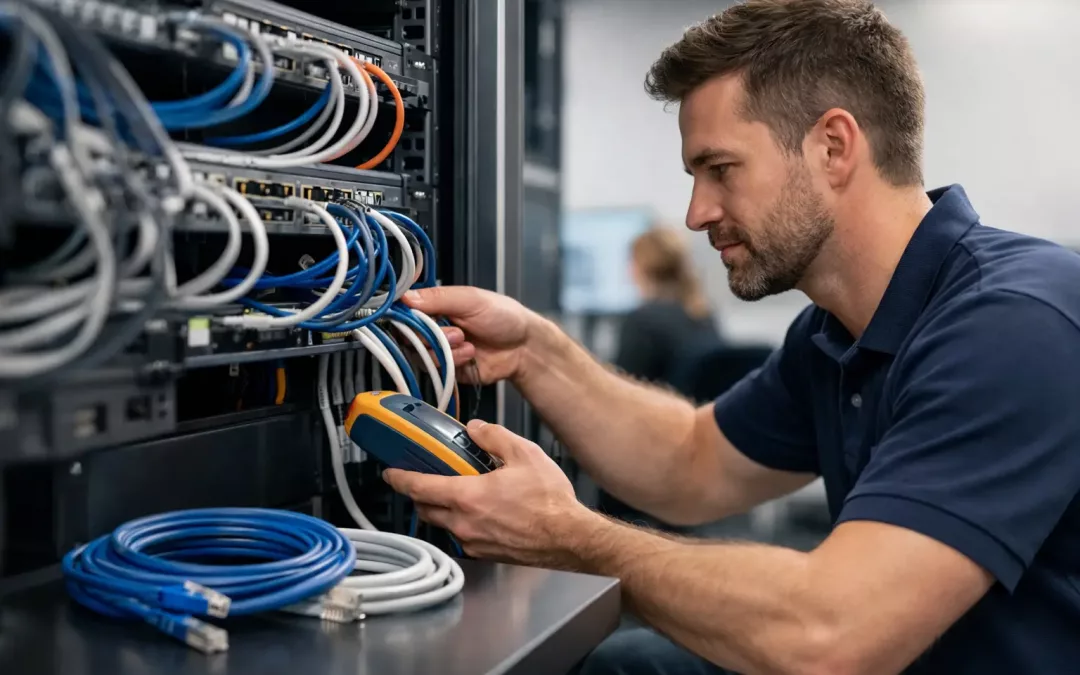
A new internet plan can look great on paper, but it cannot fix a weak connection between the service entry point, network hardware, workstations, phones, cameras, and access points. That is why business internet installation: why professional wiring matters is more than a technical question. The quality of the physical network determines whether your team gets the speed, reliability, and security you are paying for.
For a Charleston office, medical practice, retail location, warehouse, or growing professional services firm, internet trouble often starts behind the walls or above the ceiling. Aging cable, improvised extensions, poorly placed wireless equipment, and unlabeled runs can create recurring disruptions that look like an ISP problem. A professional wiring plan gives your network a dependable foundation before those interruptions affect employees, customers, and operations.
Business Internet Installation Starts With the Physical Network
Internet service reaches your building through a carrier connection, but that connection still has to travel reliably through the property. Structured cabling is the organized system that carries data from the network rack to desks, phones, access points, printers, cameras, and other connected equipment.
When this layer is planned correctly, each device has a clear, tested path back to the network. When it is not, a business may rely on long patch cables, unmanaged switches under desks, old cable categories, or wireless connections forced to do more than they should. Those temporary fixes can work for a small team in the short term, but they become harder to manage as headcount, device count, and security requirements increase.
Professional installation considers the full path, not just the internet plan. That includes where the service enters the building, where network hardware should be located, how many data drops each area needs, which cable category fits the expected demand, and how equipment will be labeled, tested, and supported later.
Your ISP Speed Is Only One Part of Performance
A business can purchase a fast fiber connection and still experience slow cloud applications, choppy calls, or unreliable Wi-Fi. The issue may be a bottleneck inside the office. For example, older cabling may not support the speeds needed for modern work, while low-quality terminations can lead to intermittent packet loss that is difficult to trace.
Cat5e can still be appropriate for certain lower-demand applications, but many businesses benefit from Cat6 or Cat6A when installing new runs. The right choice depends on cable length, expected speeds, available budget, future growth, and the types of devices being connected. A professional installer can explain the trade-offs instead of automatically recommending the most expensive option.
Why Professional Wiring Matters for Business Internet Installation
Professional wiring protects uptime because it replaces guesswork with a documented system. Every cable is routed for its purpose, terminated correctly, tested, and identified. If a workstation loses connectivity six months later, your IT team or service provider can locate the relevant run without pulling apart a tangle of unlabeled connections.
That organization matters most when a problem happens during a busy workday. A dropped video conference, payment terminal outage, slow file transfer, or disconnected phone system can quickly become a customer service issue. Clean infrastructure reduces the number of potential failure points and makes troubleshooting faster when something does require attention.
It also supports better network design. Wired connections are generally the best choice for fixed equipment that needs consistent performance, such as desktop workstations, conference room systems, network printers, servers, cameras, and access points. Wi-Fi remains essential for laptops, mobile devices, and flexible work areas, but it performs best when access points have properly installed cabling behind them.
Better Wi-Fi Depends on Better Backhaul
Weak Wi-Fi is not always caused by the access point itself. Placement, building materials, signal overlap, user density, and the wired connection feeding each access point all affect results. An access point placed in the right location but connected through a poor cable run will not deliver the coverage or capacity your staff expects.
Professional planning begins with how people use the space. A conference room with frequent video calls needs different coverage than a lobby, warehouse, or open office. Access points may need to be distributed across the property rather than concentrated near the network rack. Each one needs a reliable data connection, and the network switch must have enough capacity to support the traffic it carries.
This approach avoids a common mistake: trying to solve coverage gaps by adding random extenders. Extenders can be useful in limited situations, but they are not a substitute for a properly designed wired network. In larger offices, purpose-built access points connected to structured cabling are usually the more reliable long-term solution.
Security Is Stronger When the Network Is Organized
Security is not limited to firewalls, passwords, and software updates. The physical network should support a clear separation between business systems, guest devices, cameras, phones, and other connected equipment. A well-designed cabling and hardware layout makes this segmentation easier to implement and maintain.
For example, a business may want employees on one network, guest Wi-Fi on another, and security cameras on a separate segment. That structure helps limit unnecessary access between device groups and gives administrators more control over traffic. It also makes future changes less disruptive, whether you are adding workstations, moving departments, or installing new systems.
Professional installation also keeps network hardware in an appropriate, accessible location rather than scattered throughout the office. Centralized racks, labeled patch panels, properly selected switches, and orderly cable management give your team a clearer view of the network. This is especially valuable for businesses that work with an MSP or have limited in-house IT resources.
Office Moves and Expansions Need a Plan Before Furniture Arrives
The best time to address wiring is before an office opens, relocates, or expands. Once desks, shelving, and equipment are in place, installing new cable runs can take more coordination and may interrupt normal operations. Planning early gives you time to assess the building, map device locations, coordinate carrier service, and prepare the network rack before the first day in the new space.
A practical installation plan should account for current needs and reasonable growth. If you are adding ten employees this year, it may make sense to install additional drops while access is available. If a conference room may become an office later, planning for data connections now can prevent a more expensive retrofit.
The same principle applies to retail, hospitality, and multi-use commercial spaces. Point-of-sale terminals, back-office systems, cameras, digital displays, and guest Wi-Fi all place different demands on the network. A site-specific design is more useful than a one-size-fits-all package.
What a Professional Wiring Project Should Include
A qualified contractor should start by learning how your business uses connectivity, not simply counting wall plates. The assessment should consider the floor plan, internet service options, equipment locations, Wi-Fi needs, security priorities, existing cable condition, and plans for growth.
From there, the project should include a clear cable route plan, appropriate Cat5e, Cat6, Cat6A, or fiber selections, properly installed terminations, organized rack and patch panel work, and testing for each completed run. Documentation and labeling should be part of the deliverable, not an afterthought.
The project may also involve installing routers, switches, access points, firewall equipment, or VPN connectivity. Combining these tasks with the cabling work can reduce handoffs between vendors and help ensure the network hardware is matched to the infrastructure beneath it.
A Reliable Network Should Be Easy to Support
Professional wiring is an investment in fewer surprises. It can reduce recurring troubleshooting, support stronger Wi-Fi, improve security planning, and make future moves or upgrades easier to manage. The return is not always measured only in speed tests. It shows up when calls stay clear, cloud tools respond, new employees can get connected quickly, and a network issue can be identified without disrupting the entire office.
For businesses in Charleston County, Berkeley County, and Dorchester County, All Wiring Needs can evaluate the physical network alongside the broader connectivity plan. The right installation gives your business a network that is easier to operate today and far easier to adapt when tomorrow’s needs arrive.
#BusinessInternet #StructuredCabling #NetworkInstallation #ProfessionalWiring #CharlestonBusiness #OfficeNetworking #ITInfrastructure #NetworkCabling #WiFiOptimization #CharlestonSC