
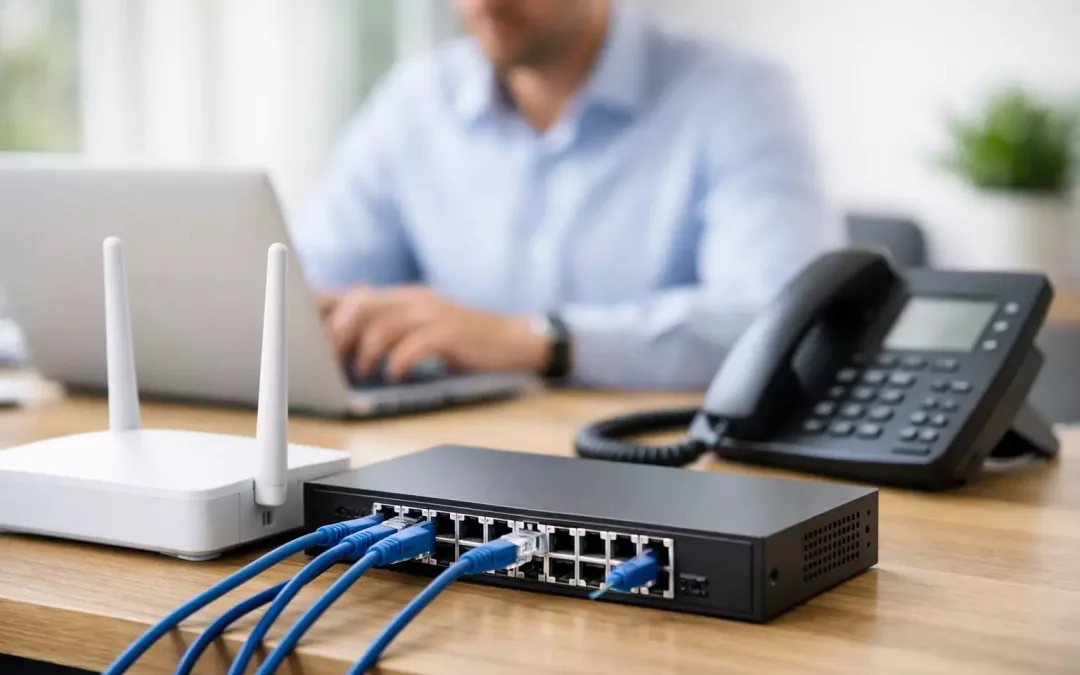
A slow office network usually does not fail all at once. It starts with dropped video calls in one room, a printer that disappears from the network, weak Wi-Fi near the conference area, and staff wasting time troubleshooting instead of working. This small business network setup guide is built to help you plan the right foundation before those small issues turn into downtime, security risks, or expensive rework.
For most small businesses, the network is not just an IT concern. It affects phones, cloud apps, point-of-sale systems, cameras, door access, file sharing, and customer service. If the physical layout and hardware are not planned together, you end up patching problems instead of solving them.
Start with how your business actually works
The best network setup starts with the day-to-day reality of your office. A law firm with private file access needs a different approach than a retail shop with guest Wi-Fi and payment terminals. A medical office, warehouse, or growing service business may have very different traffic patterns, coverage needs, and security requirements.
Before choosing hardware, map out how many people work on-site, how many devices are in use, which rooms need hardwired connections, and where reliable Wi-Fi matters most. Think about phones, printers, access control, cameras, TVs, conferencing systems, and anything else that needs connectivity. This is also the time to consider growth. If you expect to add employees, move departments, or bring in more connected devices, build for that now.
A network that only fits your current headcount may be cheaper upfront, but it often becomes more expensive when you need to add new drops, replace undersized switching, or fix poor access point placement six months later.
The physical layer matters more than most businesses think
Many network problems that get blamed on internet service are actually inside the building. Older cabling, messy terminations, poor labeling, overloaded switches, and badly placed access points can create performance issues that look random but are very predictable once you inspect the infrastructure.
Structured cabling gives your network a stable backbone. In most office environments, Cat6 is a practical choice because it supports modern speeds well and gives you room to grow. Cat6A may make more sense where higher bandwidth demands, longer cable runs, or heavier device density are involved. The right choice depends on the site, budget, and expected use.
Cable routing and termination quality matter just as much as cable type. Clean runs, proper testing, organized patch panels, and clear labeling save time every time you troubleshoot, move staff, or expand. Businesses that skip this step often pay for it later in longer service calls and unnecessary disruption.
A small business network setup guide should not ignore Wi-Fi design
Wi-Fi is where many offices feel the pain first. People notice weak signals and buffering quickly, but the real issue is often poor design rather than bad internet service. One access point in the middle of the office is rarely enough for a business that relies on wireless laptops, phones, tablets, and smart devices throughout the day.
Good Wi-Fi planning looks at coverage, device density, wall materials, floor layout, and interference. An open office may need fewer access points than a space with closed offices, block walls, or storage areas. Conference rooms and waiting areas may need special attention because many devices gather there at once.
Placement matters. Mounting access points where signal can spread evenly is more effective than hiding them wherever power or convenience allows. It also helps to separate staff traffic from guest traffic so visitors are not sharing the same network path as business systems.
Not every small office needs enterprise-scale wireless design, but almost every office benefits from intentional placement and proper configuration.
Choose hardware that fits the job
A reliable network is built from compatible, business-grade components. That usually includes a router or firewall, managed switches, wireless access points, patch panels, and a battery backup strategy for key equipment. The goal is not to buy the most expensive hardware. It is to choose equipment that supports your traffic, security needs, and future changes without constant workarounds.
For example, an unmanaged switch may be fine in a very basic setup, but managed switching gives you more control over traffic segmentation, troubleshooting, and expansion. If you need separate networks for office devices, guest Wi-Fi, phones, or cameras, managed hardware becomes much more valuable.
The firewall is another place where cutting corners can create bigger issues later. Small businesses are common targets because they often assume they are too small to attract attention. A properly configured firewall, secure remote access, and sensible user permissions go much further than a basic plug-and-play setup.
Build security into the setup, not after it
Security should be part of the network plan from the beginning. Once a business is operating on an open or poorly segmented network, improving security often means reconfiguring everything while people are trying to work.
Start with network segmentation. Staff devices, guest access, cameras, phones, and specialty equipment should not all live on the same flat network. Separating traffic improves both security and performance. It limits exposure if one device is compromised and makes it easier to manage bandwidth.
Then look at access control. Use strong administrator credentials, limit who has management access, and keep firmware current. If your team works remotely, secure VPN access is a better approach than exposing internal resources directly. If compliance or privacy is a concern, this becomes even more important.
Security is not only about stopping outside threats. It is also about reducing preventable internal mistakes, keeping systems organized, and making sure the network can be maintained responsibly over time.
Plan for internet service and fail points
Even a well-built internal network can only perform as well as the connection feeding it. That does not mean the fastest plan is always the right plan. What matters is matching internet service to how your business uses bandwidth.
A company that relies on cloud applications, hosted phones, video meetings, file sync, and remote staff may need more upload capacity and better service guarantees than a business that mostly uses web browsing and email. In some cases, a secondary connection or failover option makes sense, especially if downtime directly affects revenue or customer access.
This is one of those areas where local support can help. In Charleston-area offices, businesses often deal with multiple providers, building limitations, and service availability that varies by address. Getting clear advice before signing a contract can save a lot of frustration.
Keep the layout clean and serviceable
A network room or equipment closet does not need to be fancy, but it should be organized. Switches, patch panels, firewall equipment, and ISP handoff points should be mounted and labeled so future changes do not turn into guesswork.
Serviceability matters because your network will not stay frozen in time. People move desks. New equipment gets added. Offices expand. If every change requires tracing unlabeled cables or unplugging devices to test connections, routine moves become risky.
Professional testing at the end of the installation is just as important. Every cable run should be verified. Wireless coverage should be checked in the actual work areas. Hardware should be configured with documentation that makes sense to the business, not just the installer.
When to DIY and when to bring in a contractor
Some very small businesses can handle parts of a setup internally, especially if the space is simple and the needs are modest. But once the project includes structured cabling, multiple access points, network segmentation, office relocation, camera integration, or security planning, professional installation usually saves time and prevents expensive mistakes.
The trade-off is straightforward. DIY may reduce initial labor costs, but it often increases the risk of poor cable paths, weak Wi-Fi design, bad equipment choices, and limited documentation. A contractor that understands both the cabling layer and the business network side can coordinate the entire setup with less disruption.
That is especially useful during office moves and renovations, where timing matters and several vendors may be involved. A single provider managing cabling, hardware placement, testing, and connectivity planning helps keep the project on track.
Small business network setup guide for long-term reliability
The real goal is not just getting online. It is creating a network your business can trust on a busy Monday morning, during a client meeting, or when your team grows faster than expected. That means planning for coverage, speed, security, maintenance, and change from the start.
A good setup is usually quiet. Staff are not thinking about the network because everything works. Calls stay clear, files open quickly, Wi-Fi reaches the rooms that need it, and adding a new device does not create a chain reaction of problems.
If your current setup feels patched together, that is usually a sign to step back and redesign the foundation instead of replacing one piece at a time. The right network should support the way you work now and make the next upgrade easier, not harder.
If you are planning a new office, upgrading aging cabling, or trying to fix ongoing performance issues, the most practical next step is to assess the full environment before buying more hardware. A clear plan beats trial and error every time.