
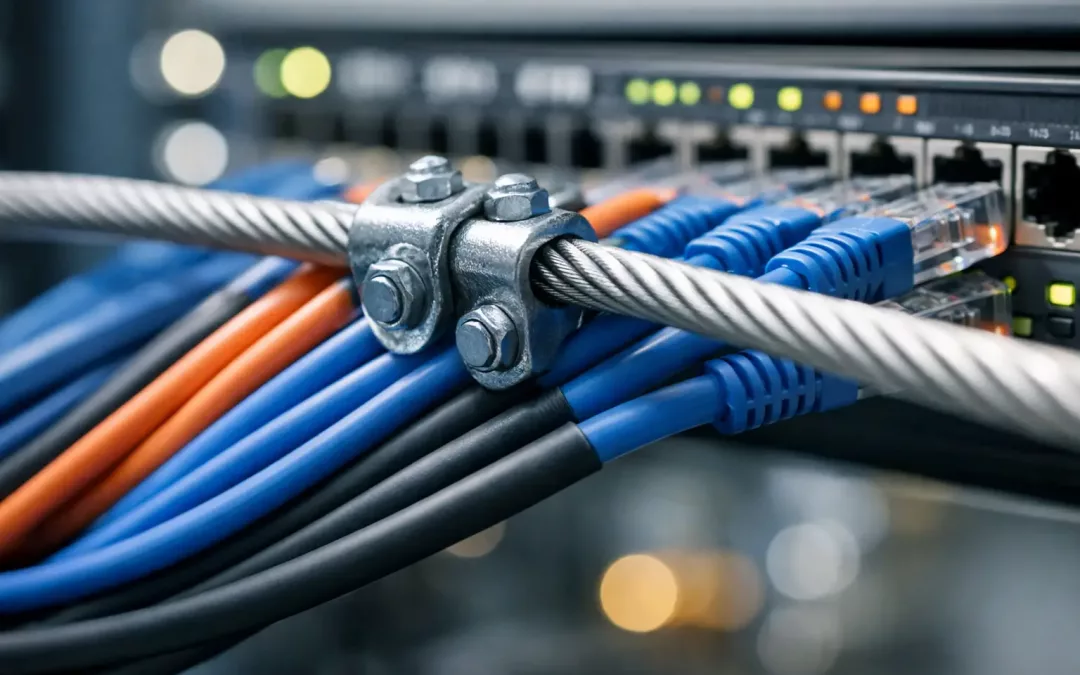
A lot of network problems get blamed on the internet provider, the router, or “bad Wi-Fi.” In many offices and homes, the real issue is simpler than that: network wiring that was never designed for the way the space is used now. If your team is dealing with dropped calls, slow file transfers, dead spots, or unreliable equipment connections, the cabling behind the walls may be the first place to look.
Why network wiring matters more than most people think
Good cabling is not the flashy part of a network, but it carries everything else. Your phones, computers, access points, cameras, printers, conference room systems, and cloud apps all depend on a stable physical path. When that path is poorly planned, outdated, damaged, or overloaded, performance starts to suffer in ways that look random from the outside.
That is why solid network wiring is about more than getting devices online. It affects day-to-day productivity, voice and video quality, security system reliability, and how easily your business can grow. A clean, tested cabling system also makes future upgrades easier because you know what is installed, where it runs, and what it can support.
For business owners and office managers, the practical question is not whether wiring matters. It is whether the existing setup is helping operations or quietly creating risk.
What good network wiring actually includes
A proper cabling system is not just a bundle of lines dropped wherever there is a desk. It starts with a layout that matches how the space functions. That means identifying workstations, shared devices, Wi-Fi access point locations, phone needs, security devices, server or equipment areas, and any plans for expansion.
From there, the right cable type matters. Cat5e may still be workable in some settings, especially for lighter bandwidth demands, but many businesses benefit from Cat6 or Cat6A for higher performance and more room to grow. The right choice depends on run length, speed goals, device density, and whether you expect the network to support heavier traffic over time.
The supporting hardware matters too. Patch panels, racks, switches, access points, and firewalls should be installed in a way that keeps the system organized and serviceable. Clean labeling is a small detail that becomes a big advantage when something needs to be moved, tested, or repaired. Sloppy work may seem cheaper at the start, but it usually costs more when troubleshooting begins.
Testing is another non-negotiable part of the job. Cabling should be verified after installation so you are not discovering bad terminations or inconsistent performance after people move in and start working.
Signs your current network wiring may be the problem
Many clients assume wiring issues would be obvious, but that is not always the case. The symptoms often look like device problems or internet problems first. You may notice that certain desks have slower connections than others, video calls break up in one part of the office, or access points never seem to deliver consistent coverage.
In older spaces, another common issue is that the cabling no longer matches the business. Maybe the office was reconfigured several times, more devices were added, or temporary runs became permanent. Over time, that creates a patchwork setup that works until traffic increases or a failure hits a critical area.
You may also need to take a closer look if your team is relying heavily on unmanaged switches under desks, visible loose cabling, unlabeled ports, or a server closet that no one wants to touch. Those are all signs the network may have outgrown its original design.
Network wiring for offices, relocations, and growing teams
An office move is one of the clearest moments to get cabling right. If the network is treated as an afterthought, move-in day turns into a scramble of missing drops, weak coverage, and rushed equipment placement. If it is planned early, the new space can open with the right connections where people actually need them.
This is especially important for businesses that use VoIP phones, cloud platforms, shared storage, cameras, or multiple access points. Each of those systems depends on more than just internet service. They depend on organized infrastructure that supports stable internal connectivity.
Growth creates similar pressure. A network that served ten users may not hold up well at twenty-five, especially if more of the work involves video conferencing, large file access, wireless devices, and security hardware. In that case, adding another quick fix may only postpone a larger problem. A better approach is to assess the full layout, clean up what is already there, and install cabling that supports the next stage of use.
The trade-offs between patching and replacing
Sometimes a full replacement is not necessary. If the cabling is relatively recent, properly terminated, and well documented, a targeted upgrade may be enough. That could mean adding runs for new workstations, improving access point placement, upgrading sections to Cat6 or Cat6A, or reorganizing the network room for cleaner management.
Other times, patching an old system only adds complexity. If there are recurring failures, unknown cable paths, inconsistent labeling, or a mix of standards installed over many years, replacement can be the more cost-effective decision. It reduces troubleshooting time, lowers the risk of downtime, and gives you a system that can actually be managed.
This is where a site-specific assessment matters. The right answer depends on your current infrastructure, your budget, and how critical uptime is to the business. A small office with limited demands may be fine with a modest upgrade. A busy operation with phones, cameras, and cloud-heavy workflows usually needs a stronger long-term plan.
Wi-Fi still depends on the wire
One of the biggest misunderstandings around connectivity is the idea that wireless performance is separate from cabling. In practice, strong Wi-Fi starts with strong wired infrastructure. Every access point needs a reliable physical connection back to the network, and placement only works when the cabling supports the design.
If access points are installed in poor locations because that is where a cable happened to be available, coverage will suffer. If the cabling to those devices is outdated or poorly terminated, users may still experience lag, disconnects, or slow speeds even after new hardware is installed.
That is why Wi-Fi optimization and network wiring should be planned together. The goal is not simply to add more access points. It is to place them where they will perform best and support them with the right cabling and switching behind the scenes.
Security and performance go hand in hand
Physical network infrastructure affects security more than many people realize. Firewalls and VPNs play an important role, but they work best when the underlying network is organized and intentional. If ports are undocumented, hardware is installed ad hoc, and network segments are unclear, it becomes harder to control access and harder to respond when problems arise.
A cleaner cabling environment supports better hardware placement, better segmentation, and fewer blind spots. That is especially relevant for offices using cameras, remote access tools, guest Wi-Fi, and connected door or building systems. Security is not just software policy. It is also the way the physical network is built.
What to expect from a professional network wiring project
A well-run project should start with questions, not assumptions. How do you use the space now? Where are the bottlenecks? What devices need reliable wired connections? What can tolerate wireless? Are you planning to add staff, reconfigure rooms, or install more cameras and access points later?
From there, the work should be mapped clearly. That includes cable routes, drop locations, hardware placement, labeling, testing, and any coordination needed for office hours or move timelines. For many businesses, minimal disruption is just as important as technical quality. Good planning avoids unnecessary downtime and cuts down on surprises.
The best contractors also think beyond the cabling itself. They look at switch placement, rack organization, access point support, firewall location, and how the network will be maintained after installation. That broader view is often what separates a short-term fix from a dependable system.
For businesses and homeowners around Charleston, working with a local team that handles cabling, hardware, Wi-Fi, and connectivity planning together can save time and reduce finger-pointing between vendors. All Wiring Needs is built around that kind of practical execution.
When it makes sense to act now
If your network issues are affecting daily work, waiting rarely makes them cheaper. Small wiring problems tend to show up repeatedly as lost productivity, service calls, workarounds, and user frustration. The same is true when you are preparing for an office move, renovation, expansion, or security upgrade. That is the right time to fix the foundation, not after the new equipment is already struggling.
The most useful network wiring is the kind you do not have to think about once it is in place. It supports the way your business runs, gives your devices a stable path, and leaves room for what comes next. If your current setup feels unpredictable, that is usually a sign the infrastructure deserves a closer look before it becomes a bigger interruption.