
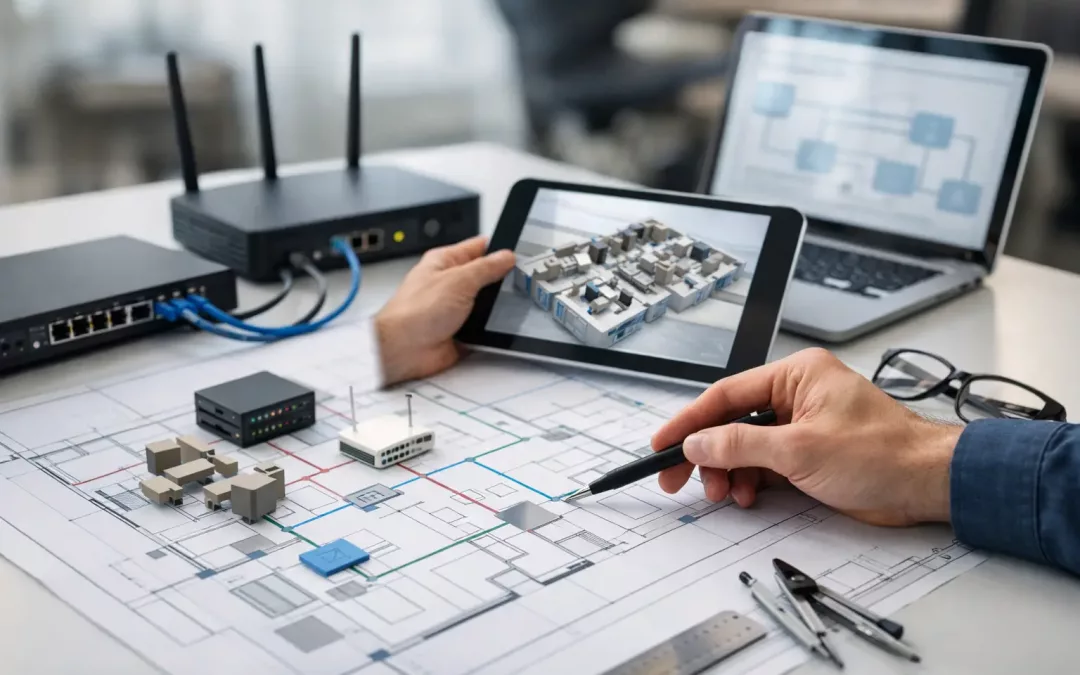
A network layout usually gets judged only after people move in. That is when dead Wi-Fi zones show up, conference room calls start freezing, and nobody can explain why the printer works on one side of the office but not the other. If you are figuring out how to plan office network layout, the right time to solve those problems is before furniture is set, walls are closed, and your team is relying on the space every day.
For most offices, the network is not just internet access. It supports phones, cameras, access control, shared files, cloud apps, guest traffic, and every device your staff expects to work without delay. That means the layout has to support performance, security, and future changes at the same time. A good plan keeps those goals aligned instead of forcing you into expensive fixes later.
Start with how the office actually works
The best network layouts begin with operations, not cable counts. Before choosing where switches or access points should go, look at how people use the space. A 15-person accounting office has different traffic patterns than a busy real estate team, a medical front desk, or a small warehouse office with cameras and badge readers.
Think in terms of users, devices, and business functions. Where do people sit all day? Which rooms host video meetings? Where are printers, phones, cameras, TVs, and shared workstations going? Are there areas where guest Wi-Fi matters, or places where you want tighter access controls? These questions shape the physical layout more than most business owners expect.
It also helps to plan for growth now, not after the move. If you expect to add staff, convert storage to workstations, or bring in more connected devices over the next few years, build for that version of the office. Adding capacity upfront is usually far easier than reopening finished areas later.
How to plan office network layout by zone
A practical way to approach network design is to break the office into zones. Most offices have a server or equipment area, primary work areas, conference rooms, reception, shared device locations, and possible specialty spaces such as break rooms, warehouses, or exterior coverage areas.
Each zone has different demands. Open desk areas often need both hardwired drops and solid Wi-Fi support. Conference rooms need reliable bandwidth for displays and video calls, plus clean hardware placement so cords do not end up patched together across the table. Reception may need phones, a workstation, a printer, guest access, and possibly camera coverage nearby.
This zoning approach helps you avoid one common mistake: treating every room the same. Uniformity sounds efficient, but offices are rarely used uniformly. Some areas need heavier density, tighter security, or cleaner cable management. Others just need enough connectivity to stay functional without overbuilding.
Pick a central network distribution point carefully
Where your main network equipment lives affects nearly everything else. Your modem handoff, router, firewall, switches, patch panels, and related hardware should have a dedicated, secure location that is easy to access for service and organized enough for future changes.
The ideal spot is central enough to support clean cable runs, protected from casual access, and suitable for ventilation and equipment mounting. A back closet can work. A cramped storage corner packed with supplies usually does not. If your gear ends up in a bad location, every future move, add, or change becomes harder.
This is also where planning beats improvisation. Businesses often focus on visible areas first and leave the network equipment location as an afterthought. That creates longer cable runs, messy terminations, and limited room to expand. A well-chosen equipment area gives you a cleaner backbone and less troubleshooting later.
Balance hardwired connections and Wi-Fi coverage
Many offices still ask whether they should rely mostly on Wi-Fi or wire everything they can. The honest answer is that it depends on what your team does, but most professional environments perform better with both.
Hardwired connections are usually the right choice for desks, phones, printers, conference room systems, cameras, and any stationary device where reliability matters. They reduce wireless congestion and give you more predictable performance. Wi-Fi should support mobility, guest access, and devices that move through the space, not carry the entire workload if it does not have to.
When planning wireless, access point placement matters far more than simply adding more units. Too few access points leaves gaps. Too many, or poorly placed ones, can create interference and inconsistent roaming. Construction materials matter too. Glass, concrete, metal framing, and dense walls all affect signal behavior differently. On paper, a layout may look covered. In the real office, coverage can fail in exactly the rooms that matter most.
Build the cabling around today and tomorrow
Structured cabling is the foundation of the office network. If that foundation is weak, the hardware on top of it can only do so much. Cable type, pathway planning, labeling, testing, and termination quality all have a direct effect on how dependable the network will be.
For many offices, Cat6 is a strong baseline. Cat6A may make more sense where higher performance, longer-term bandwidth needs, or denser device environments are expected. Fiber can be appropriate for uplinks, longer runs, or multi-area facilities. The right choice depends on your space, budget, and growth plans.
What matters just as much is leaving room to expand. That means adding spare drops where future desks may go, keeping rack space available, and avoiding a layout that uses every port on day one. A network built with no headroom is cheap only until the first change request arrives.
Security should be part of the layout
Security is often treated like a software setting, but the physical network layout plays a major role. Where you place equipment, how you separate traffic, and which devices get wired connections all affect your security posture.
Start by separating business traffic from guest access. If you have cameras, access control, phones, or specialty systems, those may also need their own segmentation. The goal is simple: a visitor on guest Wi-Fi should not be anywhere near your business systems, and one compromised device should not expose everything else.
Physical protection matters too. Network gear should not be sitting in an open area where anyone can unplug hardware, reset equipment, or patch in an unknown device. Conference rooms, front desks, and shared spaces deserve special attention because that is where convenience often creates risk.
Plan for office moves, adds, and changes
One of the clearest signs of a good layout is how well it handles change. Offices rarely stay frozen. Teams shift, departments expand, and furniture layouts get revised after people start using the space.
That is why flexible design matters. Extra cable runs, labeled patch panels, documented ports, accessible pathways, and switch capacity all make routine changes easier. Without that flexibility, even a small office update can create downtime and confusion.
This is especially important during relocations or renovations. If you are moving into a new suite or reworking an existing office, network planning should happen early enough to coordinate with furniture, floor plans, carriers, security systems, and room usage. Leaving connectivity decisions until the end usually means compromises that stay with the office for years.
Common mistakes that cost more later
Most network problems in offices do not come from one catastrophic decision. They come from a series of shortcuts. Underestimating Wi-Fi density, placing network equipment in a poor location, installing too few data drops, skipping labeling, and ignoring growth are all common issues.
Another mistake is letting layout decisions be driven only by the lowest upfront number. Cost matters, but cheap designs often push costs into service calls, staff frustration, and lost time later. If your team loses productivity because conference rooms fail or certain desks constantly struggle with connectivity, that is not a savings.
There is also a coordination problem many businesses run into. One vendor handles internet, another touches hardware, another addresses cabling, and nobody owns the full picture. The result is finger-pointing when problems show up. A better approach is to treat the office network as one connected system, from cabling and equipment placement to wireless coverage and security segmentation.
When to bring in a network layout professional
If your office has more than a handful of users, multiple rooms, security devices, phones, or planned growth, professional planning is usually worth it. The goal is not to overcomplicate the project. It is to avoid building blind.
A qualified contractor can assess the site, identify cable pathways, map device locations, recommend switch and access point placement, and flag issues before they turn into delays. That is especially useful in older buildings, offices with mixed materials, multi-tenant spaces, or move-in projects with tight timelines.
For businesses in the Charleston area, that local site knowledge can make a real difference. Every building has its quirks, and office connectivity planning works better when the team handling it understands both the infrastructure side and the day-to-day pressure of getting a business operational quickly.
The smartest office network layout is not the one with the most hardware. It is the one that fits the way your business runs, leaves room to grow, and keeps people connected without forcing them to think about the network all day.