
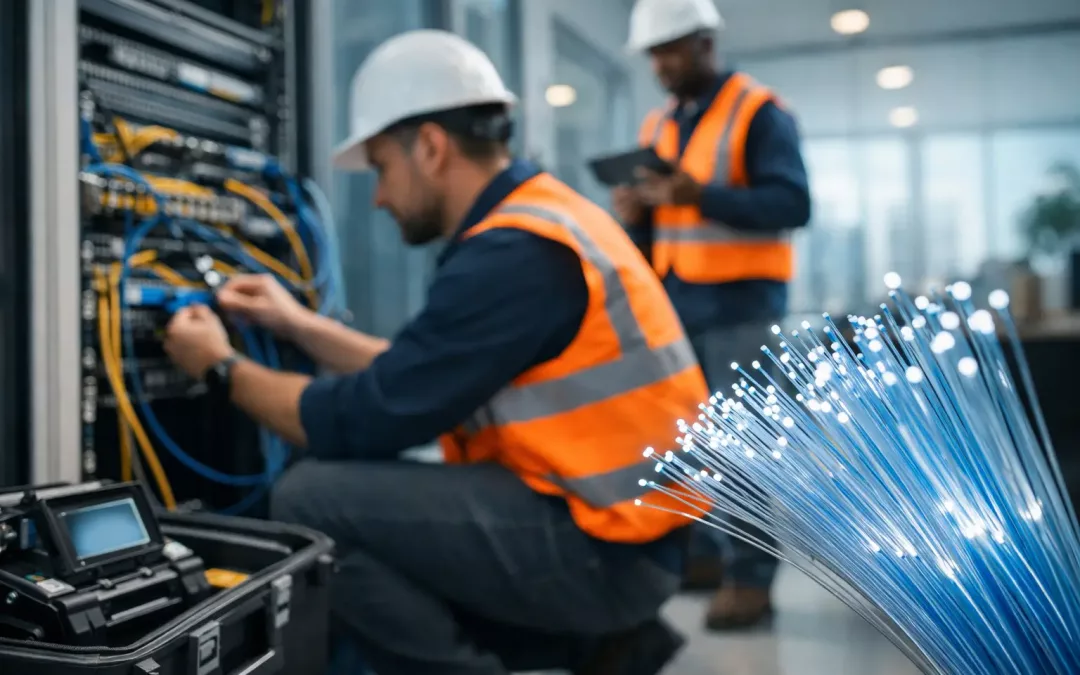
If your office keeps adding cloud apps, video calls, security cameras, and Wi-Fi devices, your network stops being a background utility and starts affecting every workday. That is usually the point when fiber optic installation for business moves from a nice upgrade to a practical decision. The right fiber build gives you more bandwidth, better stability over distance, and room to grow without constantly patching around old limitations.
For many businesses, the real issue is not just internet speed. It is congestion between rooms, unreliable connections to network closets, poor support for new hardware, or a site layout that has outgrown its original cabling plan. Fiber can solve those problems, but only when it is designed around how your business actually operates.
When fiber optic installation for business makes sense
A lot of offices do not need fiber everywhere. That is one of the first things worth saying because overbuilding is just as unhelpful as underbuilding. In some spaces, Cat6 or Cat6A still makes perfect sense for workstation drops, phones, and standard network devices. Fiber becomes especially valuable where distance, backbone capacity, interference concerns, or future expansion are driving the project.
If you have multiple suites, a warehouse attached to an office, separate telecom rooms, or a growing equipment stack with switches, firewalls, servers, and access points, fiber often belongs in the backbone. It gives you stronger support for high-throughput traffic between key network points and avoids some of the performance limits that show up in older copper runs.
It also makes sense during an office move, renovation, or major network refresh. Those moments are expensive and disruptive already, so they are the best time to fix structural issues instead of carrying them into the next phase of the business. A well-planned installation can support internet service handoff, internal distribution, Wi-Fi upgrades, security systems, and future hardware changes in one coordinated project.
What a business fiber project actually includes
Business owners sometimes hear “fiber installation” and think only about the service line coming into the building. In practice, that can be only one piece of the job. A full project may include outside plant coordination, building entry planning, riser routing, inter-closet backbone cabling, rack organization, patch panels, transceivers, hardware connections, testing, and labeling.
The most successful projects start with a site-specific design. That means looking at where the demarcation point is, where core equipment will live, how traffic should move through the space, and what other systems need to tie into the network. It also means identifying constraints early, such as crowded pathways, older cable removals, shared building rules, or a timeline that has to work around active operations.
This is where a contractor with both cabling and business connectivity experience brings more value than a narrow install-only approach. If the team understands switches, firewalls, Wi-Fi coverage, ISP coordination, and office layout, the fiber work gets planned as part of the whole network instead of as an isolated cable pull.
Single-mode vs. multimode: which one fits?
This is one of the most common planning questions, and the answer depends on distance, budget, equipment, and long-term goals.
Multimode fiber is often used inside buildings for shorter runs. It can be a strong option for connecting telecom rooms, server spaces, and other internal backbone points where distances are moderate and compatible equipment is already part of the plan. For many offices, that is enough.
Single-mode fiber supports longer distances and is often the better fit when you want maximum future flexibility. If your site may expand, if buildings are spread out, or if you want fewer upgrade constraints later, single-mode can be the smarter investment. It may cost more in some configurations, but replacing a backbone too early usually costs more than choosing correctly the first time.
There is no universal winner. The right choice comes from the layout of the property, the hardware being used, and how much growth you want the network to absorb without another major cabling project.
The biggest factors that affect cost
Cost questions come up early, and fairly so. Fiber projects vary because the cable itself is only part of the price. Labor, routing complexity, termination type, hardware compatibility, testing requirements, and access conditions all matter.
A simple run inside an open office is very different from a project that involves multiple IDFs, old cabling cleanup, occupied workspaces, limited pathway access, or coordination with property management. If the installation also includes switch upgrades, rack work, wireless improvements, or carrier handoff support, the scope expands further.
The lowest quote is not always the lowest project cost. A cheap install that skips good labeling, proper testing, clean cable management, or hardware planning can create expensive troubleshooting later. Businesses usually benefit more from a clear scope, verified performance, and a design that avoids rework.
How to avoid downtime during fiber optic installation for business
Business leaders usually care less about the cable spec than about disruption. That makes sense. A network upgrade is only helpful if it does not create unnecessary problems for staff, customers, or tenants.
Good planning reduces that risk. The first step is staging the work around operations. Some projects can be built in parallel with the existing network before cutover. Others need after-hours scheduling, floor-by-floor sequencing, or temporary connectivity plans while key pathways are being updated.
Testing should happen before the new fiber becomes mission-critical. Certification, end-to-end verification, and hardware checks matter because they catch issues when there is still time to correct them cleanly. Labeling matters too. When a business grows or needs support later, clear identification saves time and avoids mistakes.
Communication is another overlooked factor. Teams should know what is changing, when it is changing, and what impact to expect. For office moves and renovations especially, coordination between network infrastructure, furniture layout, internet service timing, and device deployment keeps the project from drifting into avoidable downtime.
Common mistakes businesses make
One common mistake is treating fiber as a stand-alone fix. If poor performance is really caused by weak switching hardware, a bad wireless design, or an outdated firewall, fiber alone will not solve it. It needs to be part of a broader network plan.
Another mistake is installing only for current demand. That can feel efficient in the short term, but businesses rarely stay static. New cloud platforms, higher camera counts, more access points, hybrid work tools, and tenant changes all put pressure on the network. Building some headroom into the backbone is usually the better move.
The third mistake is ignoring the physical details. Pathways, rack space, heat, cable organization, and documentation all affect the long-term success of the installation. A network can test well on day one and still become difficult to manage if the physical infrastructure is sloppy.
What to expect from the installation process
A professional project usually starts with a walk-through and needs assessment. That includes reviewing current pain points, growth plans, building layout, equipment locations, and service dependencies. From there, the design gets shaped around real operational needs rather than generic assumptions.
Next comes scope definition. This is where pathway routes, fiber type, termination points, rack changes, hardware needs, and scheduling get clarified. If the project overlaps with an ISP install, office relocation, or wireless refresh, those pieces should be coordinated now rather than later.
Installation follows the agreed plan, with attention to clean routing, proper termination, and minimal disruption. After that, testing and documentation confirm that the work performs as intended. That final step is more than a formality. It gives your team a usable record of what was installed and makes future support much easier.
For businesses in Charleston, Berkeley, and Dorchester counties, working with a local contractor can also speed up scheduling, site coordination, and follow-through when timelines are tight. That is often a real advantage during moves, expansions, and urgent remediation work.
Choosing the right contractor
Fiber is not just about pulling cable. The contractor should understand network performance, physical layout, and business continuity. That means asking how they handle design, testing, labeling, hardware coordination, and project communication, not just whether they install fiber.
It also helps to choose a team that can support related needs in the same project. If your office also needs rack cleanup, switch installation, Wi-Fi improvements, cable removal, or help coordinating service providers, it is easier when one experienced partner can manage the whole scope. That reduces handoff issues and keeps accountability clear.
A good business fiber installation should leave you with more than a faster connection. It should give you a network foundation that is easier to manage, easier to scale, and less likely to cause disruption when your business changes. If you are planning a move, upgrading an aging office, or trying to fix recurring performance problems, this is the time to build infrastructure that will still make sense a few years from now.